
Jump to a section32
- Real Quick: What Is an Audio Interface?
- What Actually Differs Between Interfaces
- Quick Picks
- How I Picked These
- Pick an Interface Based on What You Record
- What Level of Producer Am I?
- Best Beginner Audio Interfaces, Under $275
- 1M-Audio M-Track Duo
- 2SSL 1
- 3Focusrite Scarlett Solo 4th Gen
- 4Audient iD4 MkII
- 5Arturia MiniFuse 2
- 6MOTU M2
- 7Yamaha URX22C
- 8Focusrite Scarlett 2i2 4th Gen
- Best Intermediate Audio Interfaces, $275 to $600
- 9Black Lion Audio Revolution 2x2
- 10Universal Audio Volt 276
- 11Antelope Audio Zenith 2
- 12SSL 2+ MkII
- 13Focusrite Scarlett 4i4 4th Gen
- 14MOTU M6
- 15SSL 12
- 16Focusrite Clarett+ 2Pre
- Best Advanced Audio Interfaces, $800 and Up
- 17Audient iD44 MkII
- 18RME Babyface Pro FS
- 19Universal Audio Apollo Twin X Gen 2
- 20Universal Audio Apollo x8 Gen 2
- All 20 Side by Side
- Frequently Asked Questions
- Buy the Boring One and Spend the Rest on Your Room
An audio interface is the box that sits between your studio and your computer. It turns the sound from your mic, guitar or synth into something your DAW can record, and turns your DAW back into sound for your monitors and headphones.
Your computer has a basic version of this built in. It just isn’t built for music. There’s nowhere to plug in a real microphone, and the headphone jack struggles to drive studio headphones properly. That’s why the interface is one of the first things you buy.
The good news is that most producers need less interface than they think. Converters, the chips that turn sound into data and back, stopped being something you can hear about a decade ago. So what you’re really paying for is the mic preamp and the headphone output, plus drivers that don’t crash and enough inputs for what you record.
For most people, that means spending $160 to $300. The Focusrite Scarlett 2i2 4th Gen (around $225) is the default first interface for a reason. If you only record one thing at a time, the SSL 1 (around $160) has a better preamp than its price suggests. And if you record on an SM7B or another mic that needs a lot of gain, the Antelope Zenith 2 (around $299) gives you 75dB of clean gain.
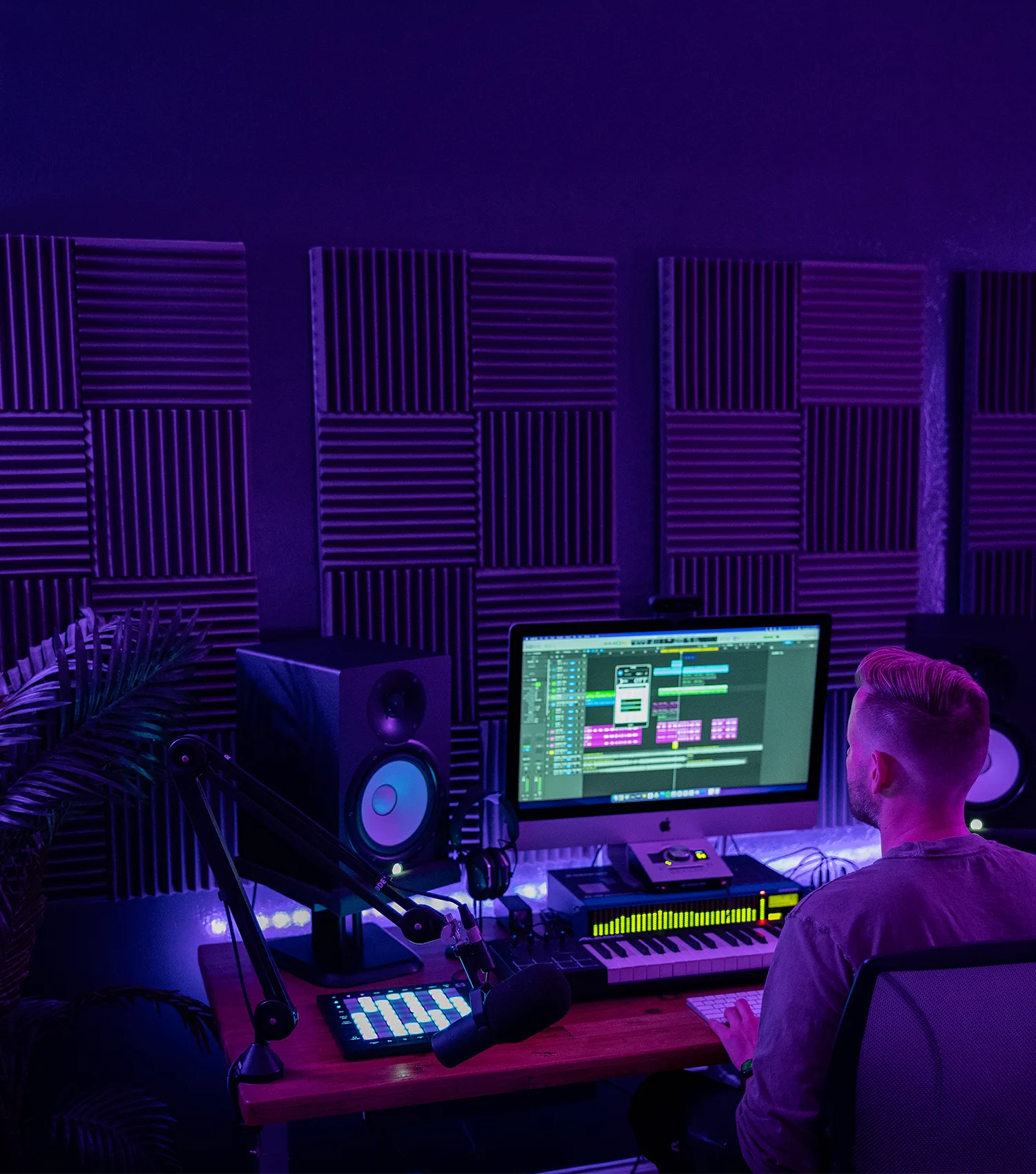
My own setup is not the humble version. I record through a Universal Audio Apollo Twin X, with an Apollo x8 handling the rest of the room. Both are in the advanced section near the bottom, so yes, I’m biased about those two. It didn’t start there, though. My first interface was an M-Audio Fast Track, and I think there was an M-Track somewhere after that, though I wouldn’t swear to it in court.
Real Quick: What Is an Audio Interface?
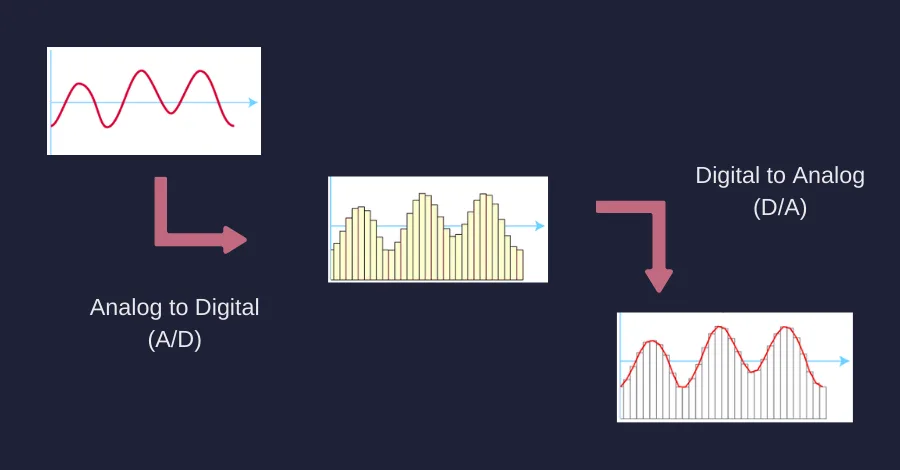
An audio interface converts microphone and instrument signals into something your computer can record, and converts the computer’s output back into something your speakers can play. Analog in, digital out, then digital back to analog on the way to your monitors and headphones.
It also does two jobs people forget about. It gives you a mic preamp, which is the circuit that brings a microphone’s tiny signal up to a usable level. And it gives you a headphone amp that can drive real studio headphones properly, which the jack on your laptop usually can’t.
What Actually Differs Between Interfaces
Converters. Almost nothing. This is the uncomfortable part for a gear list. The converter chips in a $160 box and a $3,000 box are both far past the point where you can hear the difference on a mix. Anyone selling you on conversion quality below the mastering tier is selling you something.
The preamp. This is real and audible, especially on vocals and acoustic instruments. What you’re listening for is noise at high gain and how much color it adds. A Scarlett preamp is clean and quiet, while an Audient or SSL has a bit more body to it. And a Volt 276 in Vintage mode is colored on purpose (that’s the whole point of it).
How much gain it has. Ignore this until you own a dynamic mic. Then it’s the only spec that matters. An SM7B needs somewhere around 60dB before it sounds like anything, and cheap interfaces run out and start hissing before they get there. Anything with 70dB or more of clean gain saves you buying a Cloudlifter (a little gain booster box) later.
The headphone amp. You’ll spend more hours listening through this than recording through the preamp. Cheap ones go loud and go thin. If two people need separate headphone mixes, you need two headphone outputs with independent feeds, which is a much shorter list than you’d expect.
Drivers. Unglamorous and the most common reason people replace an interface. A driver is the small piece of software that lets your DAW talk to the hardware, and a bad one gives you dropouts and a session that stops working the week your operating system updates. RME has the best reputation here by a wide margin, and it’s most of what you’re paying them for.
What you can plug in. The spec that actually forces the decision. Count the things you record at the same time, then add one. If you own hardware synths you need line inputs and 5-pin MIDI. If you record a band you need four preamps at minimum and probably eight.
Sample rate. Every interface here handles 48kHz, which is the normal working rate and nothing fancy. The only numbers worth noticing are two ceilings: the M-Track Duo stops at 48kHz and the Audient iD4 MkII at 96kHz. Everything else on this page goes to 192kHz.
Quick Picks
If you want to skip the reading, start here. Each row links down to the full entry.
| Interface | Best for | Why |
|---|---|---|
| Focusrite Scarlett 2i2 4th Gen | Most producers | The default first interface, around $225 |
| SSL 1 | One mic at a time | SSL preamp and the 4K circuit, around $160 |
| M-Audio M-Track Duo | Spending the least | Two real inputs for around $69 |
| Antelope Zenith 2 | SM7B owners | 75dB of gain and effects on the box |
| SSL 2+ MkII | Two headphone mixes | Two independent headphone feeds |
| Focusrite Scarlett 4i4 4th Gen | Hardware synths | Four line inputs and 5-pin MIDI |
| MOTU M6 | Recording a band | Four preamps and metering, around $450 |
| RME Babyface Pro FS | Driver stability | The one you buy to stop troubleshooting |
| UA Apollo Twin X Gen 2 | UAD plugins | Unison preamps and room correction |
How I Picked These
I picked these based on a mix of what I’ve used myself, what my producer friends swear by, a pile of public reviews, and a whole hell of a lot of research. Every one is still being made, so you can actually buy it new, which is more than you can say for a lot of the interfaces on other lists (especially the expensive ones). Each one also had to be worth it over something cheaper, because with interfaces the cheap one is usually fine. When it was close, I went with the box you’ll still be happy with in five years over the one with the longest spec sheet.
Specs come from the maker’s page or the store listing. Prices are what you’d typically pay in the US, at the maker’s own store or the big US retailers, which is why every one says “around $X.” They move a lot, and on a few models the price on the maker’s own site is higher than what stores actually charge.
If you’re wondering about a few big names that aren’t here, the PreSonus Quantum 26x32, the Steinberg AXR4, the Mackie Onyx Producer 2.2 and the Avid HD I/O are all discontinued, and the Antelope Zen Tour Synergy Core and Apogee Symphony I/O Mk II are down to clearance stock or gone. The IK Multimedia iRig Pro Duo I/O is still on sale, but I left it off because it’s a 2020 design that stops at 48kHz.
Pick an Interface Based on What You Record
How many things you record at the same time decides this more than anything else, and it’s hard to work out on your own when you’re starting. Find the line that sounds like you and read those picks first.
- A vocal, one thing at a time. One mic preamp is all you need. SSL 1 or the Scarlett Solo 4th Gen.
- A vocal and a guitar at the same time. Two preamps. Scarlett 2i2 4th Gen, Audient iD4 MkII, MOTU M2 or the Yamaha URX22C.
- A vocal through a gain-hungry dynamic mic. 70dB or more of clean gain. Antelope Zenith 2, SSL 2+ MkII or the Volt 276.
- Hardware synths and drum machines. Line inputs plus 5-pin MIDI. Scarlett 4i4 4th Gen, SSL 12 or the MiniFuse 2.
- Two people who need separate headphone mixes. Two independent headphone outs. SSL 2+ MkII, Zenith 2, SSL 12 or the Audient iD44 MkII.
- A band, live in a room. Four preamps minimum, with ADAT for when four isn’t enough. MOTU M6 or the Audient iD44 MkII.
- Mostly nothing, because you work in the box. A headphone amp worth listening through and drivers that never argue. MOTU M2, RME Babyface Pro FS or the Apollo Twin X Gen 2.
What Level of Producer Am I?
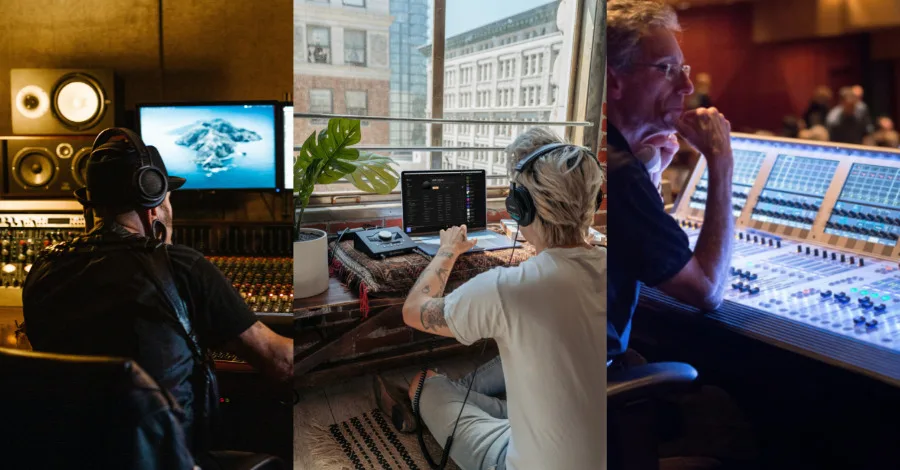
The list below is split into three tiers, and they climb in price from $69 to $2,999. Here’s how to find yourself on it.
You’re a beginner if this is your first interface, or your first one that cost more than a night out. You’re recording a vocal or a guitar, maybe hearing it on real monitors or headphones for the first time, and you have no idea yet which features you’ll miss. Buy cheap here. You’ll learn more about what you need from six months of using one than from six weeks of reading about them.
You’re intermediate if you’ve lived with an interface for a while and you can name the specific thing it won’t do. Not enough inputs, a preamp that hisses on your SM7B, a collaborator stuck sharing your headphone mix (and hating it), no MIDI port for the synth you just bought. That named problem is the reason to upgrade, and it should pick the box for you.
You’re advanced if the interface has become part of how the room works. Maybe you’re tracking other people and running monitor control from your desk, or you’ve built your whole workflow around one plugin ecosystem. This is also the only tier where spending real money makes sense, and only for a reason you can say out loud.
Not about interfaces, but if you need a break from spec sheets, these are my seven favorite production hacks of all time.
Best Beginner Audio Interfaces, Under $275
Eight options, and this is where most of you should be shopping. A few of these will outlast the studio you build around them.
1. M-Audio M-Track Duo
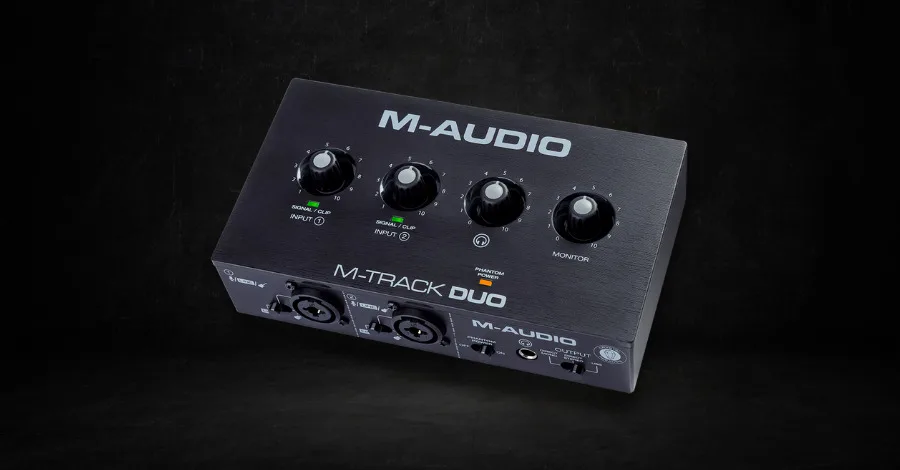
The M-Audio M-Track Duo is about as cheap as an interface gets before it turns into a mistake.
In and out: 2-in / 2-out, USB bus powered
Preamps: 2 combo XLR, line and DI inputs with 48V phantom power
Price: around $69
Two combo inputs, two outputs, phantom power, and a headphone jack. For $69 that covers a mic and a guitar at the same time, which is what most people want from a first interface and more than a lot of them ever use.
It’s the right call when the alternative is not buying one. Sixty-nine dollars is a pedal, and it gets a real microphone into your DAW this week instead of next year. If you only need one preamp, the M-Track Solo is $49.
Best for: your first interface, when the budget is whatever’s left after the microphone.
Watch out: it stops at 48kHz, which is fine for finishing tracks and a hard ceiling if you ever want to record at higher rates. The preamps also run out of gain on high-output dynamic mics. Some listings describe it as a 4-in / 4-out box. It’s 2-in / 2-out.
2. SSL 1
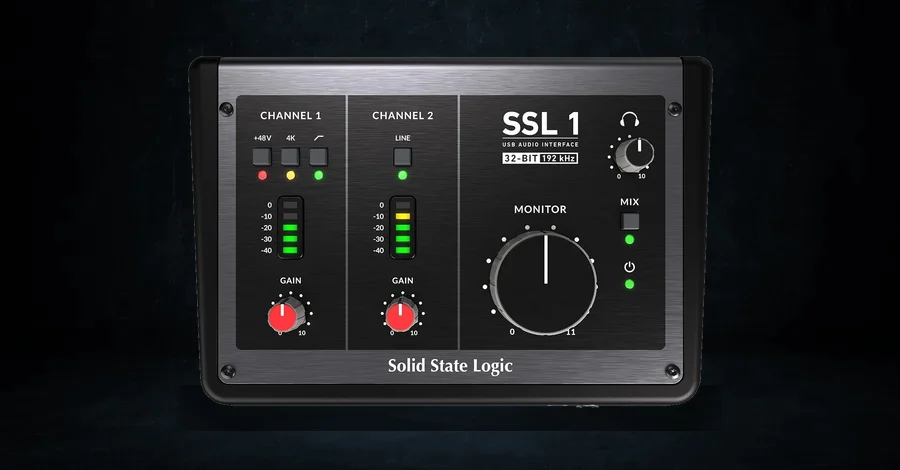
Announced in May 2026, the SSL 1 is the cheapest interface Solid State Logic has ever built, and it’s the one I’d hand a singer-songwriter without thinking twice.
In and out: 2-in / 2-out USB, class compliant
Preamps: 1 SSL-designed mic preamp, happy with dynamics and condensers
Price: around $160
One preamp is the whole design decision, and it’s the right one for a huge number of people. Most home recording is a single source at a time, and paying for a second preamp you never touch is how budgets get wasted. SSL spent the money on the one you do use.
It keeps the 4K analog enhancement from the bigger SSL boxes, a harmonic circuit borrowed from the 4000-series consoles that adds a bit of top-end sparkle and grit when you switch it in. It’s class compliant, so it needs no driver and works with an iPad, and it runs off a phone charger or a power bank. The SSL Production Pack of instruments and plugins comes with it.
Best for: singer-songwriters and anyone recording one thing at a time who wants a real SSL preamp for $160.
Watch out: one preamp means no simultaneous mic and guitar. If you need both, skip to the 2i2 or the iD4.
3. Focusrite Scarlett Solo 4th Gen
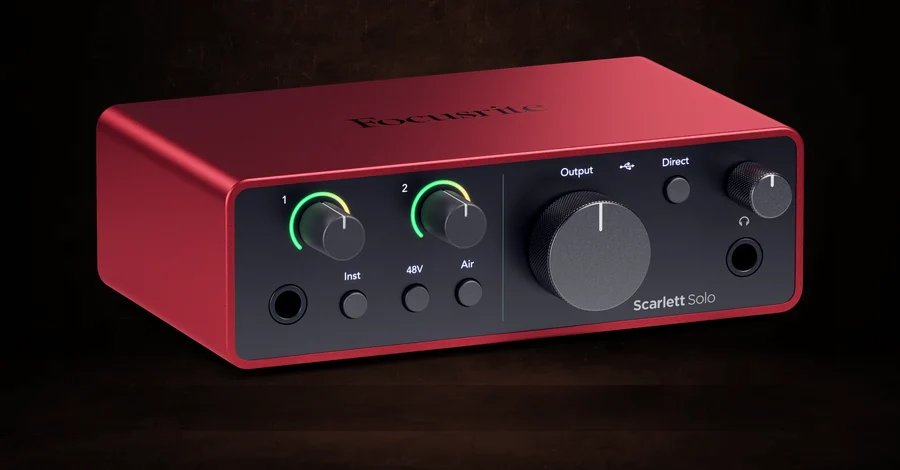
The Scarlett Solo 4th Gen is the single-input version of the most popular interface line ever made, and it carries a best seller badge to prove it.
In and out: 1 mic input, 1 Hi-Z instrument input, 2 outputs
Preamps: 1 Scarlett preamp with Air modes
Price: around $160
It’s the same 4th Gen conversion as the 2i2 (120dB of dynamic range) with one mic input instead of two, and it costs $65 less. The Air modes are worth knowing about: Presence lifts the top end the way a classic transformer preamp does, and Harmonic Drive adds a bit of saturation on the way in.
The other thing you’re buying is the answer pool. When something goes wrong at 2am, there’s a YouTube video about your exact interface, which is not true of most gear at this price.
Best for: vocalists and guitarists who record alone and want the safest possible first purchase.
Watch out: no Auto Gain and no Clip Safe. Those live on the 2i2 and up, and they help a lot if you’re still learning to set levels.
4. Audient iD4 MkII
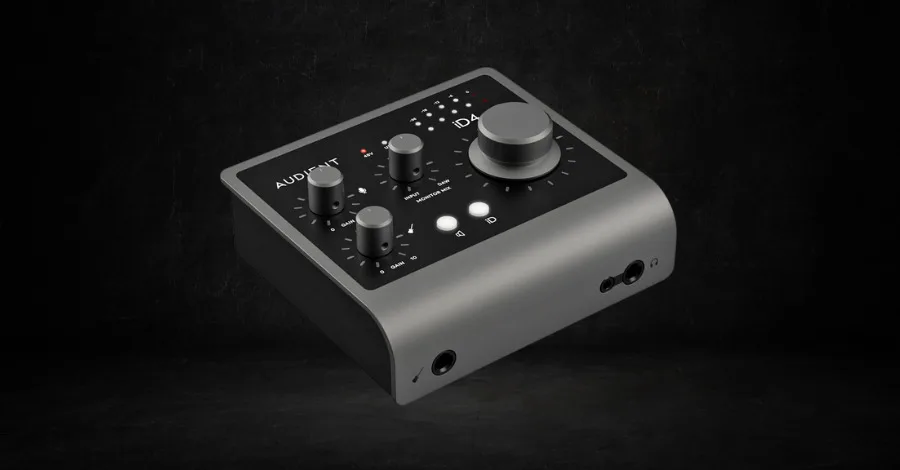
The Audient iD4 MkII is the one to buy if the preamp is what you care about at this price, and the preamp is the right thing to care about.
In and out: 2-in / 2-out USB-C, works with iPhone and iPad
Preamps: 1 Class-A console mic preamp, plus a JFET instrument input
Price: around $270
Audient makes big studio mixing consoles, and the iD4’s preamp is the same Class-A circuit from those desks. Against a Scarlett it’s a touch warmer and has a bit more weight in the low mids, and on a vocal you can hear it.
The JFET instrument input is modeled on a tube amp’s input stage, so a guitar plugged straight in arrives with some character rather than sounding sterile. There are two headphone outputs, which is unusual at this price, though they share one mix.
Best for: producers who record vocals and want the best preamp in this tier.
Watch out: it tops out at 96kHz where most of its price rivals hit 192kHz, which matters to almost nobody and is worth knowing anyway.
5. Arturia MiniFuse 2
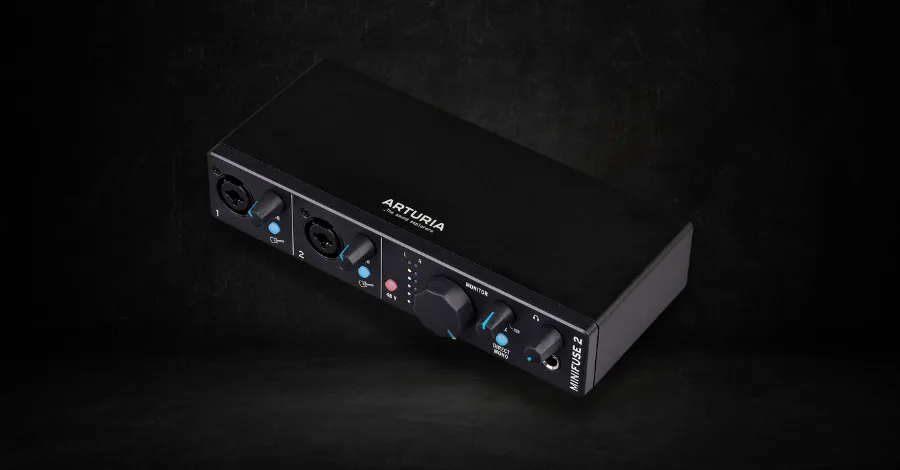
Of everything on this page, the Arturia MiniFuse 2 gives you the most software per dollar, and it’s the only one with a spare USB port built into it.
In and out: 2-in / 2-out USB-C, 5-pin MIDI in and out, plus a USB hub port
Preamps: 2 combo XLR and TRS inputs with 56dB of gain and 48V
Price: around $199
That hub port sounds like a small thing until you’re on a laptop with two USB-C sockets and you own a MIDI keyboard and a hard drive. MIDI in and out on 5-pin DIN is the other quiet win, since it means a hardware synth can talk to your DAW without a separate box.
The bundle is big: Ableton Live Lite, Analog Lab Intro with 500 presets, four Arturia effects, NI Guitar Rig, and trials of AutoTune Unlimited and Splice. If you’re starting from nothing, that’s a studio’s worth of software attached to a $199 interface.
Best for: producers who own MIDI hardware and don’t yet own many plugins.
Watch out: Arturia lists it at $249, so the $199 street price is the one to hold out for. There’s also a newer MiniFuse 2 OTG at around $219 with dual-USB connectivity for phones, which is a different product.
6. MOTU M2
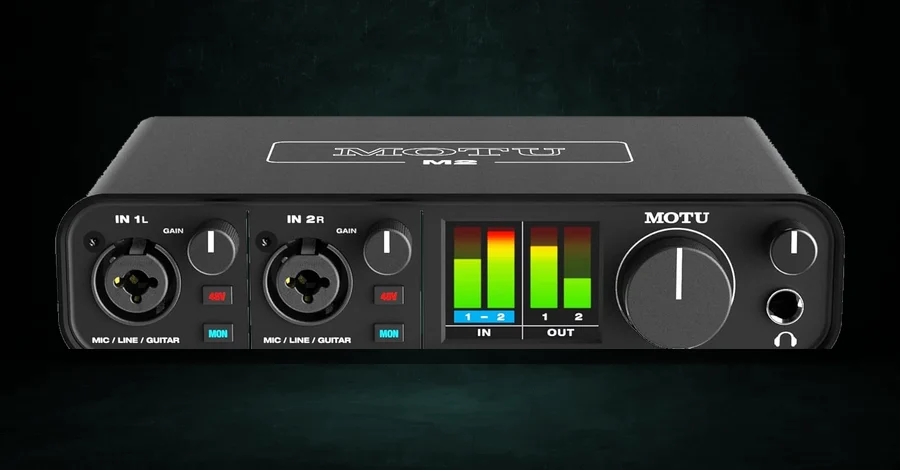
The MOTU M2 has the best converters in this tier and the only front panel you can actually read from across the desk.
In and out: 2-in / 2-out USB-C, works with macOS, Windows and iOS
Preamps: 2, with ESS Sabre32 conversion on the outputs
Price: around $200
The full-color LCD with real metering is the feature people don’t appreciate until they’ve lived with one. You set levels by looking at the interface instead of at your DAW, which sounds trivial and changes how tracking feels.
The ESS Sabre32 converter is the same family of chip that shows up in high-end listening gear, and MOTU’s published measurements for this box sit above what anything else at $200 claims. As I said up top, converters are the spec that matters least, and if you’re going to pay attention to one anyway, this is where you get it for free.
Best for: in-the-box producers who want the cleanest sound out to their speakers at this price, and anyone who likes seeing their levels on hardware.
Watch out: the software bundle is thin next to Arturia’s. If you need a 4-in version, the MOTU M4 is around $280.
7. Yamaha URX22C
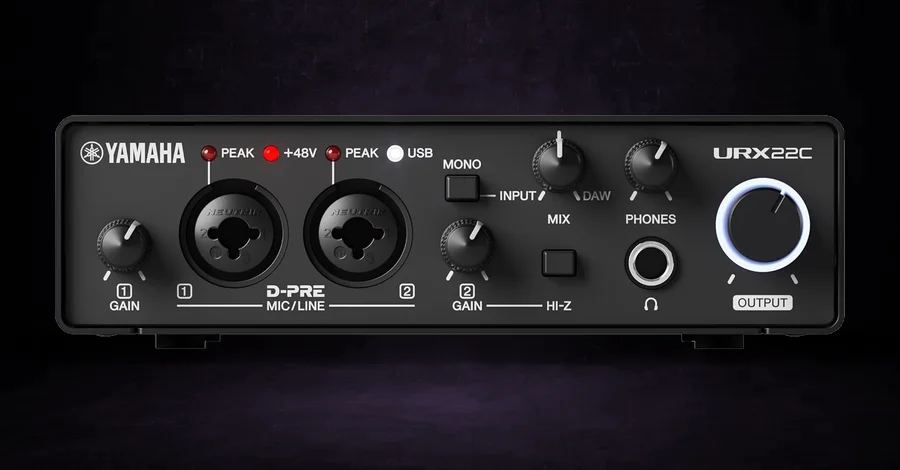
The Yamaha URX22C is the Steinberg UR22C under its new name, and it’s still the one I’d throw in a bag.
In and out: 2-in / 2-out USB 3.0, 5-pin MIDI in and out, full metal housing
Preamps: 2 XLR and TRS combo inputs with Class-A D-PRE preamps, one switchable to Hi-Z
Price: around $220
The metal box is the first reason it travels well. The second is the onboard DSP: it runs REV-X reverb and a channel strip on the hardware, plus Guitar Amp Classics, so a singer can hear themselves through reverb with no latency at all while the laptop does none of the work. Those same processors ship as VST3 and AU plugins too.
It runs from an iPad and records at 32-bit integer up to 192kHz, and Cubase AI comes in the box. For writing in hotel rooms and at other people’s studios, this is a lot of interface in a small metal brick.
Best for: recording away from your own room, and anyone who wants monitoring effects without touching the CPU.
Watch out: the name on the box changed in October 2025. Old Steinberg-branded UR22C stock is still around, often for more than the new Yamaha version costs. Buy the Yamaha.
8. Focusrite Scarlett 2i2 4th Gen
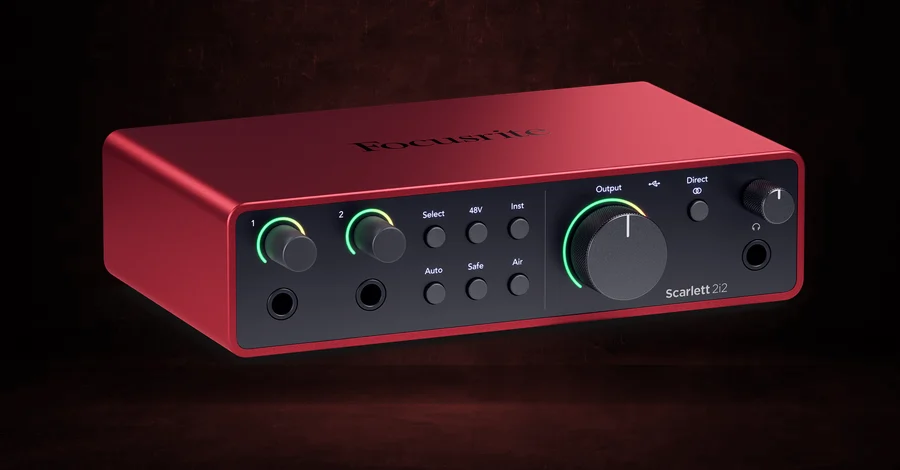
There’s a reason the Scarlett 2i2 4th Gen is the default first interface, and being contrarian about it would be a stunt.
In and out: 2-in / 2-out USB-C, separate XLR and jack inputs
Preamps: 2 Scarlett preamps with Air modes, Auto Gain and Clip Safe
Price: around $225
Auto Gain is the 4th Gen feature worth the upgrade over a Solo. You sing or play for ten seconds and it sets the input level for you, which removes the single most common beginner mistake. Clip Safe watches the input and pulls the gain down before a peak distorts, so a take you can’t repeat doesn’t get ruined by one loud note.
Past that, it’s 120dB of dynamic range, two preamps with Air, two Hi-Z instrument inputs, and the largest support community of any interface ever sold. If you honestly don’t know what you need yet, this is the box that says yes to the most situations.
Best for: almost everybody, and especially anyone buying their first interface who wants to stop researching.
Watch out: the 3rd Gen is still sold alongside it at a lower price, so check the listing says 4th Gen before you click. If you want a mic and headphones in the same box, the 2i2 Studio bundle is around $340.
Best Intermediate Audio Interfaces, $275 to $600
Eight options for producers who can name the thing their current interface won’t do. Gain, headphone mixes, line inputs, MIDI, onboard processing. Each of these fixes one of those.
9. Black Lion Audio Revolution 2x2
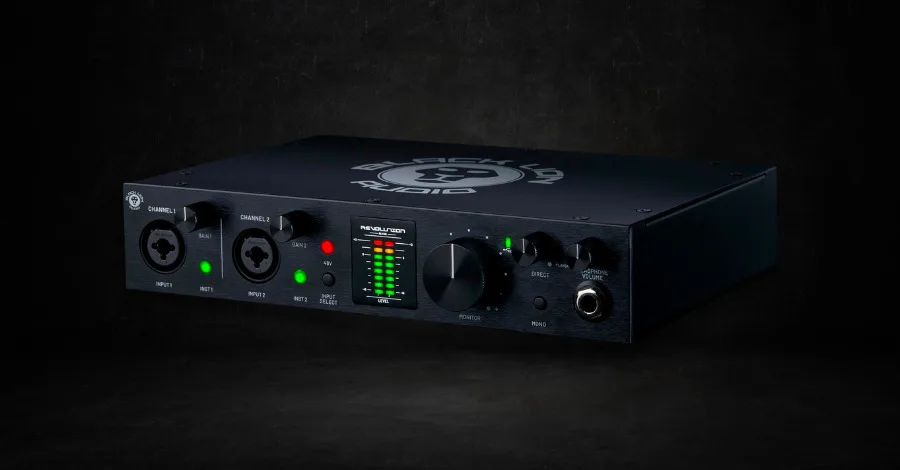
The Black Lion Revolution 2x2 is what happens when a company that modifies other people’s converters for a living builds its own box.
In and out: 2-in / 2-out, up to 192kHz
Preamps: 2, with Black Lion’s own clocking and conversion
Price: around $279
That background is clock upgrades and converter mods for studios that cared about that stuff, and the Revolution puts it into a normal desktop box. It measures like gear costing considerably more, and the build feels like it.
At $279, the question is just whether you want the measurements or the software bundle, since the $199 boxes above come with more software.
Best for: producers who’d rather spend the money on the signal path than on plugins they’ll never open.
Watch out: it’s physically larger than most 2x2 boxes, so measure the desk. The Revolution 6x6 is around $544 if you need more inputs.
10. Universal Audio Volt 276
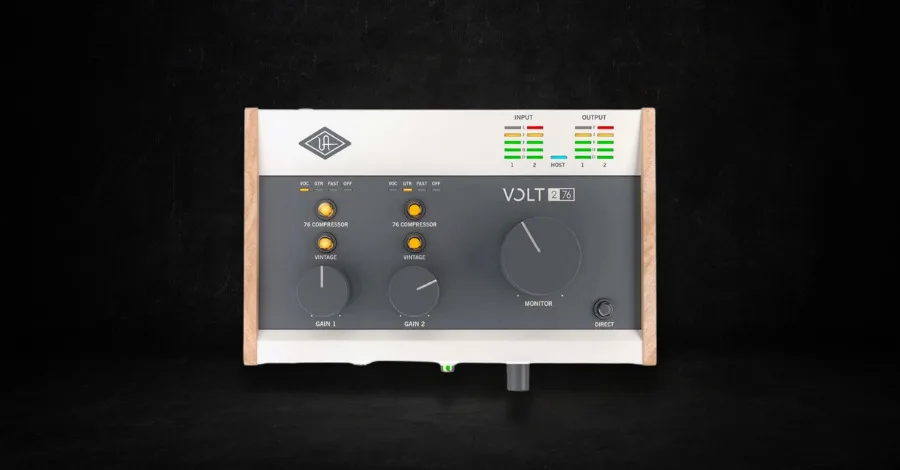
The Volt 276 is how you get a recognizably UA-flavored vocal without buying into the whole ecosystem.
In and out: 2-in / 2-out USB-C, MIDI in and out
Preamps: 2, with a switchable Vintage tube preamp mode and a built-in 76 compressor
Price: around $299
The Vintage switch puts a 610 tube preamp emulation circuit in the path, and the compressor is a hardware 76 with Vocal, Guitar and Fast settings. Both of those are analog circuits inside the box. Nothing runs on your CPU or needs a plugin license, so they work the same on a new Mac or a ten-year-old PC.
Compressing on the way in is a habit worth building. You commit to a level, and the take sits in the track without you riding the fader. Better yet, you learn what compression actually does by hearing it happen instead of drawing it in afterward.
Best for: vocal recording where you want character printed to the track rather than added later.
Watch out: committing color on the way in is only fun when you’ve chosen the right color. If you want the interface without the compressor, the Volt 2 is around $199.
11. Antelope Audio Zenith 2
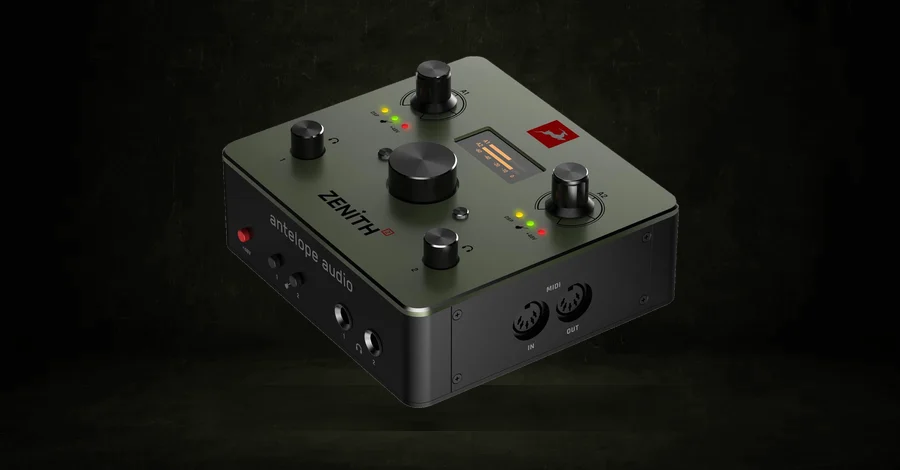
Shipping since December 2025, the Antelope Zenith 2 is one of the cheapest ways to get a full vocal chain running on the hardware, and it’s the SM7B answer on this page.
In and out: 2-in / 2-out USB-C, stereo loopback, two headphone outputs with independent mixes
Preamps: 2 discrete 6-transistor preamps with 75dB of gain, the same design as Antelope’s flagship Orion Studio
Price: around $299
Seventy-five decibels of clean gain is the number to circle. A Shure SM7B and most other gain-hungry dynamic mics need around 60dB before they wake up, and cheaper preamps get there hissing or don’t get there at all. This one does it without a Cloudlifter, which is $129 you don’t spend.
The Synergy Core processing runs on the hardware: a Tube-Opto compressor, an EQ, a de-esser, a gate, amp and cab sims, and a Smart Vocal Chain, all available with no latency while you track. The two headphone outputs carry fully independent mixes, so you and a singer can hear different things. It’s class compliant, so it needs no driver on Mac, Windows, iOS or Android, and there’s a screen on the box for setting things without opening software.
Best for: anyone recording a dynamic mic, and anyone who tracks with a second person in the room.
Watch out: Antelope’s control software has historically been their weak spot, though the class-compliant design here means you can ignore it entirely if it gives you trouble.
12. SSL 2+ MkII
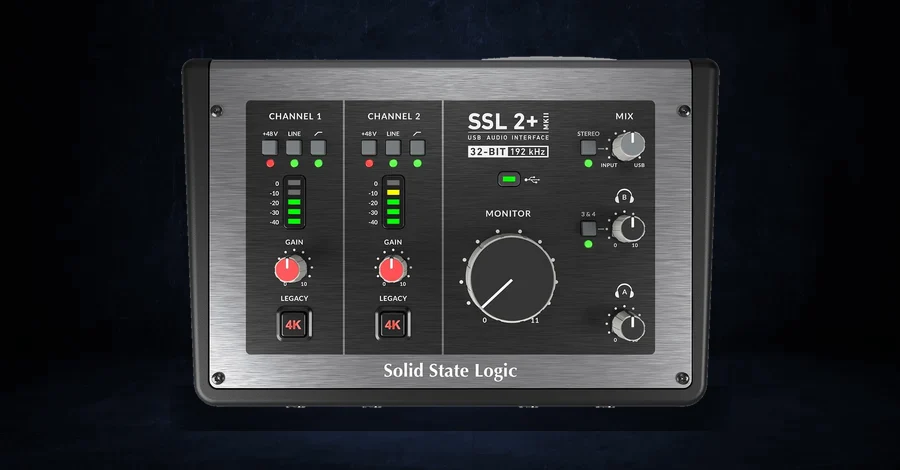
The SSL 2+ MkII is a real upgrade on the box it replaces, and it’s the pick when two people need separate headphone mixes.
In and out: 2 mic inputs, 2 line and Hi-Z inputs, 4 line outputs, 2 discrete headphone outputs, MIDI in and out on 5-pin DIN
Preamps: 2 SSL mic preamps with 4K analog enhancement and high-pass filters
Price: around $300
The MkII added 32-bit conversion up to 192kHz, more gain than the original, a second discrete headphone output and 5-pin MIDI, none of which the old 2+ had. If you were looking at the original, the new one is worth the difference.
Two independent headphone feeds is the reason to buy this one. A vocalist wants more of themselves and less of everything else, you want the opposite, and on almost every other interface at this price you’re both stuck with one mix. Add the 4K button for that SSL console top end and stereo loopback for streaming, and it covers a lot of ground.
Best for: producers who record other people, and anyone who wants the SSL color with room to grow.
Watch out: if you record alone and never need the second headphone mix, the plain SSL 2 MkII is around $230 and gives up only the extra outputs.
13. Focusrite Scarlett 4i4 4th Gen
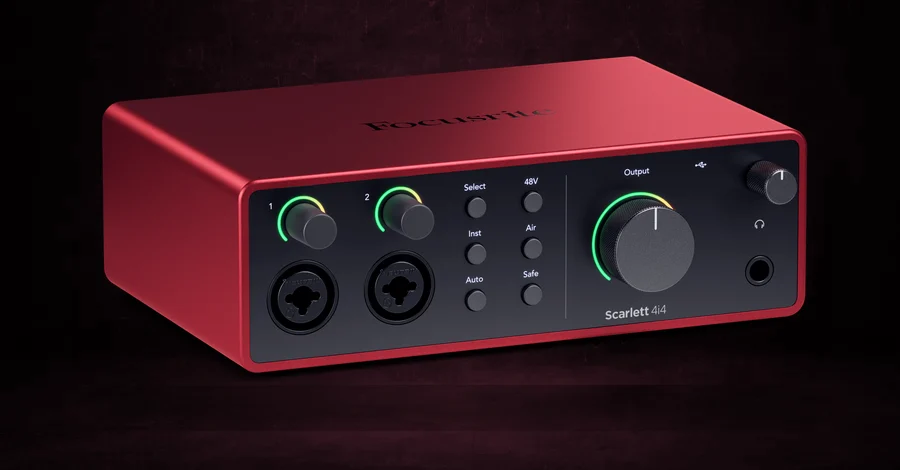
If your desk has a Minilogue and a drum machine on it, the Scarlett 4i4 4th Gen is the box. Nothing else under $300 does both halves of the job.
In and out: 4-in / 4-out USB-C, 4 line inputs, MIDI in and out, loopback
Preamps: 2 Scarlett preamps with Air, Auto Gain and Clip Safe, plus 2 Hi-Z inputs
Price: around $310
Four line inputs means two stereo synths stay plugged in permanently instead of getting swapped every time you want to record one, and the 5-pin MIDI in and out means your DAW can sequence them.
Everything from the 2i2 carries over to the two mic preamps, Auto Gain and Clip Safe included. The four outputs also let you feed monitors and a separate headphone or hardware send at the same time.
Best for: producers whose studio has actual boxes in it and who are tired of re-patching.
Watch out: Focusrite lists it at $309.99, so a listing much above that is a reseller markup and worth skipping.
14. MOTU M6
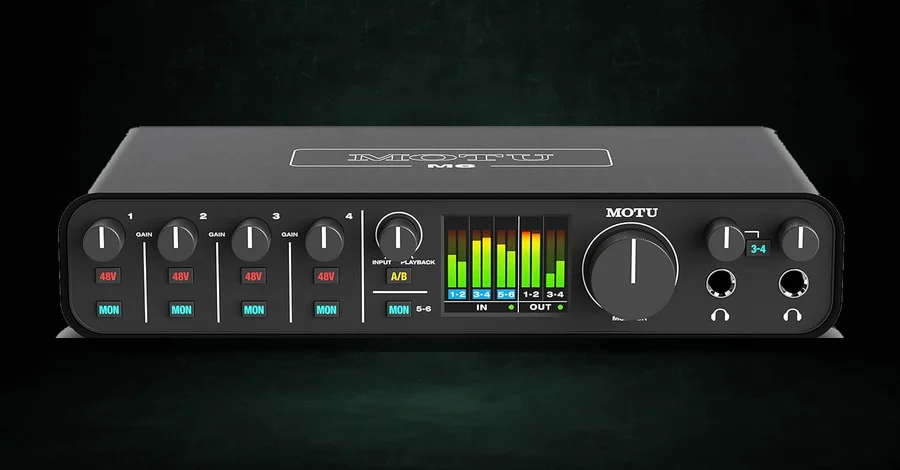
Want to record a band in your room? Now that the $999 options have been discontinued, the MOTU M6 is the realistic way to do it.
In and out: 6-in / 4-out USB-C, 4 mic and line preamps plus 2 line inputs, MIDI in and out
Preamps: 4, with the same ESS conversion and full-color metering as the M2
Price: around $450
Four preamps plus two line inputs covers a lot of live tracking: a couple of overheads, a guitar amp, a bass DI and a vocal. That won’t stretch to a full drum kit with every drum miked, but it’s plenty for the kind of session where a band plays in a room and you keep the take.
The front panel metering matters more with six inputs than with two, since you can set gain on all six by looking at the box instead of scrolling a mixer.
Best for: producers who record other musicians a few times a year and don’t want to rent a studio to do it.
Watch out: four preamps is not eight. If you genuinely need a full kit miked, look at the iD44 MkII below or an 8-channel preamp feeding an interface over ADAT.
15. SSL 12
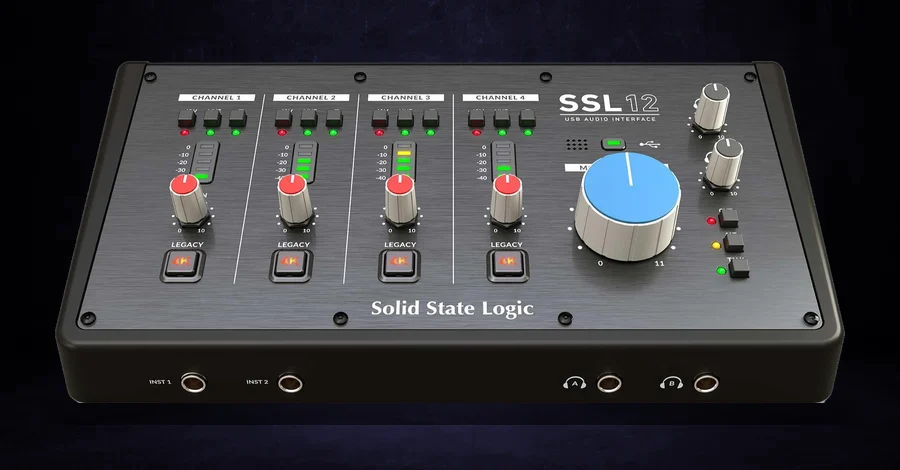
The SSL 12 handles two jobs that usually take two different boxes: a desk with hardware synths on it, and a second person who needs their own headphone mix.
In and out: 12-in / 8-out USB-C, which is 4 analog inputs plus 8 more over ADAT, 4 line outputs, 2 headphone outputs with independent mixes, MIDI in and out on 5-pin DIN
Preamps: 4 SSL mic preamps with 62dB of gain and the 4K analog enhancement on each channel, plus 2 Hi-Z instrument inputs
Price: around $500, though it’s often on sale for about $400
All four combo inputs take line level as happily as a microphone, so a stereo synth can stay patched into two of them while the other two handle a vocal and a guitar. The 5-pin MIDI in and out lets your DAW sequence that synth, and when four inputs stop being enough, the ADAT port takes an 8-channel preamp and turns this into a twelve-input interface.
The two headphone outputs each carry their own mix from SSL’s control software, and either one can be switched over to work as an extra line output. There’s a talkback mic built into the front panel and stereo loopback for streaming too. Basically, it’s the SSL 2+ MkII’s headphone trick with twice the preamps.
Best for: producers with hardware synths who also record other people, and anyone who wants SSL color on four channels.
Watch out: the ADAT port is input only, so it adds inputs and no outputs. If you never record more than two sources at once, the SSL 2+ MkII above does the headphone job for about $200 less.
16. Focusrite Clarett+ 2Pre
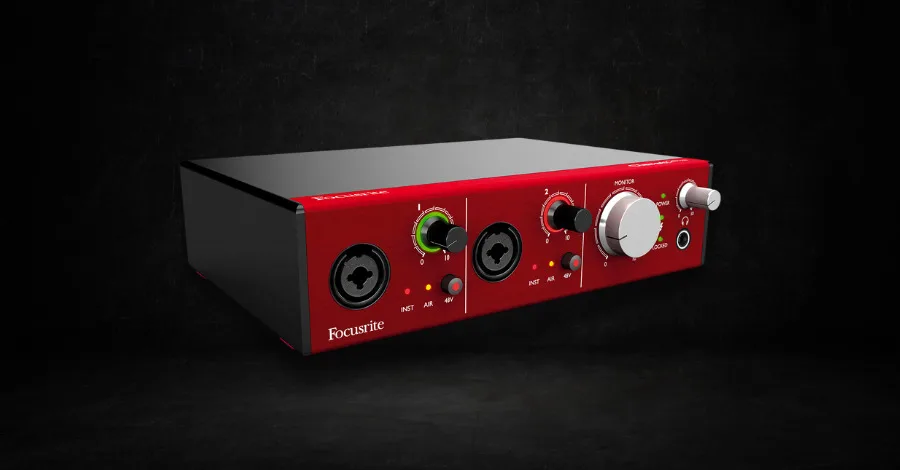
The Clarett+ 2Pre has some of the cleanest preamps on this page under $600, and one spec does most of the justifying.
In and out: 10-in / 4-out, which is 2 analog inputs plus 8 more over ADAT, 4 balanced outputs, USB-C bus powered
Preamps: 2 Clarett preamps with Air transformer emulation, plus JFET instrument inputs
Price: around $560
Those eight ADAT channels are most of the reason to buy it. Plug an 8-channel preamp into the optical input and you have a ten-input interface for tracking day, then unplug it and you’re back to a bus-powered desktop box. That’s an upgrade path that doesn’t ask you to change how you work or buy a rack.
The preamps are a real step above a Scarlett in noise and headroom, and the Air mode here models an actual transformer rather than applying an EQ curve. Whether that’s worth $335 over a 2i2 depends entirely on whether you’re recording quiet acoustic sources where the noise floor shows up.
Best for: producers who record acoustic material seriously and want room to expand without buying a rack unit.
Watch out: if your recording is mostly loud sources through decent mics, the gap between this and a 2i2 is small and the price gap is not. Focusrite’s Clarett+ 4Pre at around $770 gives you 18-in / 8-out if you’d rather have the inputs built in.
Best Advanced Audio Interfaces, $800 and Up
Four options, and a quick reality check before you read them. Nothing in this section will make your music better. These solve specific problems. Tracking several people at once, never thinking about drivers again, running monitor control for a real room, or living inside one plugin ecosystem. If you can’t name which of those is yours, the $225 Scarlett above is not a compromise and you should buy that instead.
17. Audient iD44 MkII
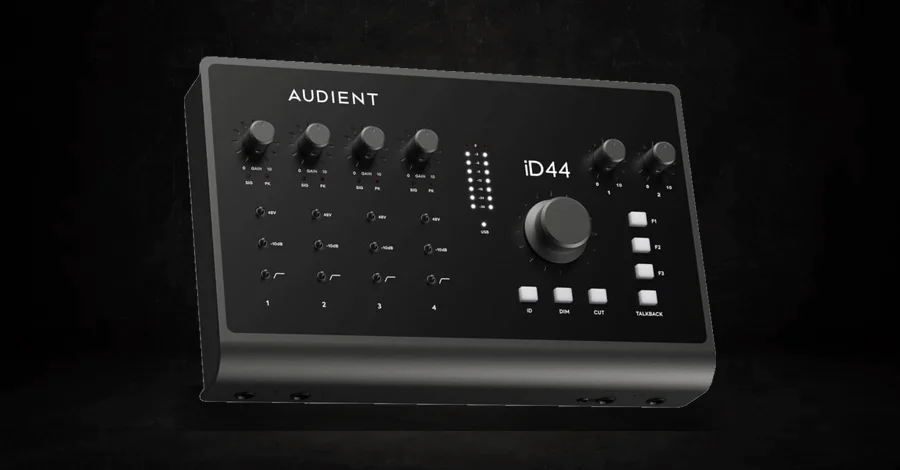
When you’re recording bands at home for real, the Audient iD44 MkII is the setup that grows with you, at a price a working producer can actually reach.
In and out: 20-in / 24-out USB-C, expandable to 20 inputs over ADAT, 2 independent headphone outputs
Preamps: 4 Class-A Audient console mic preamps, plus 2 JFET instrument inputs
Price: around $809
You get four of the iD4’s console preamps and two headphone outputs with their own mixes, which is what turns a desk into a room you can track other people in. Monitor control and talkback are built in too, and talkback is the part you don’t know you need until the second session.
The ADAT expansion takes it to twenty inputs, so a full drum kit plus the band is one 8-channel preamp away. Buying an interface you grow into rather than out of is the whole argument for spending here.
Best for: producers who record other musicians regularly and want a setup that scales without being replaced.
Watch out: Audient also sells the iD48 at around $1,300 with more I/O, and a Thunderbolt Horizon range above that. It’s easy to talk yourself up a tier you don’t need.
18. RME Babyface Pro FS
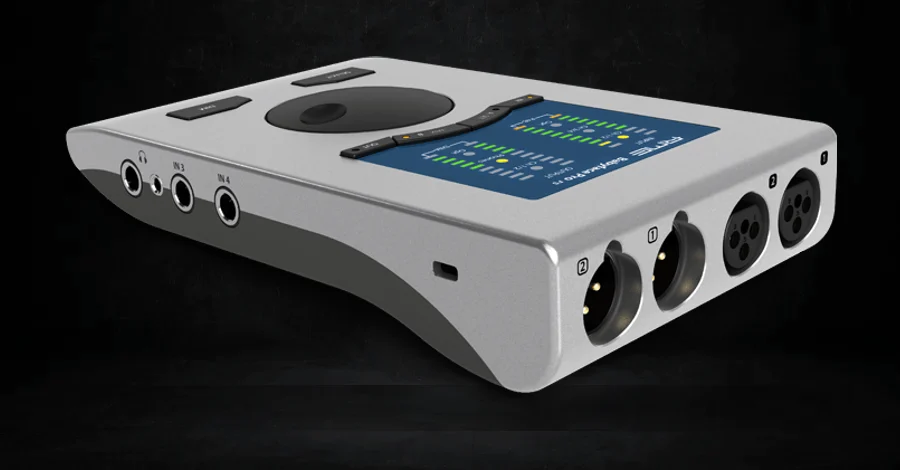
The RME Babyface Pro FS is the interface you buy when you are done troubleshooting, and that sentence is the entire product.
In and out: 12-in / 12-out counting ADAT, 2 headphone outputs of different impedance, MIDI in and out, bus powered
Preamps: 2, with SteadyClock FS femtosecond clocking and the TotalMix FX mixer on board
Price: around $1,049, though it’s regularly on sale for about $849
RME’s driver record is why people pay this much for two preamps. Their drivers just don’t click or drop out, even the week your operating system updates, and the company still ships working drivers for interfaces they sold in the 2000s. If you’ve ever lost a session to a crackling buffer, you already understand what that’s worth.
TotalMix FX is the other half. It’s a full routing matrix running on the hardware, so you can build separate monitor mixes, loopback paths and hardware sends without your DAW being involved at all. It’s the deepest software here and the least friendly, and once it’s set up you stop touching it.
Best for: producers who’ve been burned by driver problems and want it to be the last time.
Watch out: on paper a $300 box gives you the same input count. You’re paying for the drivers and the routing (and the clocking), so if none of that is a live problem for you, this is an expensive way to buy two preamps.
19. Universal Audio Apollo Twin X Gen 2
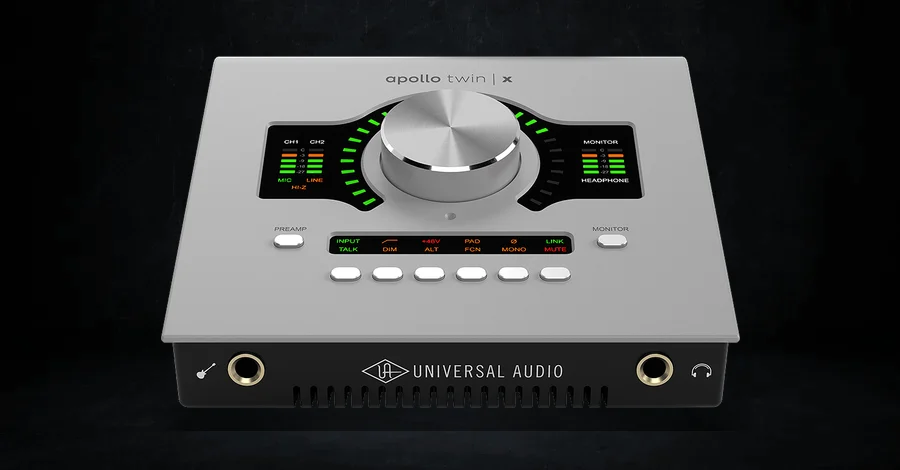
The Apollo Twin X Gen 2 is what I record through, so take the recommendation with that in mind. It’s also the only interface on this page that will correct your room for you.
In and out: 10-in / 6-out over Thunderbolt 3
Preamps: 2 Unison mic and line preamps with DUO or QUAD Core DSP on board
Price: around $999 for the DUO, around $1,499 for the QUAD
Unison is the reason people buy Apollos. The preamp’s impedance and gain staging physically change to match whatever UAD preamp plugin you load, so a 610 or an API model on the input reconfigures the hardware itself. And you track through it in real time with no latency, which feels very different from adding a plugin afterward.
The big Gen 2 addition is Apollo Monitor Correction, powered by Sonarworks, which measures your room and corrects your monitors from inside the interface. That’s worth more to most producers than another preamp would be, and it’s the first time it’s shipped standard at this price. Gen 2 also picked up Auto-Gain, plus Plug-In Scenes for recalling whole chains.
Best for: producers committed to the UAD plugin ecosystem, and anyone who wants room correction without a separate piece of software in the chain.
Watch out: the DSP plugins are a separate and ongoing cost, and the ecosystem is easy to keep spending inside. There’s also a USB version of the Twin X still in UA’s range, so make sure the listing says Thunderbolt Gen 2. And for the record, none of this is why my records sound the way they do.
20. Universal Audio Apollo x8 Gen 2
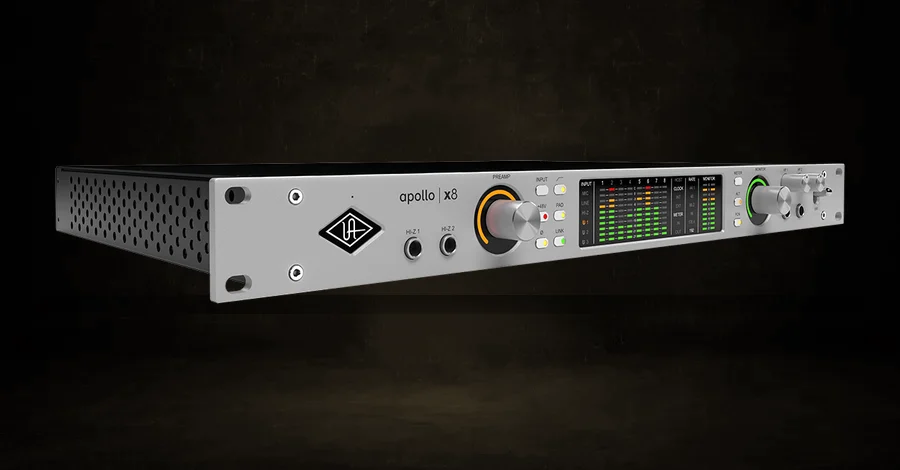
The Apollo x8 Gen 2 is the rack version of the Twin X, and it’s the other half of my own setup.
In and out: 18-in / 24-out over Thunderbolt 3, with built-in talkback and monitor control
Preamps: 4 Unison preamps, HEXA Core DSP
Price: around $2,999
Next to the Twin X, that’s four Unison preamps instead of two and six DSP cores instead of two or four. There are also enough outputs for surround and immersive monitoring, which nothing else on this page does. The monitor control and talkback are built in, so there’s no separate controller box sitting between you and the speakers.
I use it for everything that isn’t a quick vocal idea, and the honest reason it’s here is that a room with this much routing in it needs one device managing all of it. If your room doesn’t, you don’t need this.
Best for: a full studio where one box has to run monitor control and a lot of sources, immersive formats included.
Watch out: the whole X line went Gen 2, so the x4 at around $1,999 and the x6 at around $2,499 are cheaper ways into the same ecosystem. Name the generation when you buy, since Gen 1 units are still circulating.
All 20 Side by Side
| Interface | In / out | Preamps | MIDI | Max rate | Price |
|---|---|---|---|---|---|
| M-Audio M-Track Duo | 2 / 2 | 2 | No | 48kHz | around $69 |
| SSL 1 | 2 / 2 | 1 | No | 192kHz | around $160 |
| Focusrite Scarlett Solo 4th Gen | 2 / 2 | 1 | No | 192kHz | around $160 |
| Audient iD4 MkII | 2 / 2 | 1 | No | 96kHz | around $270 |
| Arturia MiniFuse 2 | 2 / 2 | 2 | Yes | 192kHz | around $199 |
| MOTU M2 | 2 / 2 | 2 | Yes | 192kHz | around $200 |
| Yamaha URX22C | 2 / 2 | 2 | Yes | 192kHz | around $220 |
| Focusrite Scarlett 2i2 4th Gen | 2 / 2 | 2 | No | 192kHz | around $225 |
| Black Lion Revolution 2x2 | 2 / 2 | 2 | No | 192kHz | around $279 |
| Universal Audio Volt 276 | 2 / 2 | 2 | Yes | 192kHz | around $299 |
| Antelope Zenith 2 | 2 / 2 | 2 | No | 192kHz | around $299 |
| SSL 2+ MkII | 4 / 4 | 2 | Yes | 192kHz | around $300 |
| Focusrite Scarlett 4i4 4th Gen | 4 / 4 | 2 | Yes | 192kHz | around $310 |
| MOTU M6 | 6 / 4 | 4 | Yes | 192kHz | around $450 |
| SSL 12 | 12 / 8 | 4 | Yes | 192kHz | around $500 |
| Focusrite Clarett+ 2Pre | 10 / 4 | 2 | No | 192kHz | around $560 |
| Audient iD44 MkII | 20 / 24 | 4 | No | 192kHz | around $809 |
| RME Babyface Pro FS | 12 / 12 | 2 | Yes | 192kHz | around $1,049 ($849 on sale) |
| UA Apollo Twin X Gen 2 | 10 / 6 | 2 | No | 192kHz | around $999 |
| UA Apollo x8 Gen 2 | 18 / 24 | 4 | No | 192kHz | around $2,999 |
Frequently Asked Questions
Do I need an audio interface if I only work in the box?
Less than you’d think, and probably still yes. If you never record audio, the interface isn’t converting anything on the way in, so the only thing it does for you is the output side: a cleaner path to your monitors and a headphone amp that can actually drive studio headphones. That’s a real improvement over a laptop jack and it’s worth about $200, not $2,000. Buy from the cheap end of this list and put the difference into monitors, headphones, a better microphone or treating the room.
Does an audio interface improve sound quality?
On the way in, yes, because a decent mic preamp is audibly better than whatever is built into a computer, and because most computers have no way to connect a microphone at all. On the way out, the improvement is smaller than people expect. Converters have been good enough for about a decade that a $160 interface and a $2,000 one send nearly identical audio to your speakers. The differences you can hear live in the preamp and the headphone amp, plus how much gain you have.
Do I need an interface if I have a USB microphone?
No. A USB mic has an interface built into it, which is the whole point of the design. You’d only add a separate interface if you want to move to an XLR microphone or record two things at once. Driving studio monitors and headphones from something better than your laptop is the other reason. Plenty of released records have vocals tracked on USB mics, so this isn’t urgent.
What is latency, and what does buffer size have to do with it?
Latency is the delay between playing a note and hearing it back through your computer. Buffer size is the setting that controls it: a small buffer means less delay and more work for your CPU, and a large buffer means the opposite. The normal workflow is a small buffer while recording, so monitoring feels immediate, and a large buffer while mixing, so your plugins have room to run. Most interfaces also offer direct monitoring, which sends the input to your headphones in hardware before the computer touches it, dropping the delay to nothing.
What does a mic preamp actually do?
A microphone puts out an extremely quiet signal, far too quiet for a converter to record usefully. The preamp raises it to line level, and how well it does that is most of what separates interfaces. Two things to listen for. Noise at high gain, which is why gain-hungry dynamic mics like the SM7B need an interface with 70dB or more. And color, meaning the harmonic character a preamp adds, which is what people mean when they say an Audient sounds warmer than a Scarlett.
USB or Thunderbolt?
USB for nearly everyone. Thunderbolt gets you lower round-trip latency and the bandwidth for high channel counts, which matters if you’re tracking sixteen inputs or running onboard DSP plugins while you record. If you’re recording one or two sources at a time, USB is the same experience with better compatibility and a lower price. Everything up to $600 on this list is USB, and that’s not a compromise at that tier.
How many inputs do I actually need?
Count what you record at the same time, then add one. One vocal at a time means one preamp is genuinely enough, and the SSL 1 is built for exactly that. A vocal and a guitar together means two. Hardware synths mean line inputs and MIDI rather than more preamps. A band in a room means four at minimum, and a full drum kit plus the band means eight, which is where ADAT expansion starts to matter. Buying inputs you never use is the most common way producers overspend in this category.
Buy the Boring One and Spend the Rest on Your Room
The interface is plumbing. Worth getting right once, and still plumbing. Nobody has ever heard a record and identified the converter.
If you just want me to pick:
- One thing at a time, smallest budget. M-Audio M-Track Duo at around $69, or the SSL 1 at around $160 if you can stretch.
- You don’t know yet what you’ll need. Focusrite Scarlett 2i2 4th Gen, around $225.
- A dynamic mic, or a second person in the room. Antelope Zenith 2 or the SSL 2+ MkII, both around $300.
- Synths, drum machines, anything with a line output. Focusrite Scarlett 4i4 4th Gen, around $310.
- You record other musicians. MOTU M6 at around $450, or the Audient iD44 MkII at around $809 if you’ll need to grow past four preamps.
If you’d rather buy used, Reverb and eBay are reasonable places to look, and so is Facebook Marketplace. Interfaces hold up well secondhand, so used is a smart way to stretch a budget (just check which generation the listing is for).
Then stop reading about interfaces. The money past $300 buys you more inputs and a plugin ecosystem to live in, and none of it touches the thing that’s really standing between your tracks and the records you love. That gap is arrangement and sound selection and the mixing decisions underneath both, and it’s what the Masterclass is built to close. I run an Apollo, and I’d still tell you the same thing.
Have a question about interfaces, or think something belongs on this list? Send us a message and we’ll take a look.
Heads up: some of the links below are affiliate links. If you buy through one, we earn a small cut (costs you nothing extra). But we'd point you at this exact gear whether we made a dime or not. As an Amazon Associate, we earn from qualifying purchases.