
Jump to a section23
- Why Use Delay?
- Types of Delay
- 1Soundtoys Echoboy
- 2Waves H-Delay
- 3UAD Galaxy Tape Echo
- 4Slate Repeater Delay
- 5Valhalla Delay
- 6NI Replika
- 7Soundtoys PrimalTap
- 8UAD Cooper Time Cube MkII Delay
- 9Soundtoys Crystallizer
- 10U-He Colour Copy
- 11Waves J37
- 12Eventide UltraTap
- 13Valhalla Freq Echo
- 14Waves Manny Marroquin Delay
- 15iZotope DDLY Dynamic Delay
- 16D16 Repeater Delay
- 17FabFilter Timeless 2
- 18Valhalla SuperMassive
- 19UAD Korg SDD-3000 Digital Delay
- 20Your Stock DAW Delays
- Pick One and Go Deep
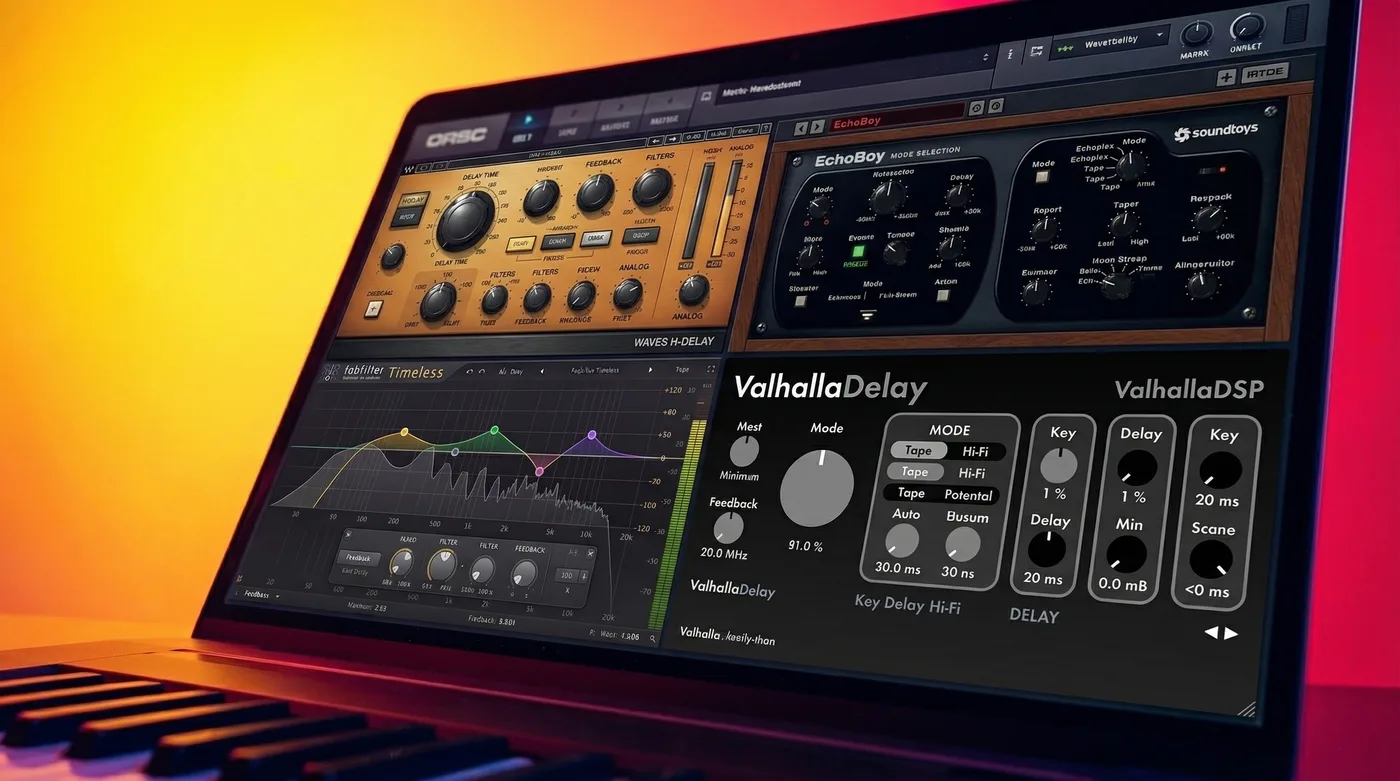
Soundtoys Echoboy is the best delay plugin for most producers. It packs 31 delay types, from tape to analog models, and it’s the one I reach for more than any other. On a budget, Valhalla Delay and Waves H-Delay are the best values here, and Valhalla SuperMassive is free.
Quick picks
| Name | Best for |
|---|---|
| Soundtoys Echoboy | One delay that handles almost anything |
| Waves H-Delay | Warm analog ping pong delays on synths and percussion |
| UAD Galaxy Tape Echo | Classic Space Echo warmth on synths |
| Valhalla Delay | Classic character with modern sound design |
| Valhalla Freq Echo | Pitch-shifted ear candy delays (free) |
| D16 Repeater Delay | Classic hardware delay sounds without a subscription |
| FabFilter Timeless 2 | Delay as part of the sound design |
| Valhalla SuperMassive | Huge delays and reverbs in breakdowns (free) |
I’m on a roll with these plugin articles! This post is going to be your go-to guide for the best delay plugins for music production. I’ll be honest, when I started producing, delay was a bit of an afterthought for me. I’m going to make sure you don’t make the same mistake.
There is a huge variety of delay plugins out there, and many are instruments in their own right. Some plugins provide old-school analog tape yumminess. Some give you the digital, futuristic ambience that characterized the sound of 80s rock and Synthwave. Others are more recent creations that are pushing the sonic palette of modern electronic music.
By the end of this article, you’ll know the shortlist of the best delay plugins available to you, and you’ll know which plugins to pick to get the sound you want.
Why Use Delay?
Delay adds a variety of new dimensions to your music. You can create width and size, fill out empty space, add a spatial dimension to a sound in a manner that is more controlled than adding reverb, and creatively reshape the timbre of your synths. Delays allow you to make simple sounds feel larger-than-life.
In the end, the effective use of delay is critical to making polished-sounding electronic music. But of course, not all delay plugins are created equal, both in terms of their quality, how they character a sound, and their price points.
Be sure to check out our video on how you can sharpen your delay game below.
Once you understand the fundamentals of what delay does, picking the right plugin becomes a lot easier. That’s what the list below is for.
Types of Delay
There are four types of delay plugins I’m going to cover:
Tape Delay: These delay plugins are modeled on 20th-century tape delay units, where a dry signal was printed onto a piece of tape, and after a certain length of time, that tape was played back. The process of printing onto tape can create desirable changes to audio, creating a warm and smooth delayed signal. But, it’s nearly impossible to find a fully functioning tape delay unit today (and even more difficult to keep one up and running), so tape delay plugins are a must-have plugin in your library.
Analog Delay: Tape delays were notoriously difficult to keep in fully functioning shape, so analog delays were introduced in the 1970s as a means to simplify the delay process. These units opened up a whole new warm, crunchy sound palette that left an unmistakable and irreplaceable footprint on classic rock.
Digital Delay: Enter the 80s, the era of embarrassing hairstyles and digital delay units. Computers allowed delay manufacturers to create algorithm-based delays that allowed for both increased ease of use as well as a variety of new timbre options.
And… Beyond: While a lot of delay plugins try to emulate their hardware predecessors, many others are pushing the boundaries of plugin design to create totally new sounds that are only available in plugin form. Creative sound designers out there, look out for these below.
So let’s get to it! Here are the top 20 delay plugins for music production. Many of these plugins fall neatly into the categories above, others are a combination of multiple. I’ll give you all the details as we go along.
1. Soundtoys Echoboy
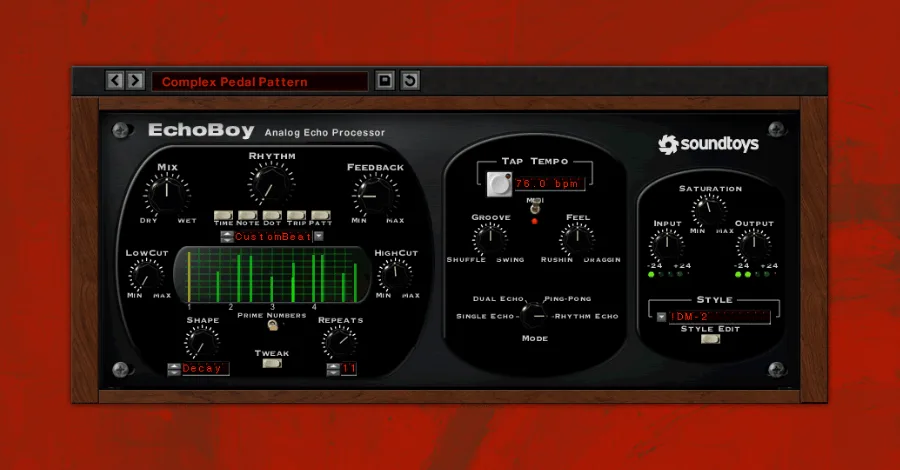
Soundtoys Echoboy is the delay plugin I reach for more than any other. It sounds phenomenal and doesn’t get in your way.
Price: $199
Type: Tape, Analog, Digital, Beyond
UX: Sleek and straightforward, an old-school feel with a simple and intuitive design. You’ll find a similar UX with nearly all Soundtoys plugins.
Character: Echoboy is the best delay plugin on the market. It sounds fantastic and offers 31 different delay types, from tape to analog models to Soundtoys’ own creations. Plus, you can add dedicated saturation to any delayed signal.
Uses: Anything and everything. Vocals, synths, guitars, I find myself using this both as a send as well as an insert. If there is a one-stop-shop delay plugin, this is it.
Pro Tip: When adding delay on vocals, add a small amount of L/R Offset and nearly full Width to get a wide delayed signal. This will add size to your vocal delay without it competing with the dry vocal.
2. Waves H-Delay
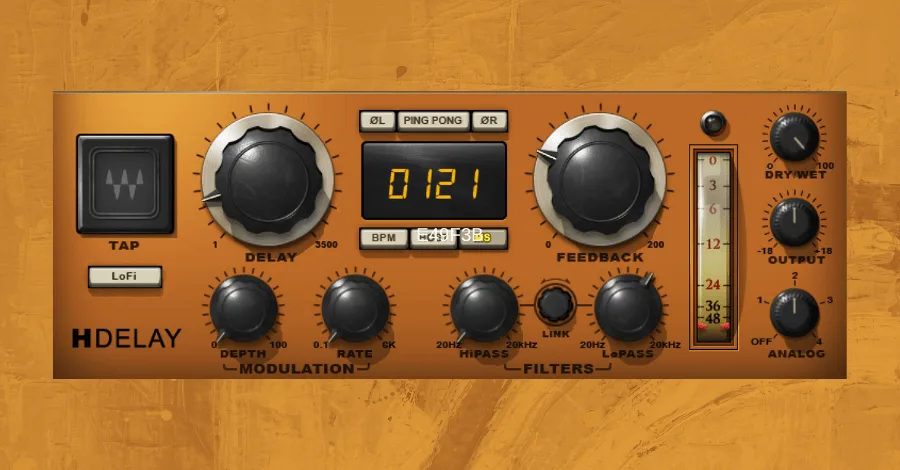
Waves H-Delay nails that warm analog sound without any bloat, and at $49, it’s practically a steal for what it delivers.
Price: $49
Type: Branded as a “Hybrid Delay”, but mostly Analog.
UX: Relatively simple with no additional menus or dropdowns. Most of the parameters are knobs, which provides a classic aesthetic.
Character: LoFi and Analog. There are four different modes of Analog delay and a dedicated “LoFi” switch, which makes your delay extra dark and crunchy. The built in modulation controls allow you to create smooth chorusing delays as well.
Uses: Great for ping pong delays, especially on stabby synth sounds and percussion. This can easily be a multi-use delay as well, with a simple interface to provide staple 1/8th and 1/16th note delays.
Pro Tip: Automate the delay time knob over time when using this on any instrument. This will create some cool pitch modulation in the delay (add some feedback for an even more pronounced effect).
3. UAD Galaxy Tape Echo
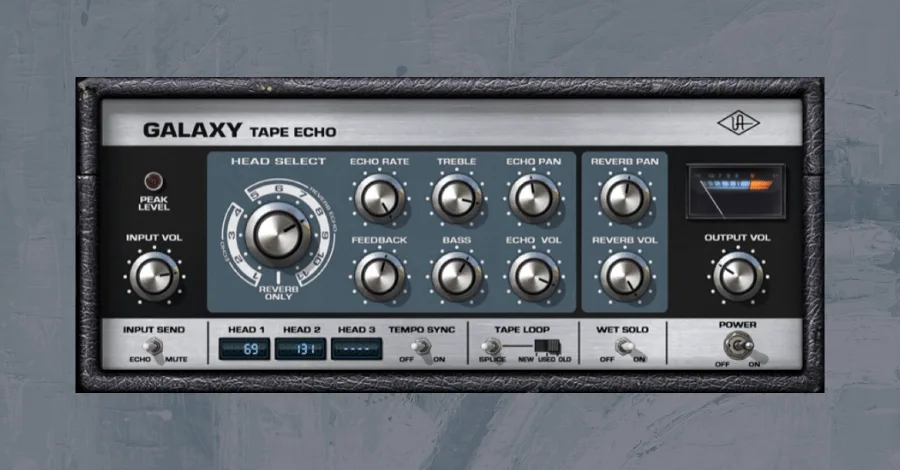
UAD Galaxy Tape Echo delivers that classic Space Echo warmth without hunting down vintage hardware.
Price: $199
Type: Tape
UX: The legendary Roland RE-201 Space Echo inspired this emulation, which captures the original’s character with user-friendly tweaks.
Character: Warm, smooth, and creamy. The Galaxy Tape Echo honors the legendary Space Echo sound. If you love Bowie or Pink Floyd, you can recreate those tones with this plugin.
Uses: Tape echoes are naturally soft and warm, so it’s going to be tough to get them to cut through a busy mix. For electronic music, use this delay on synths and instruments to create warmer atmospheres, let other plugins do the work for delays on your “upfront” elements, like vocals (of course, there are exceptions).
Pro Tip: Use this delay on a send. The delayed signal is going to be pretty dark compared to your dry signal, so you’ll want to have the flexibility to EQ it separately.
4. Slate Repeater Delay
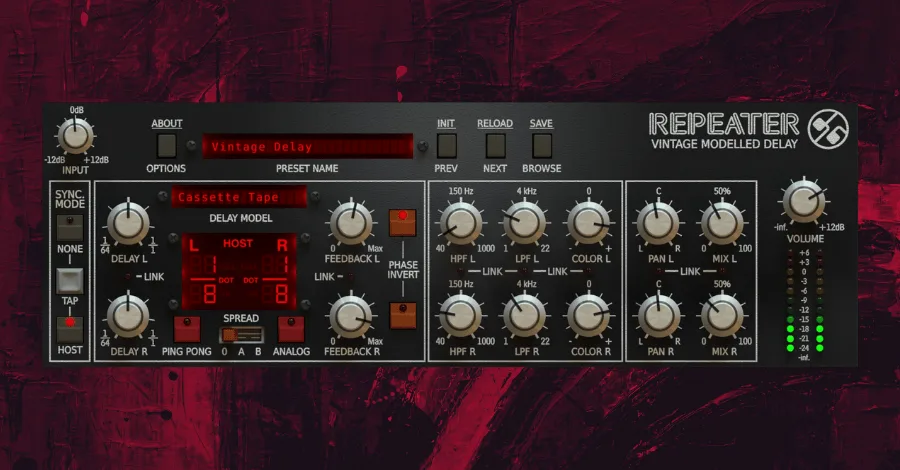
Slate Repeater Delay is basically a whole delay ecosystem in one plugin, with 23 classic hardware emulations and deep sculpting controls built in.
Price: $99 (or $19.99/month as part of Slate Complete Access)
Type: Tape, Analog, and Digital
UX: It looks intimidating at first, but with a little practice it’s actually user friendly. Aesthetically, it looks like a classic digital delay unit.
Character: The Repeater Delay has 23 emulations of classic delay machines, covering tons of variety within the tape, analog, and digital worlds. Plus, the on board EQ and pan controls allow you to shape the color and stereo image of the delay before it even leaves the plugin.
Uses: The Repeater is very close to a one-stop-shop plugin. For any classic or standard delay sound, this is a great pick, vocal delays, slapback delays for synths or other instruments, and ambient delays with long delay times and lots of feedback. Because of the focus on hardware emulation, though, this wouldn’t be my pick for creative sound design with a delay.
Pro Tip: If you want to get some extra width in the delay without having to pan the left or right channels, go to the color knobs and put one at 11 o’clock and the other at 1 o’clock.
5. Valhalla Delay
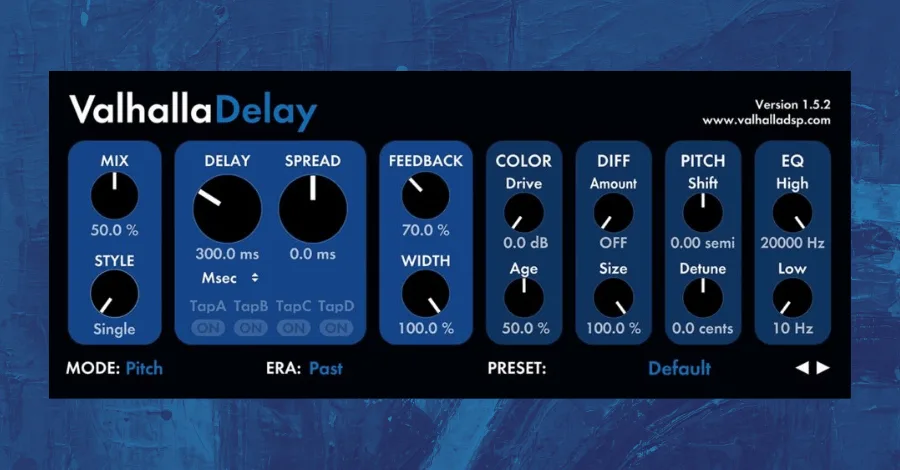
Valhalla Delay nails the balance between classic character and forward-thinking sound design. At $50, it’s one of the best values on this list.
Price: $50
Type: Tape, Analog, Digital, and Beyond
UX: This looks the same as everyone other Valhalla plugin: minimal and colorful. It might not look like an old hardware unit, but if it still can sound like one, does it really matter?
Character: This is probably the best delay plugin that captures both the character of the classic delay sounds and the forward-thinking sound design possibilities of electronic music. I love Valhalla for their ingenuity, and they deliver on this plugin.
Uses: As far as classic analog and tape sounds, this wouldn’t be my first pick. But for unique spins on those classic sounds, be it through the fantastic-sounding modulation options or the diffusion feature which can create a hybrid delay/reverb sound, this is a great choice.
Pro Tip: Insert the delay at around 10% wet with a short delay time and some diffusion. This will create a smoothed, washy layer to your dry signal. Tweak the Mode and Era parameters to taste.
6. NI Replika
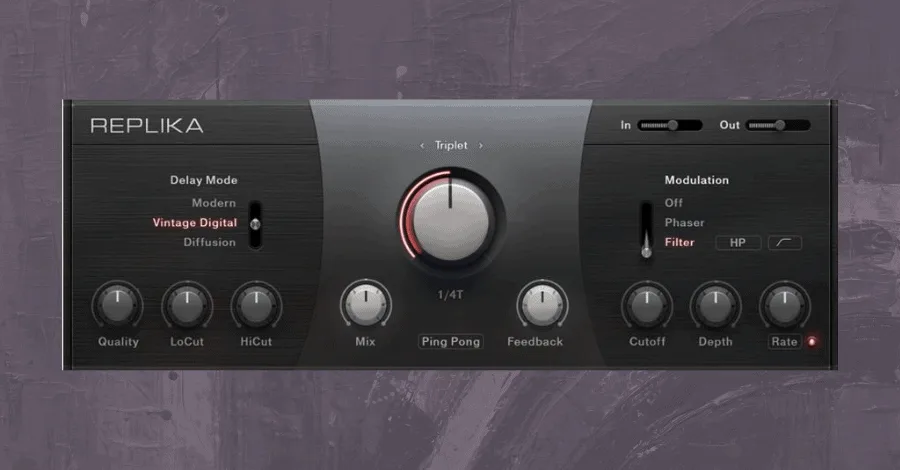
NI Replika’s Vintage Digital is the real star here, clean, modern, and perfect for slapback delays that cut through.
Price: $49
Type: Digital
UX: Three main sections (Mode selection, Time, and Modulation) with a minimal number of parameters. This is a relatively easy UI to manage.
Character: I really only use Replika for the Vintage Delay, which is a digital delay algorithm that sounds really nice. The EQ and modulation sections are easy to use, but nothing really to write home about.
Uses: This is not a must-buy plugin, but the digital delay algorithm sounds great. This is a go-to plugin for slap back delays on guitars, synths, or even vocals, and some of the longer delay times create cool, washy FXs.
Pro Tip: Using the Vintage Digital, set a short delay time with ping pong enabled. Add a touch of modulation with the phaser and you’ll have a unique slapback delay that is wide and has some baked-in movement.
7. Soundtoys PrimalTap
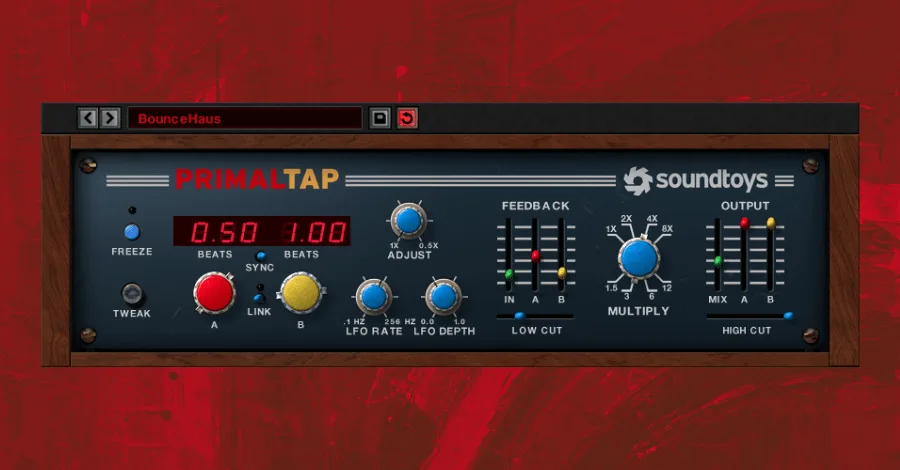
Soundtoys PrimalTap bridges the gap between analog warmth and digital control in a way that actually feels intentional instead of like a compromise.
Price: $149
Type: Digital and Beyond
UX: This is probably my least favorite SoundToys UI. The interface is laid out like an old-school hardware unit, but having sliders for many of the controls can be annoying to deal with. While the classic feel is nice, I definitely miss the straight-forward UI of the other SoundToys plugins when using PrimalTap.
Character: A beautiful blend of the grit and warmth of analog delays and the functionality of digital delays.
Uses: Any time you want an old school vibe without things feeling overly retro, this is your choice. The multiply feature degrades your audio quality in a tasteful way, all while maintaining a level of control that is tough to come by in analog and tape emulations.
Pro Tip: Set your delay parameters, and randomly hit freeze until you get a cool sound. It will sound different every time!
8. UAD Cooper Time Cube MkII Delay
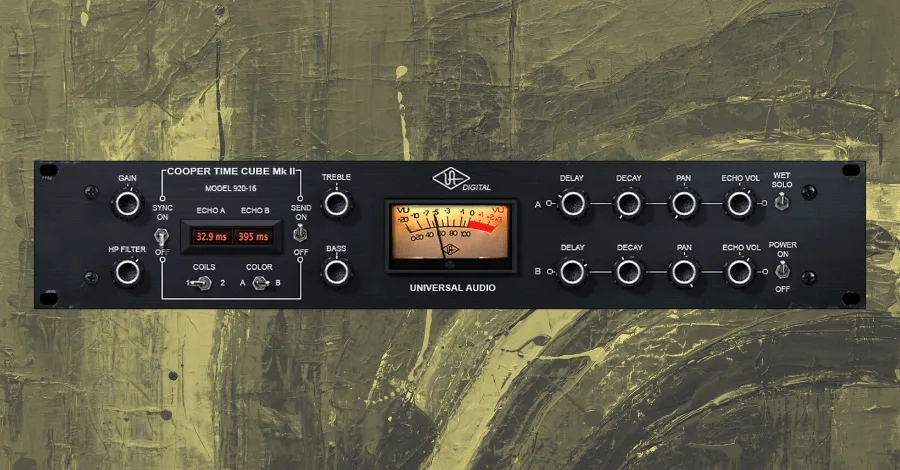
UAD Cooper Time Cube MkII is almost a secret weapon for doubling, it adds width and body that sits perfectly in a busy mix without muddying anything.
Price: $149
Type: Analog, Digital
UX: This plugin is directly modelled off of the original Cooper Time Cube unit. So, this means it has an old school rackmount feel, but, UAD added some modern features as well, like envelope shapers and pan controls.
Character: Some claim this is “the most unique delay ever made”, with doubling and slapback effects that create width and body without cluttering up your mix.
Uses: This is a rock-solid plugin for doubles on vocals, synths, or percussive sounds.
Pro Tip: You can creatively pan drum and synths sounds by tweaking either the left or right pan knob to not be hard left or hard right. This will subtly and uniquely pan your sound to one side.
9. Soundtoys Crystallizer
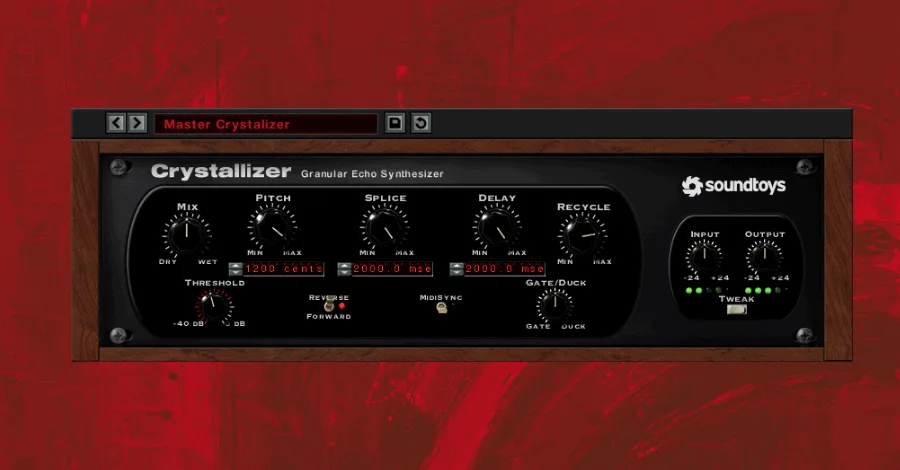
Soundtoys Crystallizer is less “delay” and more “sonic instrument”, it’ll turn a simple sound into something otherworldly that feels like its own melodic element.
Price: $149
Type: Digital and Beyond
UX: Phew, back to the classic Soundtoys layouts. This is a relatively simple plugin, 9 knobs and a single switch, plus a Tweak menu for detailed adjustments. This plugin has a quick learning curve, so don’t be intimidated.
Character: Crystallizer is based on the Reverse Shift algorithm of the Eventide H3000 effects processor. This is an unmistakable sound of the 80s which was used to create deep, lush soundscapes out of simple sounds.
Uses: This isn’t your go-to delay plugin for simple delays or slapbacks. This delay is an instrument on its own, and the wet signal it produces will become its own important sound in your track. Create tonal atmospheres or pads from simple sound sources.
Pro Tip: Take your lead sound and set Crystallizer to 100% wet, and find a long and interesting delay setting. Bounce the delay to audio, and apply some sort of modulation to the audio track. Mix that quietly into your track as a tonal atmosphere.
10. U-He Colour Copy
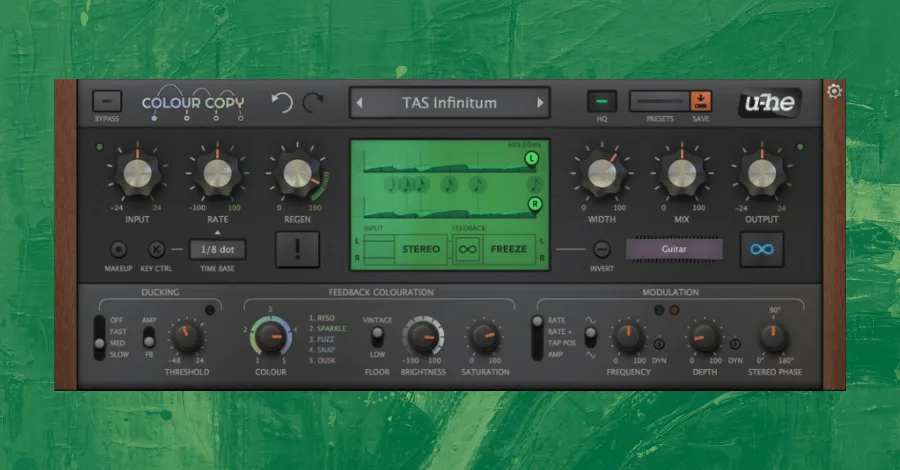
U-He Colour Copy sounds expensive, like, in a good way. The saturation and modulation options give you delays that feel thick and rich without trying too hard.
Price: $77
Type: Analog and Beyond
UX: This design is intimidating, no doubt about that. U-He plugins are great, but they have a steep learning curve. Beyond the typical delay settings (rate, regeneration, etc), you have a variety of modulation and EQ controls along the bottom pane of the plugin.
Character: Like most U-He plugins, this delay sounds expensive for a plugin. Its tone is rich, and the saturation and modulation options give you a variety of timbre controls.
Uses: This plugin is also something that is a little too souped up to be an efficient choice for simple, easy delays. Colour Copy is your choice for a unique, interesting, and rich-sounding delay for synths or vocals.
Pro Tip: Crank the saturation and dial back on the output to add some warm crunchiness to your delay sounds.
11. Waves J37
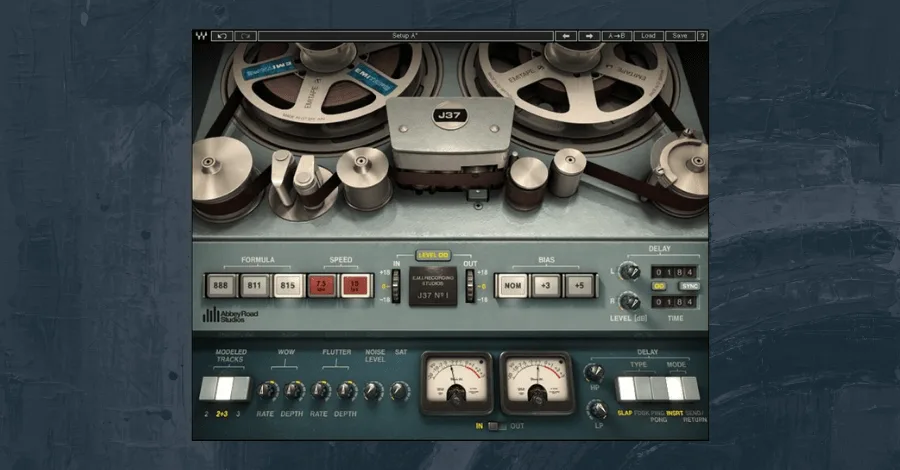
Waves J37 is pure warmth, like sitting by a fire with a cup of hot chocolate, but in plugin form. Use it sparingly for the moments that matter.
Price: $299
Type: Tape
UX: The J37 is a tape saturation plugin, so you’ll see a lottttt of bells and whistles that you won’t see on normal delay plugins. Don’t let this deter you though, the delay controls are quite simple (on the right side of the plugin), with controls for delay time and ping pong.
Character: Imagine a cold winter night. Now, imagine you’re sitting by the fire with a blanket and a cup of hot chocolate (maybe a splash of bourbon in there too…). Nice and warm, right? That is the kind of warmth you get from the J37. Add a little extra saturation, noise, and tinker with the Formula and Speed options, it’ll be as tasty as that hot chocolate.
Uses: This plugin is definitely not CPU friendly, so I use it sparingly. It’s a great choice for the main 1/8th or 1/16th note delay on a lead vocal or a lead synth.
Pro Tip: Dial in a little bit of Saturation and enable the Level option in the I/O setting. Crank the input gain to recreate the feel of overdriving a tape unit (i.e. even MORE saturation).
12. Eventide UltraTap
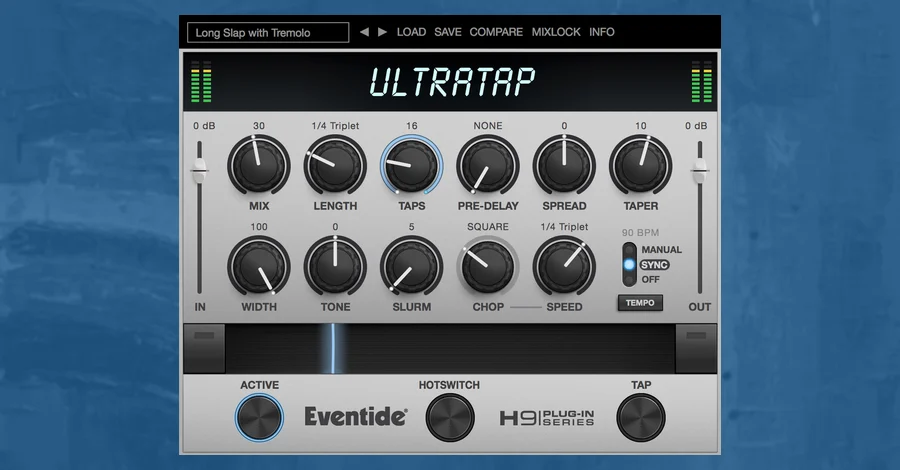
Eventide UltraTap fires up to 64 separate echoes instead of repeating one. It is the only multi-tap delay on this list, and it covers ground nothing else here can.
Price: $99
Type: Beyond
UX: One panel, no menu diving. Taps sets how many echoes you get, up to 64. Length sets the total span they fill, free or synced to your project tempo. Spread decides how they distribute across that span, and Taper sets their volume curve, so you can have them fade out, fade in, or swell in the middle. There is also a Hotswitch button that jumps between two complete settings of the whole plugin, which is worth setting up before you start automating anything.
Character: Anything from a tight slapback to a cloud. Push Taps high while shortening Length and the individual echoes collapse into something that behaves like a reverb, which is how most people end up using it. Slurm adds modulated smearing on top, and Chop gates the wet signal rhythmically so the tail stutters in time. What you will not get here is tape warmth or analog grit. This one stays clean.
Uses: Vocal throws, synth and pad tails, and ambience when you do not want to load a reverb. It also does something useful on percussion, where the repeats fan out across the bar instead of stacking up on the same beat. Worth knowing that it is a specialist: there is no conventional feedback behavior, so it will not replace your everyday delay.
Pro Tip: Remember Crystallizer at #9, built from the Eventide H3000? This is that same house sound from the company that made the original. Start with Taps around 30, pull Length down to an eighth note, and push Taper up to hear the wash it is known for.
13. Valhalla Freq Echo
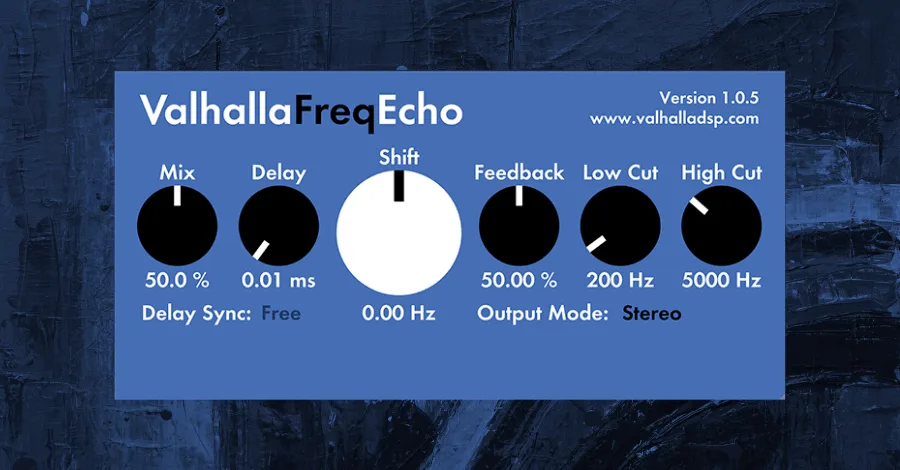
Valhalla Freq Echo is pure ear candy. The pitch-shifted delays it creates don’t exist anywhere else, and it’s free, so there’s no excuse not to experiment with it.
Price: Free!
Type: Beyond
UX: Classic Valhalla, super simple. There are really only three knobs that control the character of your delay: Delay, Shift, and Feedback. You can’t get more straightforward than that.
Character: Weird, modulated delays. The Shift knob will pitch shift each iteration of the delay to create some crazy cool effects.
Uses: I consider the FreqEcho as strictly an “ear candy” delay (although, you could use it for simple delay effects, too). This is something you can add onto any sound in a breakdown or almost any lead sound in the house/techno world.
Pro Tip: Set your parameters. Occasionally tweak the Delay time or Shift knob via automation. Thank me later. The pitch and time shifted effects you get are ones I’ve only ever heard created within this plugin.
14. Waves Manny Marroquin Delay
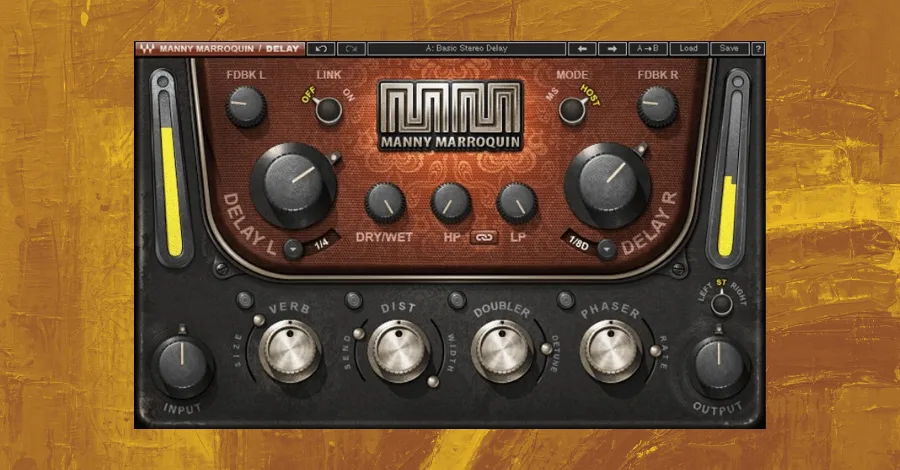
Waves Manny Marroquin Delay shines with the onboard FX, distortion, doubler, and phaser all built in to add character and movement to simple delay sounds.
Related tool: Hyperbits Atmosphere: 75 textural atmosphere samples that make your tracks sound full, alive, and finished.
Price: $99
Type: Beyond
UX: I’ll be honest, I’m generally not a fan of these engineer-branded plugins. They all kind of have a similar characteristic to their UI, this delay included, and they try a little too hard for a relatively simple plugin. But, once you can get past the busy visual layout, the controls are actually quite simple.
Character: The delay itself isn’t anything special, but this plugin is packed with onboard FX that earn it a spot on this list. The distortion, doubler, and phaser allow you to add movement and crunch to relatively simple delay sounds.
Uses: This is a nice delay for background elements in your track (simple arps, quiet percussions, even some FX sweeps). Though I don’t think this delay provides a strong enough sound to be the main delay in your track.
Pro Tip: If you have a simple arp, dial in a delay with some wide distortion and a detuned doubler. This will add depth to the timbre of the arp and overall soundscape of the track without commanding too much space in the mix.
15. iZotope DDLY Dynamic Delay
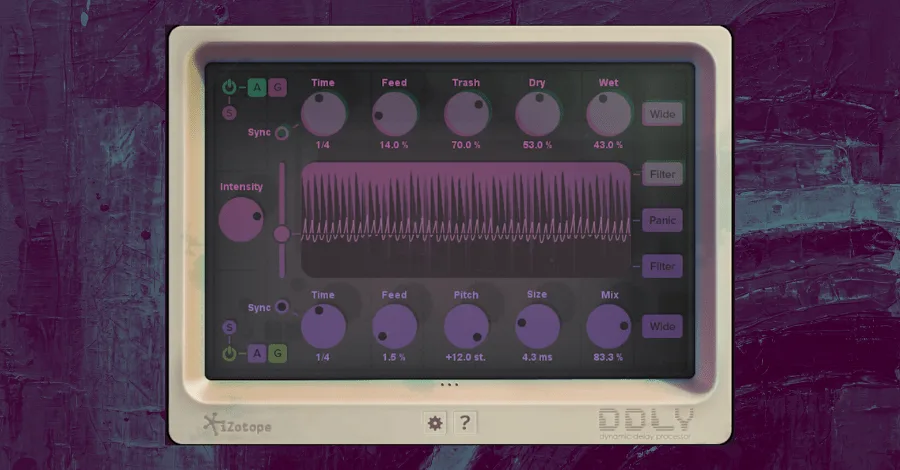
iZotope DDLY Dynamic Delay responds to the dynamics of your input, so loud parts get one delay path and quiet parts get another. It’s especially dope for vocals and live audio.
Price: $49
Type: Beyond
UX: This is one of the most visual delay plugins on the list, which I love. The layout is sleek and clean, plus it has a little old school aesthetic. But it’s absolutely that visual element that defines the DDLY experience.
Character: New age and futuristic. The DDLY responds proactively to the input signal you give it, so the louder parts of your signal go to one delay path, and the quieter parts to another.
Uses: This is a great choice for any acoustically recorded audio, vocals, live instruments, or any other real audio samples. DDLY takes advantage of the dynamic range in your recording to give you creative delays that don’t clutter up your mix (remember, you can control the amount or style of the delay in response to the volume of the input signal).
Pro Tip: Create a lead synth where the volume and/or filter cutoff is affected by the velocity of the MIDI note. Set the DDLY threshold so the delay cutoff is between the high velocity notes and the low ones. This will give you an expressive delay in response to the expressive synth.
16. D16 Repeater Delay
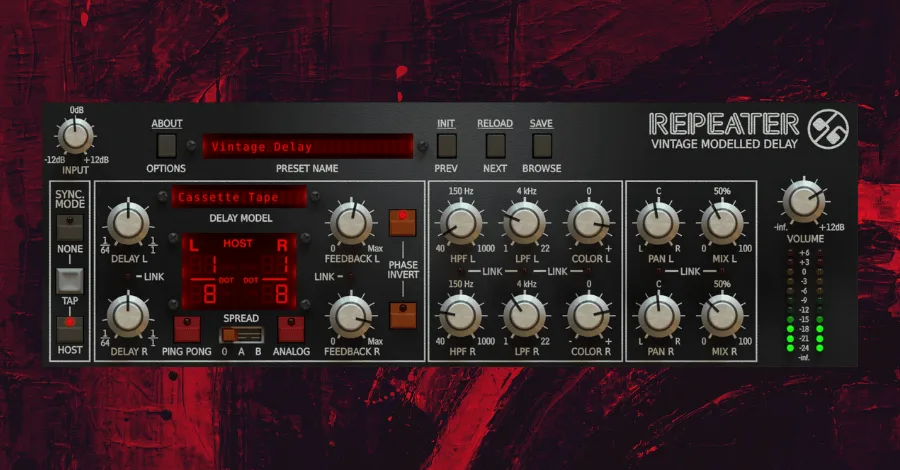
D16 Repeater Delay is the standalone version of the Slate Repeater, same incredibly diverse hardware emulations without needing a subscription.
Price: $99
Type: Tape, Analog, and Digital
UX: Ok, I love the Repeater Delay. Remember the Slate Repeater? This is the same plugin flying under a different name, and you can own it standalone without buying a Slate pass. Same UX experience applies!
Character: Classic delay sounds in an all-in-one format. This plugin does a top-level job of providing both the character of analog sounds and the ease and flexibility of digital production.
Uses: Again, we like this plugin for everything, it is definitely a contender for your all-use, go-to delay choice. You cannot go wrong with the Repeater as your main delay on vocals or guitars.
Pro Tip: Shape the stereo field of your delay by using the Pan L and Pan R options. This is an easy way to move your delay around the dry signal.
17. FabFilter Timeless 2
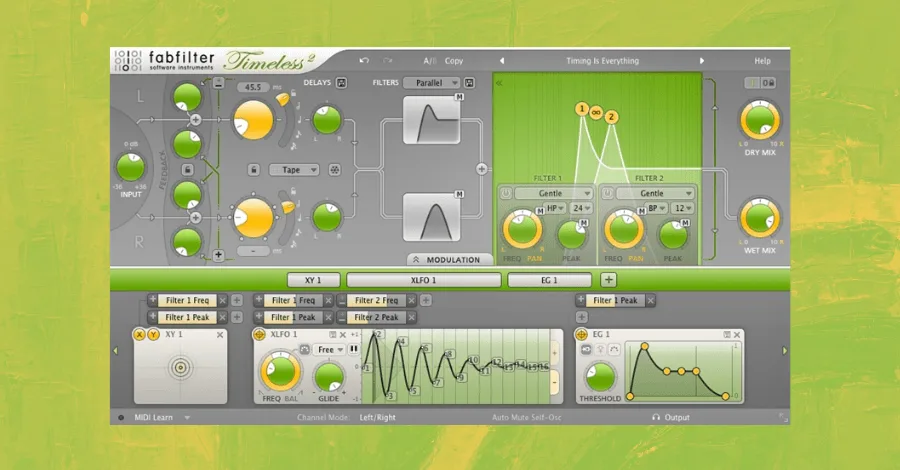
FabFilter Timeless 2 is all about sound design, it’s not trying to emulate hardware, it’s pushing what delay can do. With 300+ presets, you’ll never run out of creative options.
Price: $129
Type: Tape and Beyond
UX: Classic Fabfilter, ultimate control and UI experience. This plugin looks clean and is intuitively laid out, with the delay controls in the top left, a filter section in the top right, and a modulation pane along the bottom. This does not try to emulate a classic delay unit, so don’t expect to feel like you’re back in the 70s.
Character: Some people love delays because they feel analog, they add organic space, and there is something about them that just feels classic. Timeless is not your choice for that kind of sound, but that’s what gives it its speciality. What it lacks in old-school character, it makes up for in creative sound design possibilities, substantial attention to detail, and loads (over 300) of fantastic presets. It can almost be its own instrument.
Uses: Reach for Timeless when you want your delay to be part of the sound design process. Add modulating pitched delays to vocals, create larger than life ambiences out of synth one shots, and automate parameters over time to create FX for breakdowns and builds.
Pro Tip: If you’re a fan of Soundtoys FilterFreak2, drag and drop the XLFOs of Timeless from the bottom pane onto the filter section. This creates separate modulation options for two parallel filters, essentially capturing the best part of FilterFreak2 within Timeless.
18. Valhalla SuperMassive
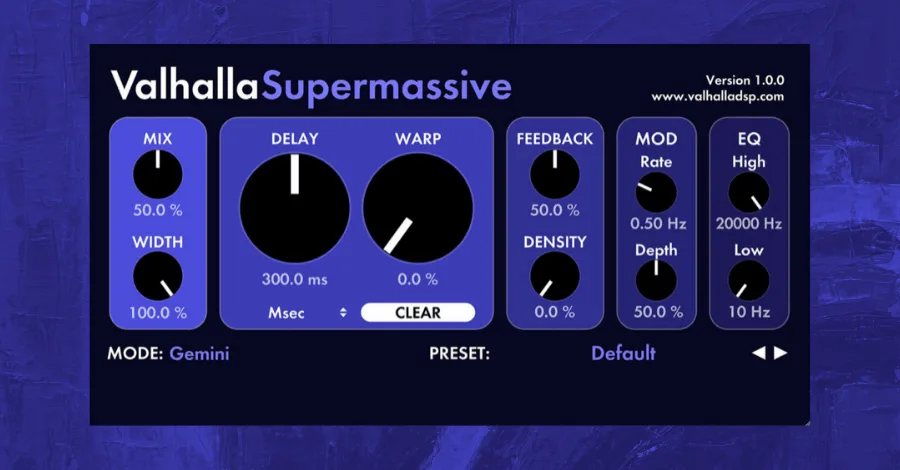
Valhalla SuperMassive is literally named for what it does, massive delays and reverbs that turn your sound into a wall of space. Use sparingly, but use it.
Price: Free!
Type: Beyond
UX: Once again, classic Valhalla. An overly simple UI with only a handful of knobs and menus. The sound design possibilities are virtually endless, but thanks to a curated list of awesome presets, SuperMassive is quick to grab off the shelf and make use of right away.
Character: This plugin offers larger-than-life soundscapes. Valhalla describes it as built “from the ground up for MASSIVE delays and reverbs.” This is the plugin you go for when you want to create atmosphere, space, or when you want your vocal or lead to sound like it’s sitting in the middle of the Grand Canyon.
Uses: This is a plugin that is best used sparingly, because the sounds it creates take up lots of space. Add a long delay to a vocal or any melodic instrument in a breakdown to give it a massive spatial element.
Pro Tip: Take a fast arp and apply SuperMassive with a cool setting, and set it to 100% wet. Compress the delay to reduce the dynamic range, and mix it quietly into the background of the track. Voila, you now have an evolving, tonal atmosphere.
19. UAD Korg SDD-3000 Digital Delay
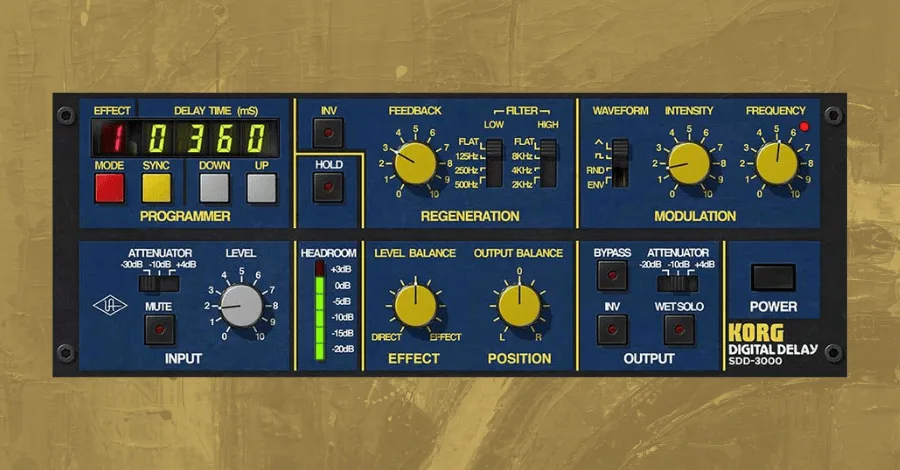
UAD Korg SDD-3000 Digital Delay is The Edge’s secret weapon, that unmistakable 80s guitar tone didn’t happen by accident. This plugin captures that magic.
Price: $199
Type: Digital
UX: As you can probably guess, UAD modeled this plugin off of the Korg SDD-3000 Digital Delay. It stays faithful to the original, and you’ll feel like you’ve been transported back in time.
Character: There’s this band out there, maybe you’ve heard of them… they’re called U2. Their guitarist, The Edge, had an unmistakable sound in the 80s, and it was thanks to the SDD-3000. This delay has a characteristic 13-bit sound that UAD lovingly describes as “chewy”.
Uses: Add to any lead sound, synths, guitars, even vocals. Dial in some delay and add in a touch of the signature phaser or flanger.
Pro Tip: The Hold button works similar to the freeze feature in Crystallizer. Enable the hold parameter to create lush soundscapes out of whatever sound you’re delaying.
20. Your Stock DAW Delays
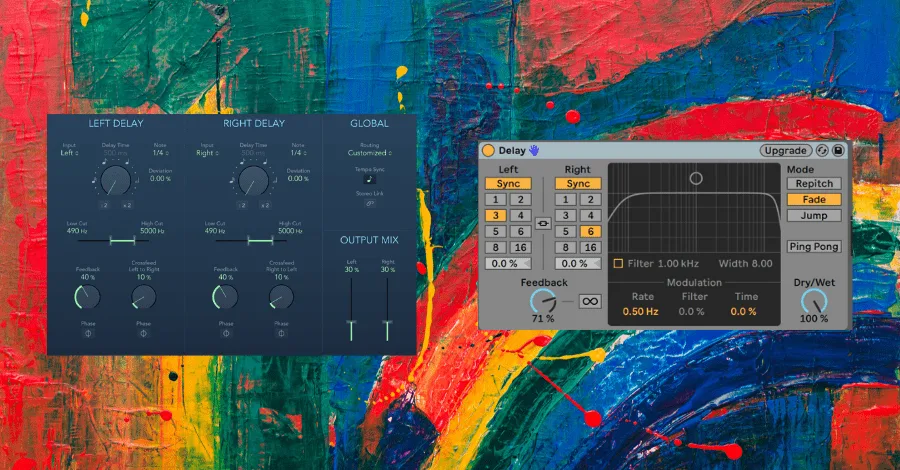
Price: Free!
Type: Tape, Analog, Digital, and Beyond
UX: The one you know best, the UX of your DAW! It’s great to have a variety of delay plugins at your disposal, but sometimes we don’t need to bring a bazooka to a knife fight. The stock delays in your DAW work just fine, and they require low CPU and are easy to plug-and-play.
Character: Simple, yet effective. Don’t expect any painstakingly-modeled analog emulations here. But when you need a simple ping pong delay or a subtle 1/16th note echo on a percussion sound, your stock DAW delay will do a fine job.
Uses: Simple sounds that won’t be loud and proud in the mix. If you want a delayed signal to be front and center, I’d recommend going for a different plugin that will provide a richer, more interesting sound.
Pro Tip: If you’re running low on CPU, use your stock DAW delays as placeholder delay sounds. At the end of your production process, swap in the more CPU-heavy plugins.
That wraps up all 20. Some of these plugins are one-trick ponies, some are full sonic universes. All of them are worth knowing about.
Pick One and Go Deep
And that’s all, folks! One last thing before I send you on your way, I absolutely do not recommend running out to buy all of these plugins. In the end, the best delay plugin for you today is the one you know best. But, the best delay plugin for you tomorrow might be one that you pick up from this list and learn inside and out.
These are the best delay plugins in the world today, and I think you might owe it to yourself to go shopping for at least one.
Heads up: some of the links below are affiliate links. If you buy through one, we earn a small cut (costs you nothing extra). But we'd point you at this exact gear whether we made a dime or not.