
Jump to a section12
- Quick Primer: What LFOTool Actually Does
- 1High Pass Sidechain for Instruments
- 2Kick Sampler
- 3Random Noise Mover
- 4Percussion Isolator
- 5Note Retrigger for Breakbeat Kicks
- 6Full Drum Loop Sampler
- 7Reverbed Snare Gate
- 8Rhythmic Pad Stabber
- 9No-Click Utility Sidechain 1
- 10No-Click Utility Sidechain 2
- The Real Power Is in Experimentation
Quick guide to lfo tool, written for producers who don’t have time for fluff.
If you’re producing electronic music, you already know sidechaining. It’s essential to every genre of dance music. That pumping energy that makes you want to move? That’s sidechain doing its thing.
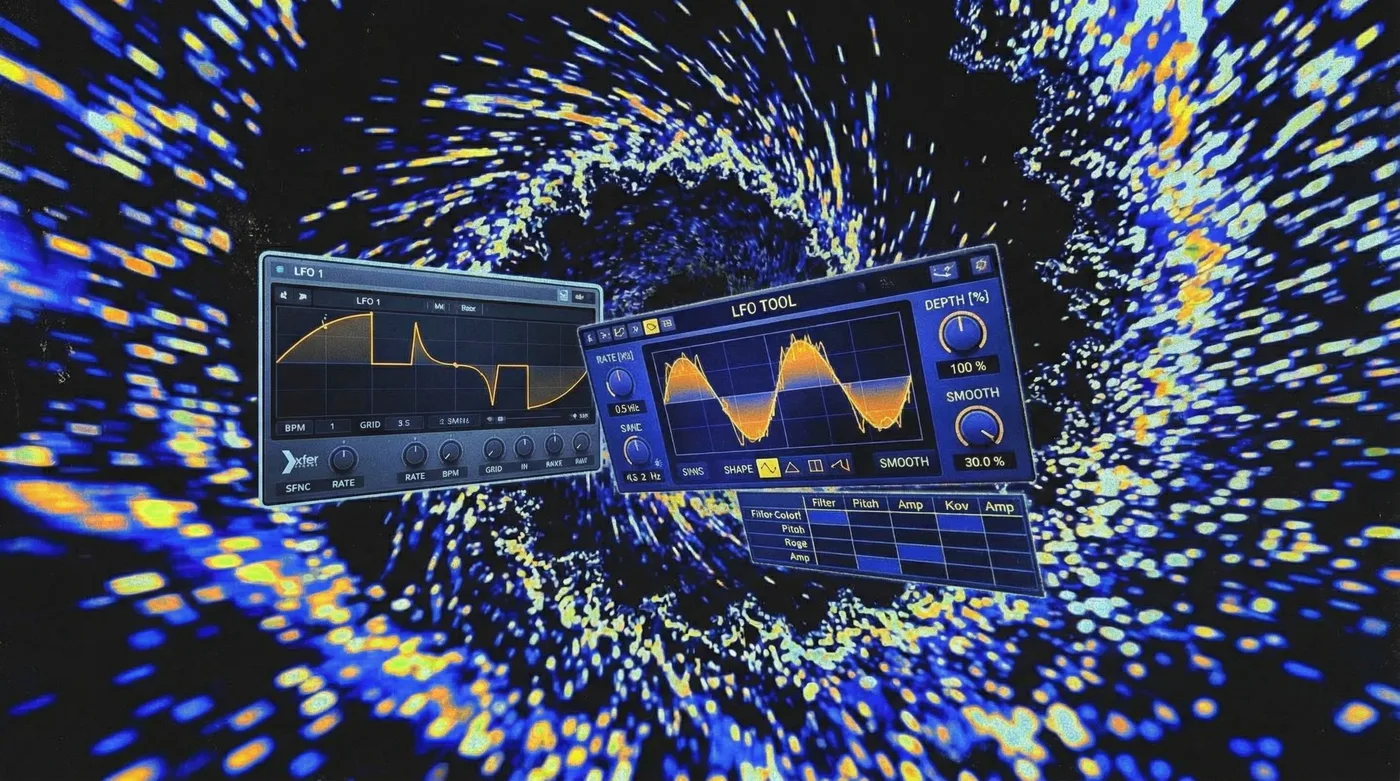
Xfer Records LFOTool is arguably the best plugin on the market for creating that pump. Same team behind Serum, incredibly visual, dead simple to use. But here’s what most producers miss:
LFOTool can do a lot more than just sidechain.
Once you push it beyond basic volume ducking, it becomes one of the most versatile plugins in your entire chain. I use it constantly for things that have nothing to do with kicks.
Here are 10 top-tier tricks, each with a demo.
Quick Primer: What LFOTool Actually Does
At its core, LFOTool is a volume shaper. It reduces the volume of whatever it’s applied to at specific times, following a shape you draw.
In the simplest case, it ducks the volume at the start of every beat, creating the classic sidechain-to-the-kick effect. The advanced features are where it gets interesting: you can reshape the LFO curve, apply effects to specific frequency bands, or run separate responses in the left and right channels.
There are only three ways to modify an existing sound: change its volume, modify its frequencies, or alter its timing. LFOTool is a workhorse for Category 1. It’s light on CPU, so you can run tons of instances, and it’s incredibly visual, which means you see exactly what you’re shaping. That combination is hard to beat.
1. High Pass Sidechain for Instruments
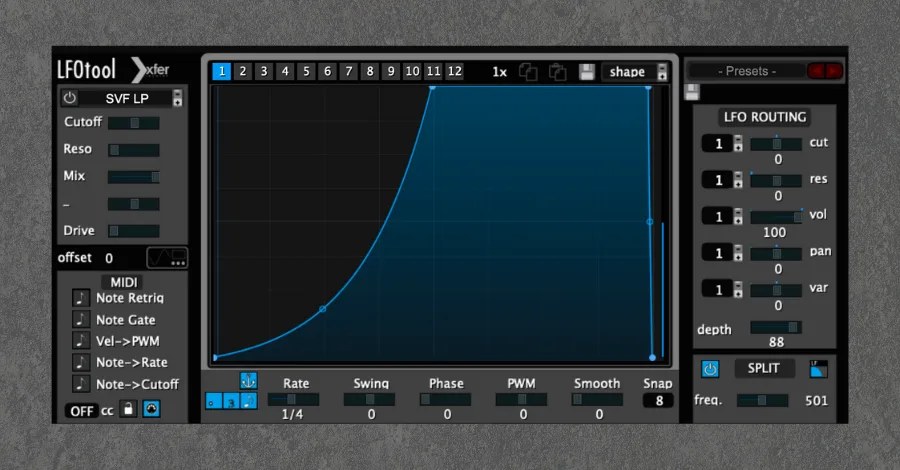
Sometimes you want the benefit of sidechaining without an overwhelming pumping feel.
Use the band split feature to only sidechain the low frequencies of a sound. You reduce the volume of the lows that conflict with the kick, but leave the higher frequencies alone so the pumping is less aggressive.
Before: Full-range sidechain pumping on the entire signal.
After: Only the low frequencies duck, leaving the highs untouched for a smoother feel.
2. Kick Sampler
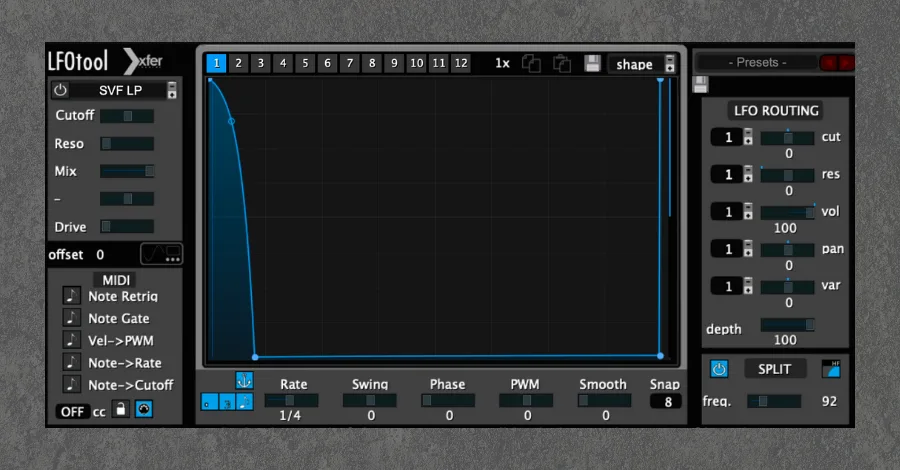
Sampling kicks from other songs is a great way to get high-quality kicks into your productions. Use the band split feature to isolate a kick from a drum loop.
Reduce only the high frequencies in the loop. Let the highs come through on the kick transient, then reduce them for the rest of the beat. This lets the kick top and bottom pass through, but nothing else.
The LFO shape should look like the reverse of a normal sidechain envelope. I like to set my bandsplit frequency around 100Hz.
Before: The full drum loop with all elements playing.
After: LFOTool isolates just the kick drum from the loop.
3. Random Noise Mover
This is where things get fun.
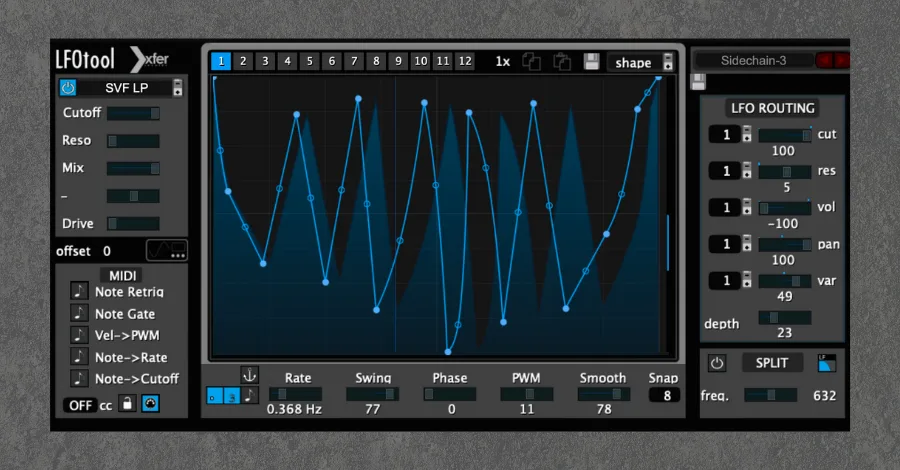
Use the panning options to apply random volume reduction to the left and right channels. Throw this on some ambient noise or a pad and it instantly comes alive with stereo movement.
Set a random rate so the movement isn’t synced to your track. Maximum randomness.
Before: A static ambient noise layer sitting flat in the mix.
After: Random panning movement adds life and dimension.
4. Percussion Isolator
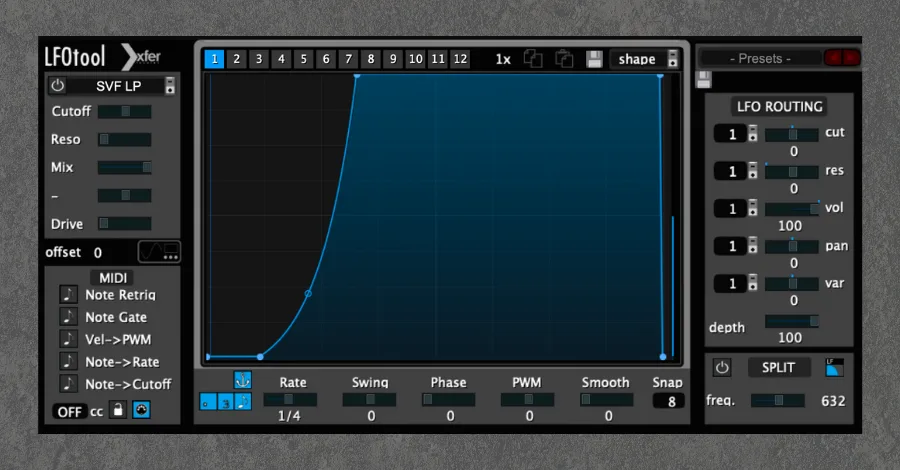
The opposite of the kick sampler. Here we’re isolating hi-hats from a full drum loop.
Tweak the timing of the attack envelope to get the best response for the loop you’re working with. The goal is to remove the entire kick while preserving everything else.
The bandsplit feature does the heavy lifting. Somewhere between 500-1000Hz usually works well.
Before: The full drum loop with kick and percussion together.
After: LFOTool removes the kick, isolating just the percussion elements.
5. Note Retrigger for Breakbeat Kicks
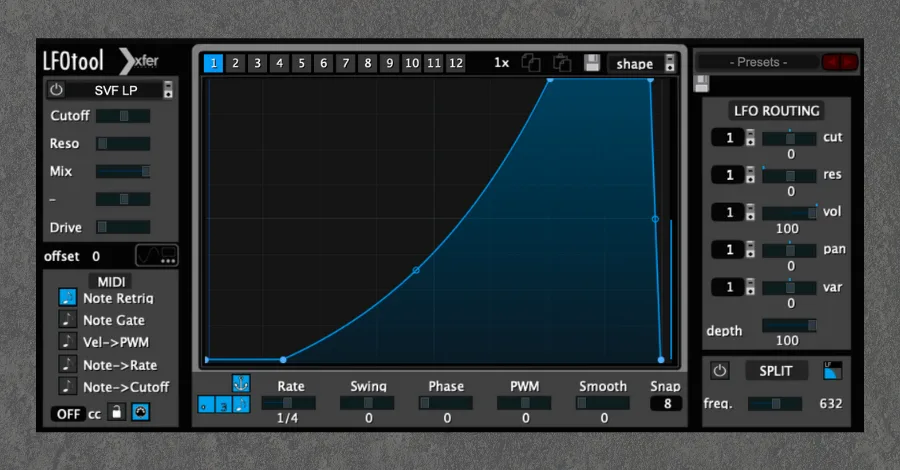
Did you know you can trigger the sidechain externally, like a compressor?
Instead of letting your LFO loop constantly, you trigger it to run a single time. This is perfect for sidechaining breakbeat kicks where the pattern isn’t a straight four-on-the-floor.
Insert it as a MIDI effect. Set your external trigger to a MIDI track that has notes at the same time as your kick. Now it fires once every time your kick hits.
Before: Breakbeat pattern without any sidechain effect.
After: MIDI-triggered sidechain follows the irregular kick pattern perfectly.
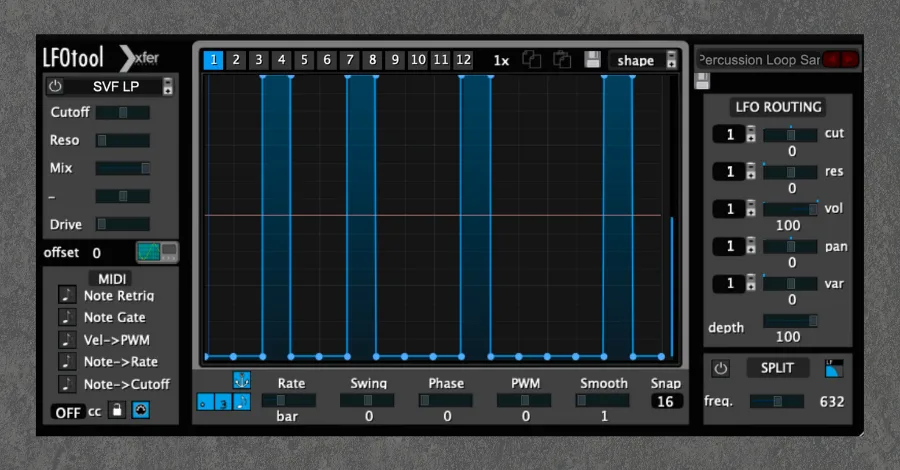
6. Full Drum Loop Sampler
Drum loops and LFOTool are a match made in heaven.
Set the rate to 1/1, meaning the shape you draw takes one full bar to complete. Draw a shape to isolate certain drums from the loop. Pull the blue line up to keep a sound and droop it all the way down to eliminate one.
Enable the waveform display and click Play to have your waveform appear inside the plugin for easy shaping. Tweak the shape for whatever loop you’re working with.
Before: The complete drum loop with all elements.
After: Custom LFO shape isolates specific hits from the loop.
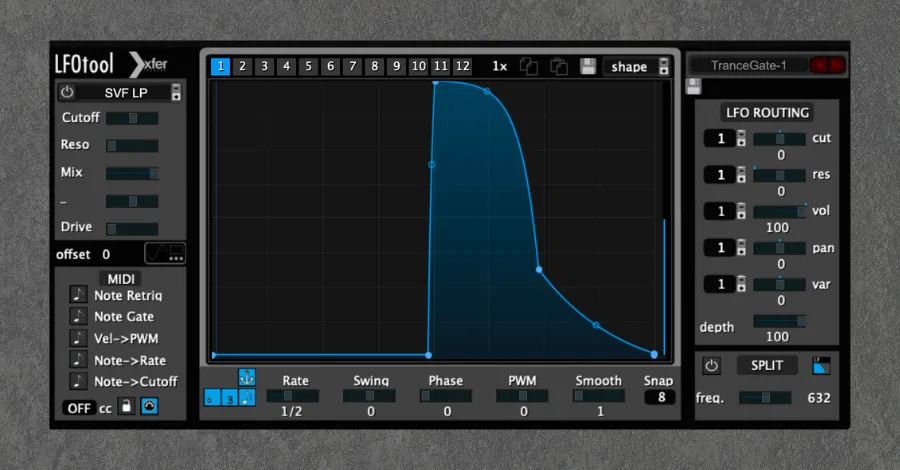
7. Reverbed Snare Gate
I shamelessly love Phil Collins. I also shamelessly love the gated reverb snare sound he pioneered in the 80s. That sound is making a comeback, and I’m here for it.
Insert this preset onto your snare track or apply it to the reverb bus. Add a reverb plugin before LFOTool in your processing chain. Tweak the LFO Depth to modify intensity.
Before: A dry snare hit with no spatial processing.
After: That classic 80s gated reverb snare sound, courtesy of LFOTool.
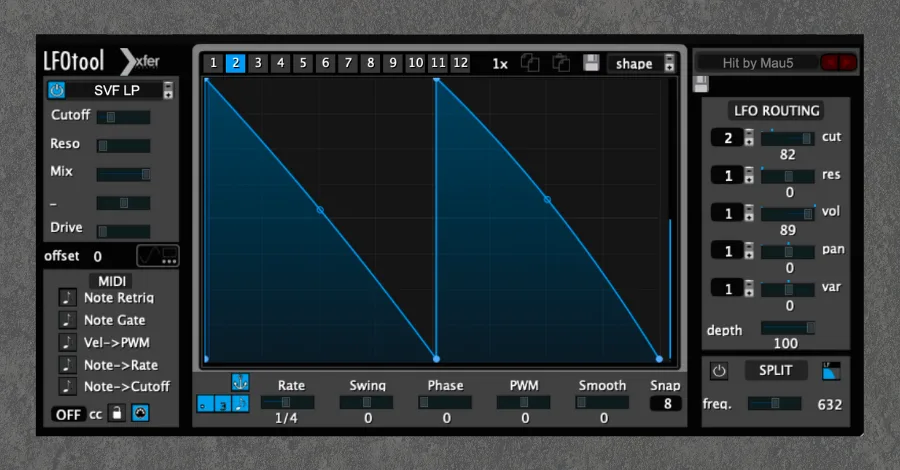
8. Rhythmic Pad Stabber
Straight-up creative sound design. This turns a sustained pad into groovy rhythmic chords.
We’re using both volume shaping and filtering. Keep the rate at 1/8 for the classic Deadmau5 and Kaskade vibes, or draw a unique shape for a more modern groovy effect.
Automate both the SVF LP Cutoff and the LFO Routing Cut over time (slowly raising them every 16 bars) for maximum feels.
Before: A flat, sustained pad chord with no rhythmic movement.
After: LFOTool chops it into groovy rhythmic stabs.
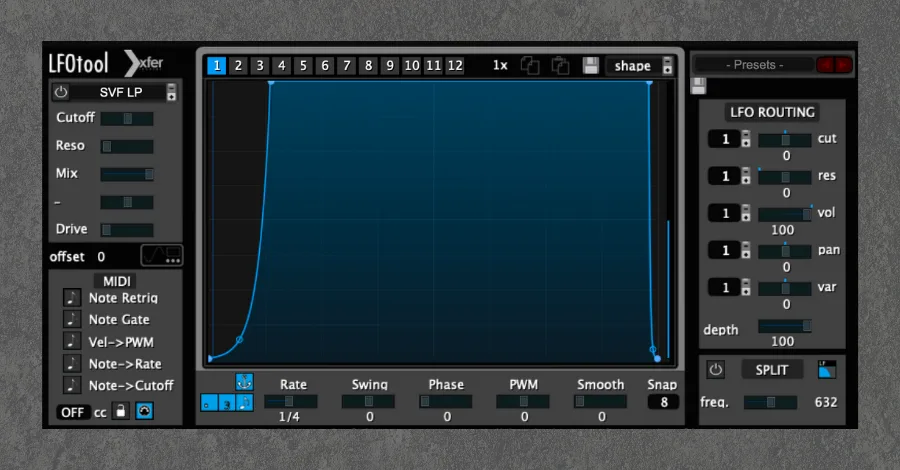
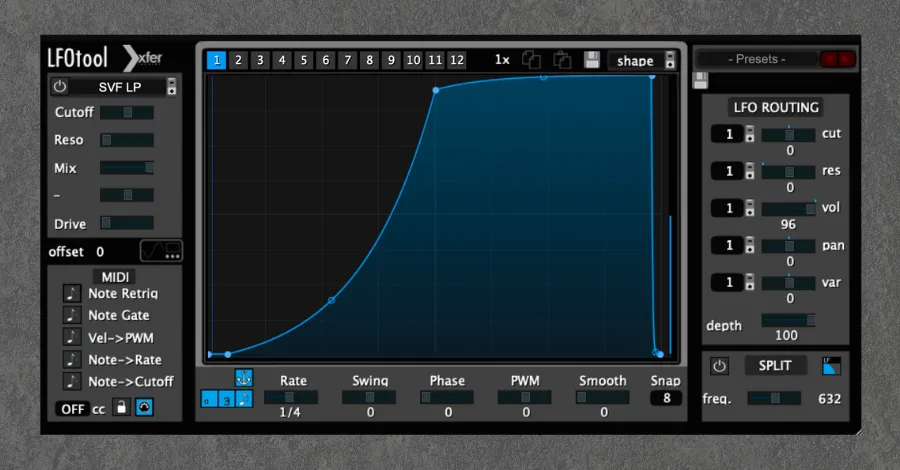
9. No-Click Utility Sidechain 1
This list wouldn’t be complete without a couple of all-purpose, no-BS presets.
This one is for fast, energetic sidechaining. The kind you’ll find in most genres of modern dance music. It creates a “wall of sound” production that sounds massive at clubs and festivals.
Importantly, this is also a “no-click” sidechain. I’ve smoothed out the end of the LFO shape so you don’t get any annoying pops.
Before: Elements sitting flat without any pumping effect.
After: Fast, aggressive sidechain pumping with zero clicks or pops.
10. No-Click Utility Sidechain 2
Same idea, except this one has a slower, groovier release.
Perfect for any sub-genre of house music. Guaranteed to make a track feel lighter and dancier. I use presets like this primarily on instruments and melodic content, especially basslines.
Before: The raw signal without any sidechain movement.
After: A slower, groovier pump that makes everything feel lighter and more danceable.
The Real Power Is in Experimentation
These presets are a starting point. They can all be modified to fit different grooves and sounds, and I’d encourage you to save new presets as you go. Half the fun is tweaking a shape and discovering something unexpected.
And if you don’t have LFOTool, most of these techniques work with other volume shapers. Cableguys ShaperBox, Nicky Romero’s Kickstart, VolumeShaper by Cableguys, or even Ableton’s native Auto Pan (set to volume mode) can get you pretty far. LFOTool is still my favorite for how visual and lightweight it is, but the concepts are universal.
Keep your production tools simple and streamlined. That’s when you tend to get the best results.
Heads up: some of the links below are affiliate links. If you buy through one, we earn a small cut (costs you nothing extra). But we'd point you at this exact gear whether we made a dime or not.