


Jump to a section5
The four stock Logic synths worth using are ES1 for basses, EFM1 for simple FM sounds, Alchemy for pads and soundscapes, and Vintage Electric Piano, whose Wurlitzer Classic holds up against the best sample libraries. They all come with Logic Pro, and the EXS24 sampler is a solid bonus.
Quick picks
| Name | Best for | What you get |
|---|---|---|
| ES1 | Basses | One main oscillator plus a sub, and an EXT mode that processes external audio |
| EFM1 | Glassy, plucky FM tones for deep house and future house | FM synthesis reduced to a few knobs |
| Alchemy | Pads and soundscapes | A tagged preset browser plus macros you can automate |
| Vintage Electric Piano | Warm electric keys | Wurlitzer Classic with a tempo-synced tremolo |
| EXS24 (bonus) | Vibraphone, strings and other sampled sounds | A sampler with easy processing, like an LFO on pitch |
The stock synthesizers in Logic provide a unique suite of tools to create some high quality sounds. While often written off as inferior to third party plugins, let’s explore exactly why that simply isn’t true. In short, Logic synths can be very, very powerful.
1. ES1
The ES1 consists of one main oscillator and one sub oscillator. Some of its best sounds are its basses. And even a few of the presets being nearly ready to drop into your tracks.
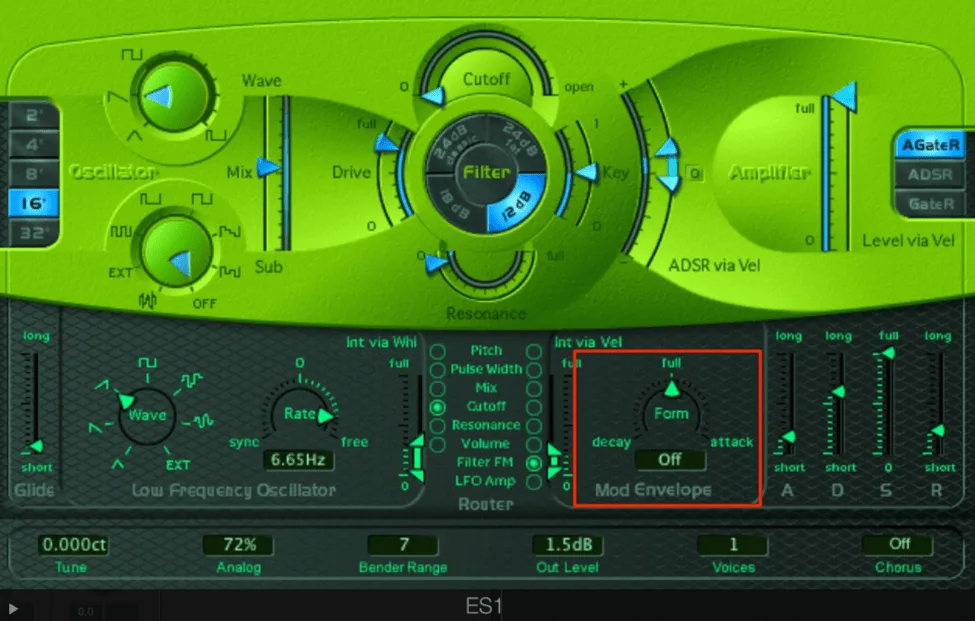
Mod Envelope
The Mod Envelope is a lesser known component of the ES1, and it allows you to assign an envelope to a selection of parameters in your synth.
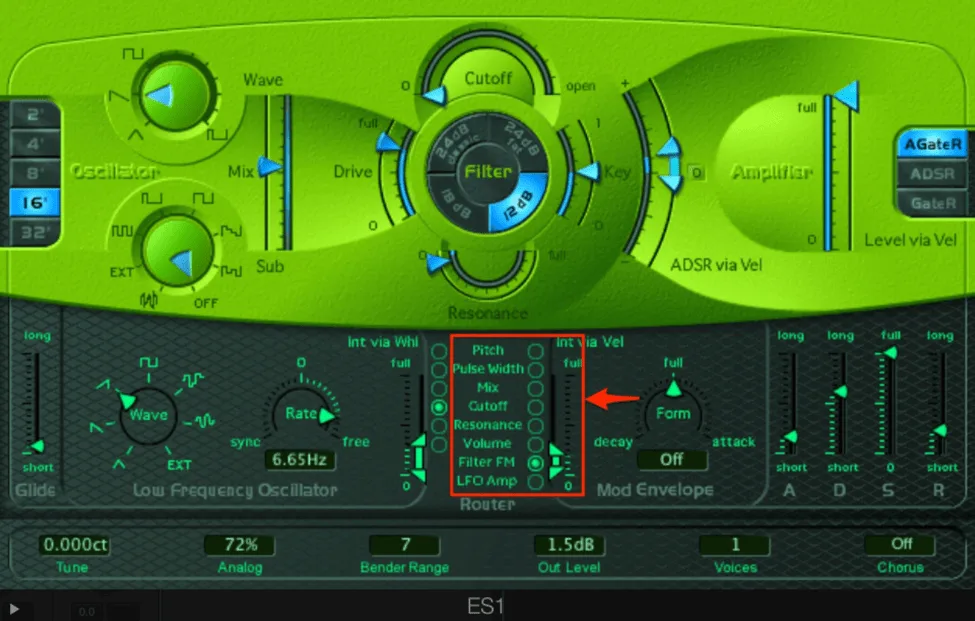
By hitting one of the radio buttons in the right Router column and selecting a range with the vertical arrows, your Mod Envelope will control the selected parameter:
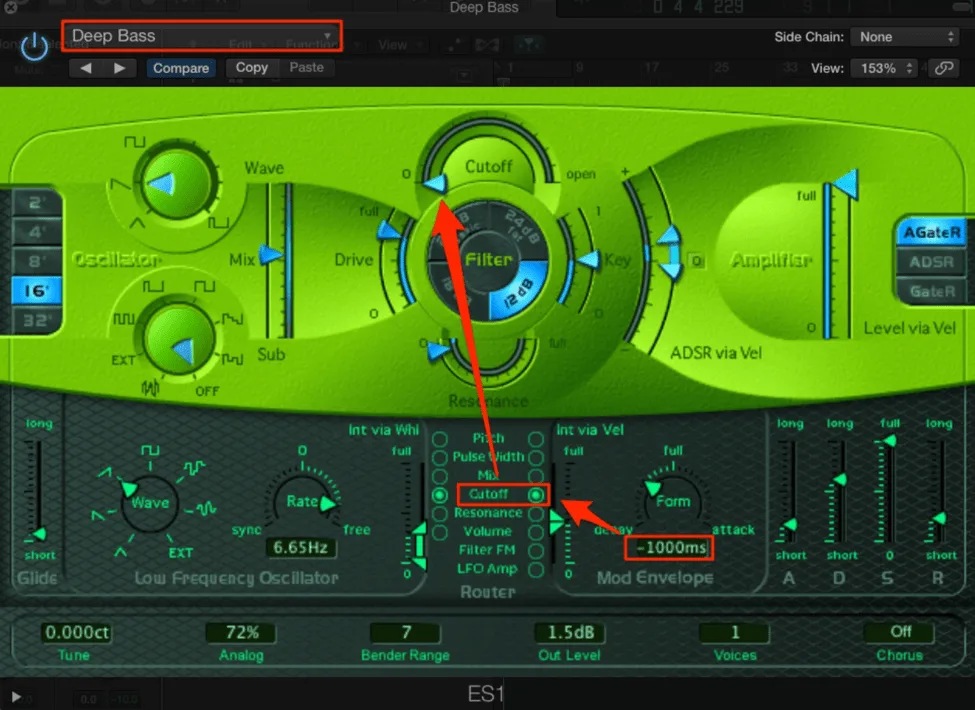
This function is often used in designing basses. You can use the Mod Envelope to control the filter cutoff and give your basses an open, clean attack. Test this out on the “Deep Bass” preset by reworking the Mod Envelope and Router controls, as laid out below:
Use EXT oscillator to process external audio
You can also use the ES1 to process an audio signal from another audio track or a bus in your project. By selecting EXT as your sub oscillator waveform and choosing the desired audio signal as your Side Chain, the ES1 will not produce its own sound. But rather take in the audio from whatever the side chain signal is:
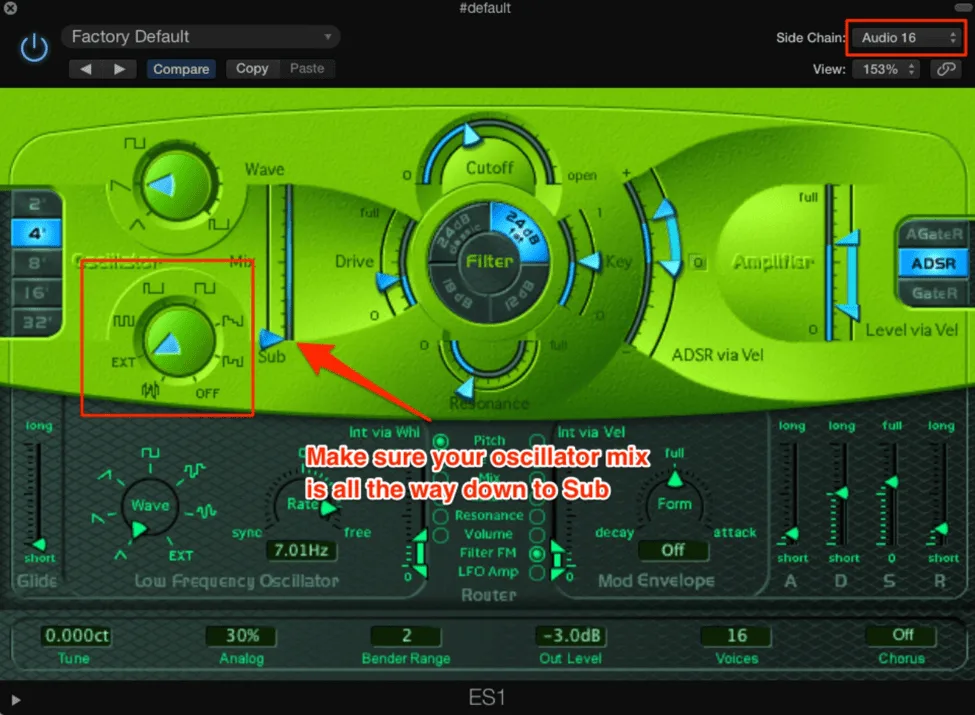
Now that the audio coming from the ES1 is the external audio, you can use the ES1 LFO, Mod Envelope, ADSR, etc. to process this audio. Be sure to mute the external audio track, otherwise you will get the signal doubled up (once from the audio track, once from the ES1).
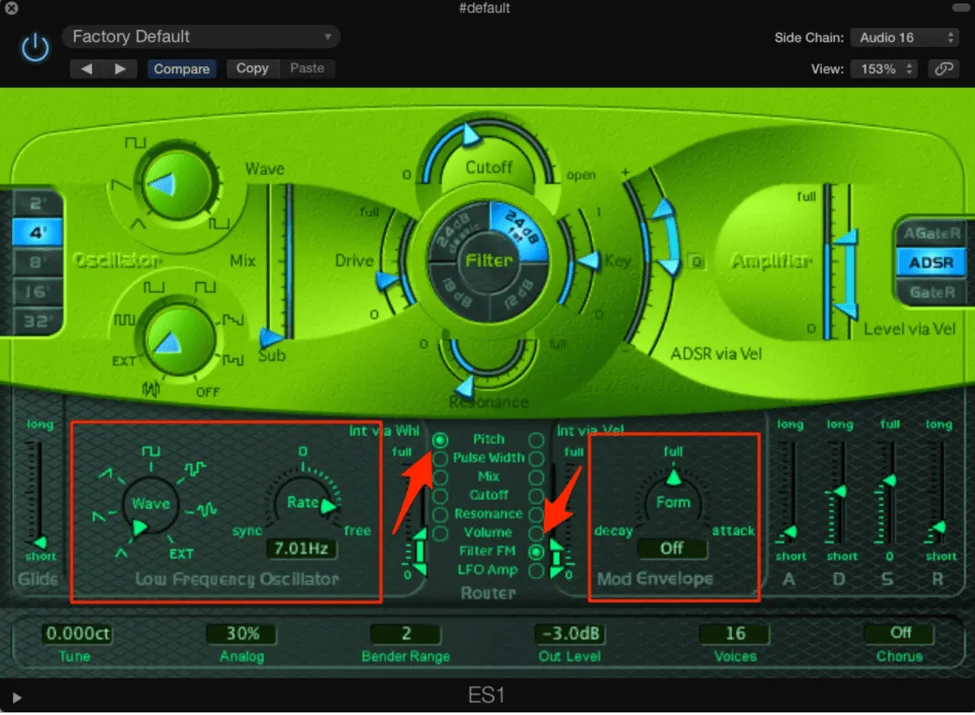
Finally, be sure to have midi information in your ES1 track whenever you want the audio to play through - you still need a midi note for the ES1 to produce a sound! If desired, you can also design your midi to play a rhythm in the external audio signal.
Pro Tip: When using the ES1’s EXT oscillator trick, try automating the ADSR parameters in real time while recording. You can get some wild, evolving textures from totally mundane audio sources like a simple piano loop.
2. EFM1
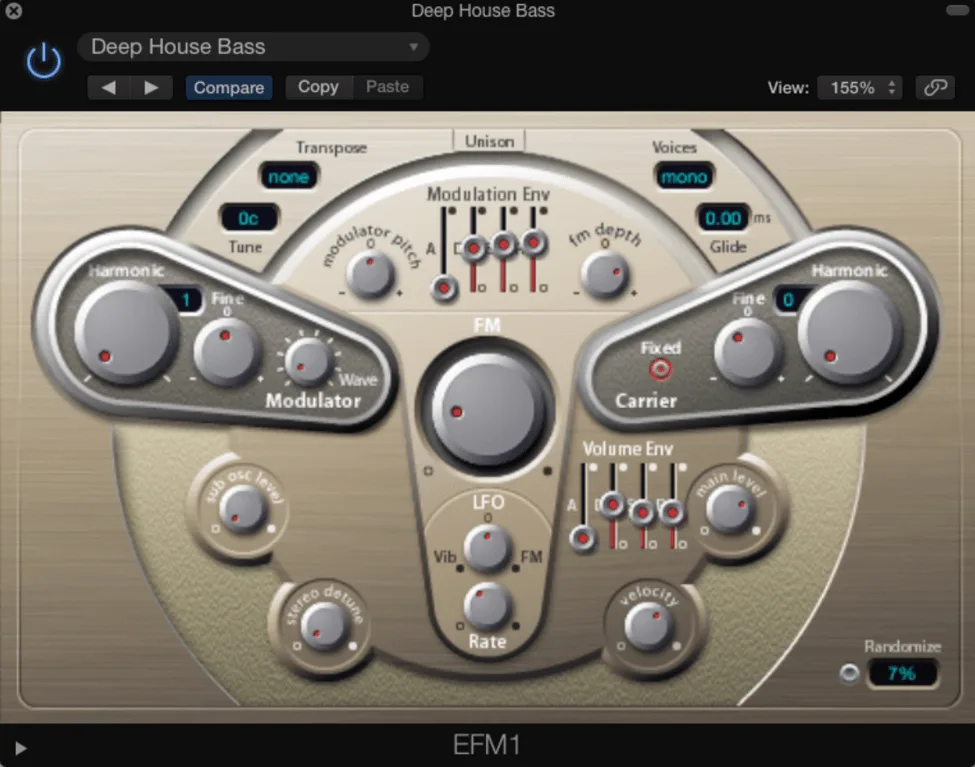
EFM1 is Logic’s FM synth. FM synthesis is usually quite complicated, but the EFM1 simplifies the process and reduces it down to just a few knobs.
While you might not have as much flexibility as other FM synths, you can get some quality FM sounds without the synthesis process being overly complicated. You can make some great sounds for deep house and future house style tracks.
Here is a quick example of the EFM1 with settings dialed in for that glassy, plucky tone:
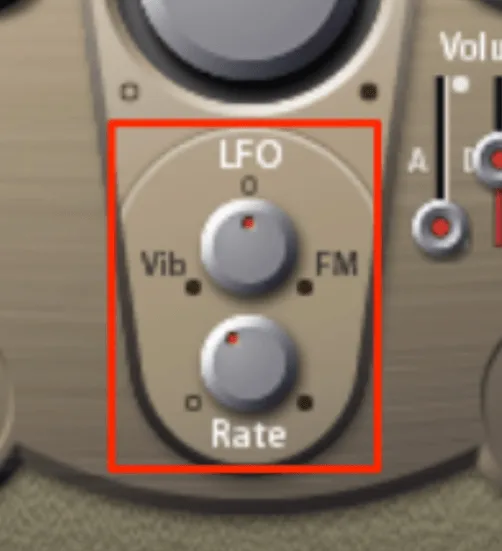
One specific thing to note is the LFO at the bottom of the synth. The LFO is automatically set to “restart”, so each note will start from the same LFO position. This means that if you use a slow rate, then you can get completely new timbres on your sound by moving the top Vib/FM knob. Test this out on the sounds you’re making!
If you’re having trouble creating the quality of the synths you hear in your favorite artists’ tracks, make sure to check out our intensive mixing and mastering course.
3. Alchemy
Many producers fondly recall the good ole days of Camel Audio, maybe best known for the Camel Crusher and their Alchemy Synth. Apple acquired Camel Audio in early 2015. And while many of the plugins we loved have gone away, Apple has since incorporated Alchemy into Logic Pro. Among many other of its sounds, Alchemy’s soundscapes and pads are fantastic.
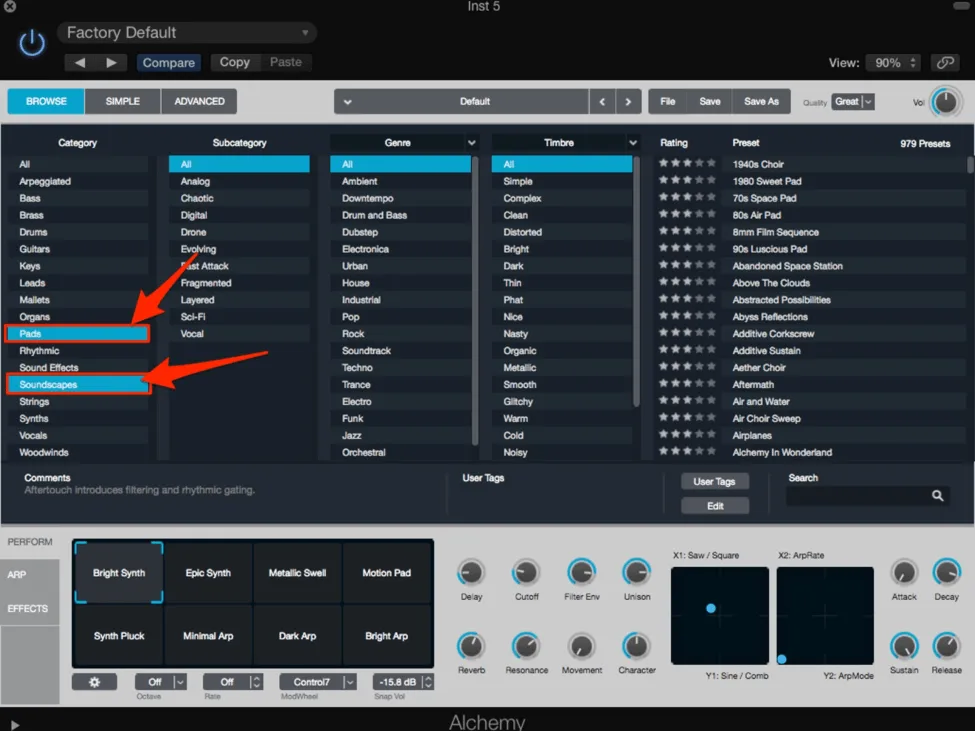
Alchemy uses a robust tagging system that allows you to narrow the sounds you are looking for by category, subcategory, genre. And timbre. Once you’ve found a sound that you like, the Performer at the bottom and the categories the macros are sorted into are very useful for sound design:
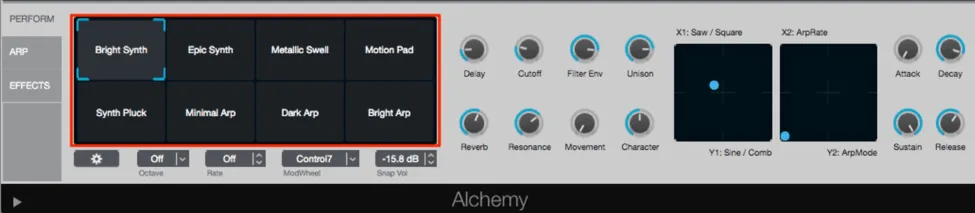
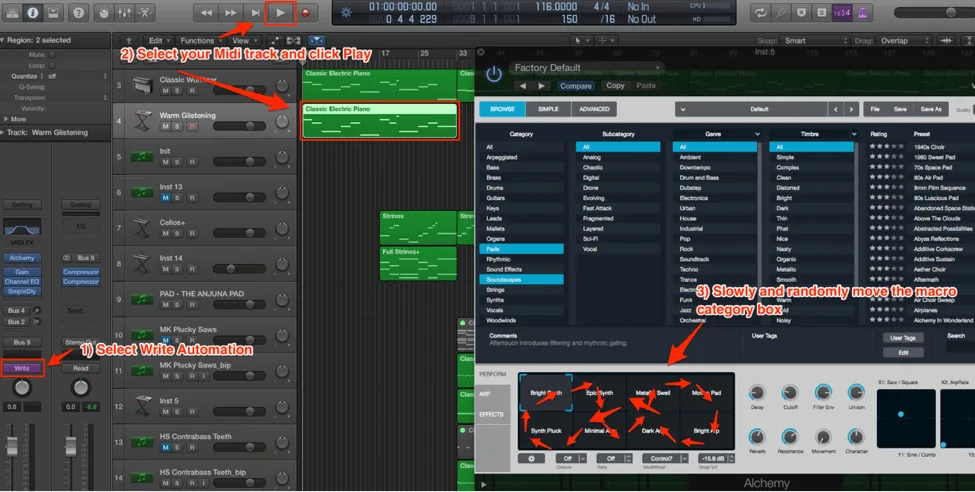
One trick I like to use is flipping my Alchemy track to Write automation, playing my midi section. And manually dragging through the different macro categories. Logic will save your manual automations. And the result is an ever-changing, completely unique pad/soundscape that you can then use in your track:
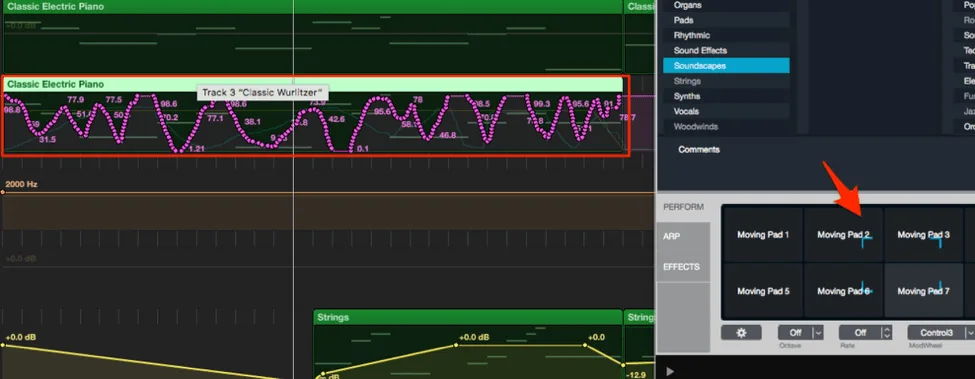
After you play through your midi section, flip the automate back to Read, and look at the automation on the section. The automation on the X axis and Y axis of the categories box will be saved on your midi. So your pad/soundscape will always be moving:
If you want to take this a step further and stack multiple Alchemy patches together, here’s a quick breakdown of how layering works in practice:
Pro Tip: Don’t overthink the automation pass. Just drag slowly and let the macro morph happen naturally. You can always trim out any awkward transitions afterward in the automation lane.
4. Vintage Electric Piano
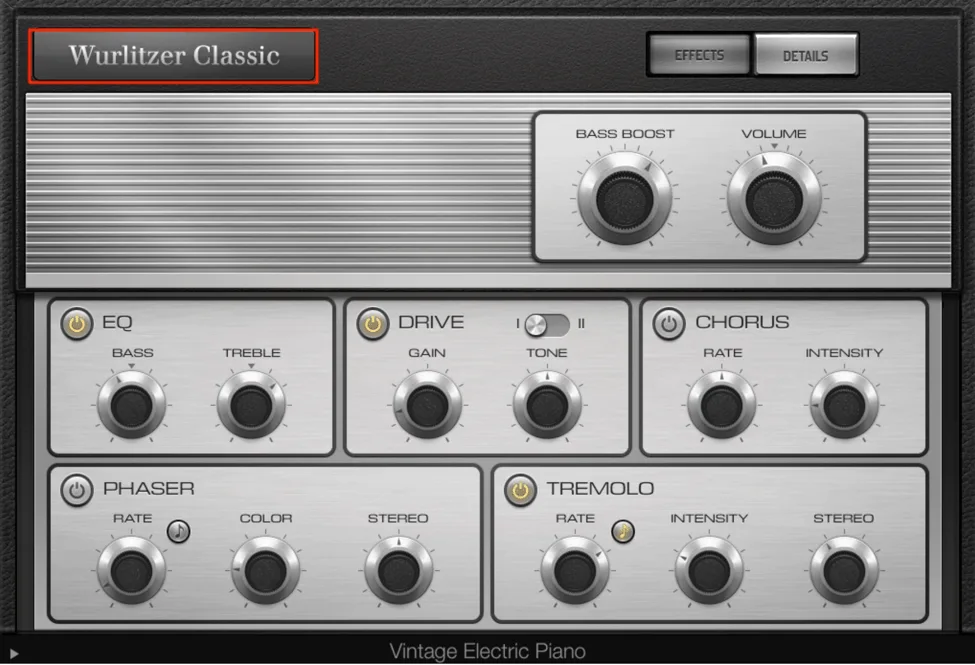
Logic’s electric piano is packed with high quality sounds that are on par with some of the best sample libraries. The Wurlitzer Classic is one of the best options you can use. Here are a few things you can do to get what is, in my opinion, the best sound out of the instrument:
- Use lower velocity notes in combination with the OTT compressor
- Sync your tremolo rate to the track
- Add some extra decay and release time
Lower velocities and OTT
Velocities below 75 for the midi notes have very warm, smooth timbres. Once you start to get above this range, the piano has a substantially sharper attack sound. While this is certainly usable if this is your desired sound, the smoother tones of the lower-velocity notes can be quite useful. However, without the sharper attack, your piano can sometimes get lost in your mix. To make up for this, the Xfer Records OTT compressor can be used to add a bit of coloration to the sound:
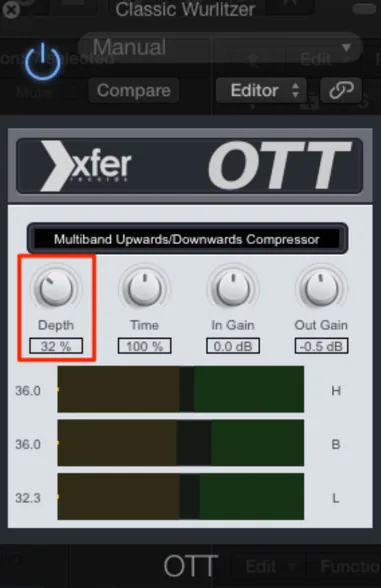
Moderate depth is key here, as in the image above. This will add a nice attack to the sound without the overpowering sharpness of a higher velocity note.
Syncing the tremolo
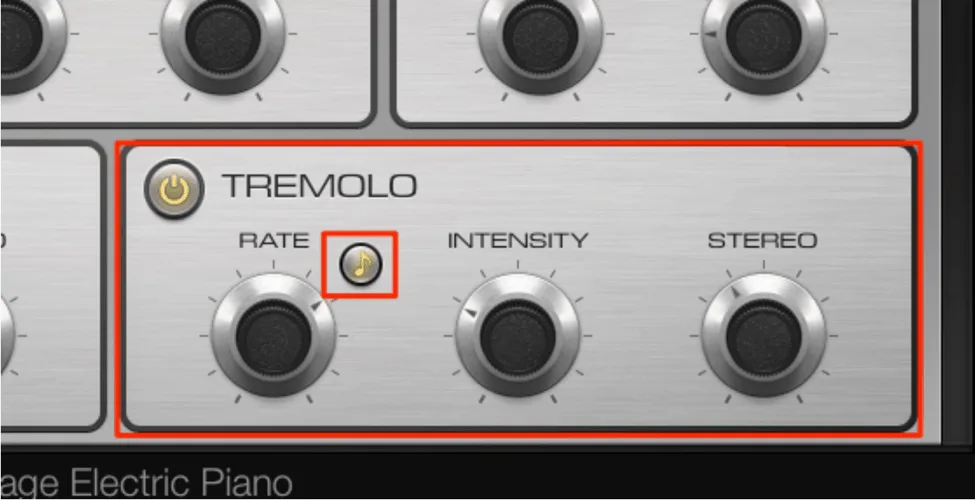
The instrument has a built in tremolo function which will flutter the gain of the piano. By clicking the note button in this box, it will sync to the beat of the track. Play around with different rates, often times a simple 1/16th note or 1/8th note works best:
Extra Decay/Release Time
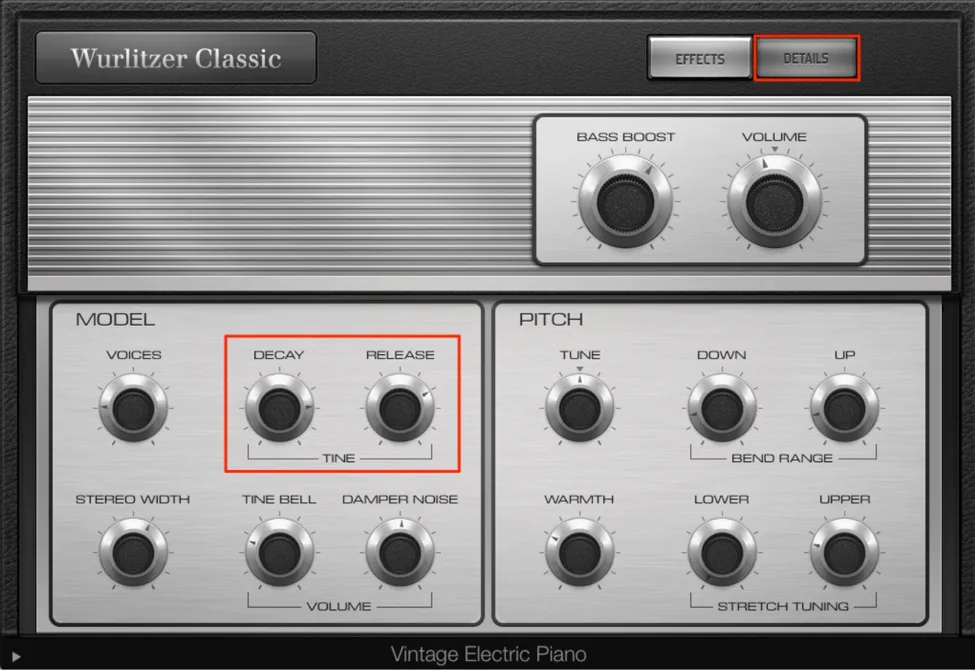
No secret here, but I love adding some drawn out electric pianos to our music. To make sure those longer notes don’t fade away too quickly, be sure to boost the decay and release times in the Details section of the instrument:
Want to learn more about composition, music theory and songwriting? Look no further than The Songwriting Matrix.
5. Bonus: EXS24
While technically not a synth, the EXS24 sampler is packed with a variety of great sounds and some easy-to-use processing. Some favorite sounds include:
- Vibraphone
- String Ensemble (mostly for high pitched, sustained strings)
- Persian Santoor
- Various Electric Toms
With unique processing, one thing you can do when creating ambient sounds is putting an LFO on the pitch of some sustained piano notes or strings:
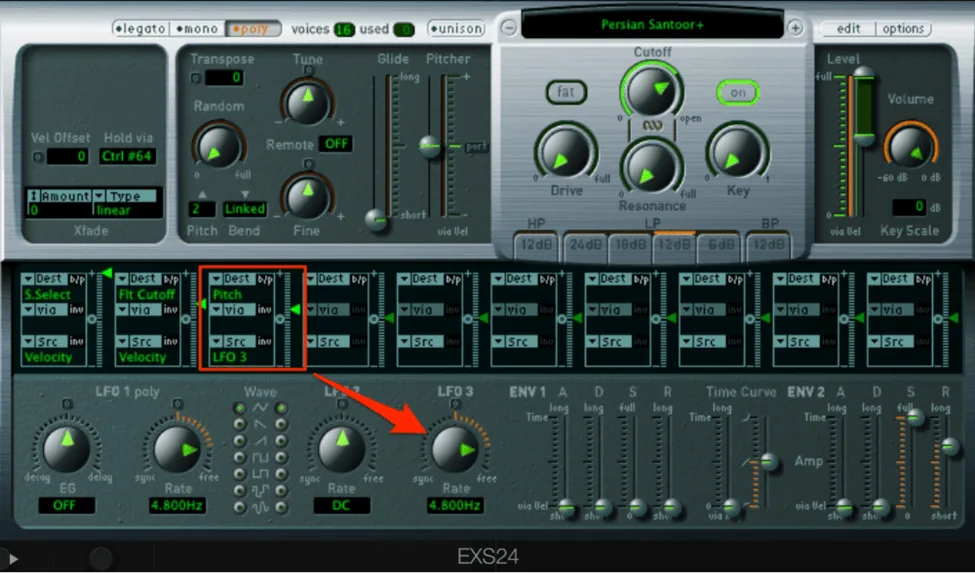
This creates a nice pitch vibrato for more ambient, background elements. Logic synths are full of high quality sounds. I encourage you to explore them for yourself. I’m sure you’ll find some unique sounds to use across many of your tracks.