

Jump to a section17
- Who Uses Soundtoys Plugins?
- How to Use Soundtoys Plugins
- Soundtoys FilterFreak
- Soundtoys Little Plate
- Soundtoys Decapitator
- Soundtoys Echoboy
- Soundtoys Tremolator
- Soundtoys Devil-Loc Delux
- Soundtoys Radiator
- Soundtoys Microshift
- Soundtoys PrimalTap
- Soundtoys Phasemistress
- Soundtoys PanMan
- Soundtoys Crystallizer
- Soundtoys Little Alterboy
- When Do Soundtoys Plugins Go On Sale?
- An Essential Piece of Any Producer’s Arsenal
Soundtoys plugins are worth it, especially Decapitator and Echoboy. Decapitator stands out from every other saturation plugin because it sounds damn great, and Echoboy is the best delay plugin on the market. Add Crystallizer if you want an inspiration machine that turns any sound into something completely different.
Quick picks
| Name | Best for | Why |
|---|---|---|
| FilterFreak | Rhythmic filter movement | The Rhythm and Groove section adds a pulse to static pads |
| Decapitator | Saturation on almost any channel | Five saturation models, and it sounds damn great |
| Echoboy | Delay | 30 delay styles plus groove and accent controls |
| Devil-Loc Deluxe | Aggressive drum bus compression | Gritty tone that makes drums pop out of the speakers |
| Radiator | Tube warmth | Altec 1567A emulation with a mix knob for parallel processing |
| Microshift | Widening vocal stacks and mono synths | Pitch shifting and slight delays for width |
| Crystallizer | Sound design and new ideas | Granular reverse echo with 200+ presets |
| Little Alterboy | Instant vocal harmonies | Syncs to your MIDI keyboard |
Soundtoys plugins are among the most widely used audio tools around, and rightfully so. They’re more than just mixing tools. They’re used for sound design, inspiration, and heavy audio processing.
At the Hyperbits Masterclass, we rank Soundtoys as one of our three desert island plugins. They’re that good.
They offer massive value out of the box. Drop Decapitator or Echoboy on a channel and scroll through presets, you’ll instantly see the potential. But it’s easy to get good results with little effort. This means many producers gloss over the powerful details hidden in every plugin.
We’ve used these extensively and know them inside out, so we decided to write the definitive guide to the Soundtoys bundle. You’ll learn what they do, why they do it, and discover that their best features are often hiding in plain sight.
Soundtoys plugins handle sound design and gritty analog emulation equally well. Below is a guide to the main plugins.
Who Uses Soundtoys Plugins?
Don’t assume Grammy-level artists are hiding secrets in million-dollar studios. Most use the exact same tools you do, the Soundtoys Bundle.
Zedd is one such artist. While he rarely discusses his process, it comes as no surprise that he uses Soundtoys in every track.
Decapitator was a defining part of the processing chain that gave Ke$ha’s vocals her signature forward punch in her track “True Colors.”
ODESZA is another. Few artists in the game can match the texture and authenticity of sound that ODESZA brings to their productions. They admit these textures are entirely attributed to the Soundtoys Radiator plugin (with a few dashes of Decapitator for flavor). The duo states that they run almost every signal through at least one instance of these plugins to add grit and resolution to their sounds. Small amounts across dozens of channels culminate in an end result that feels so real you could almost grasp it.
Mija’s core sound comes from grit-soaked atmospheres and an in-your-face attitude that is as ephemeral as it is apparent. She notes that these iconic qualities stem from using Soundtoys saturation plugin, Decapitator, and a healthy dose of Crystallizer. The latter of these two plugins, Mija notes, is a fantastic tool for adding a sparkling and ethereal quality to tones and being an inspiration machine to generate entirely new ideas.
Tycho, while admitting that hardware is integral to his creative process, states that Soundtoys plugins’ emulations of classical hardware are actually more than perfect. they often lead to other compelling results unobtainable to those only using hardware.
How to Use Soundtoys Plugins
The Soundtoys bundle can feel overwhelming at first, so many buttons, knobs, and parameters. But while each plugin is unique, they share common features.
If you’re new to the bundle, focus on the crowd favorites first. Each plugin has unique parameters (like Primaltap’s Freeze), but they also share common tools.
Once you master the general signal flow and basic parameters (Tweak menu, Envelopes, Input/Output drives), the workflow becomes intuitive and creative possibilities open up.
Soundtoys FilterFreak
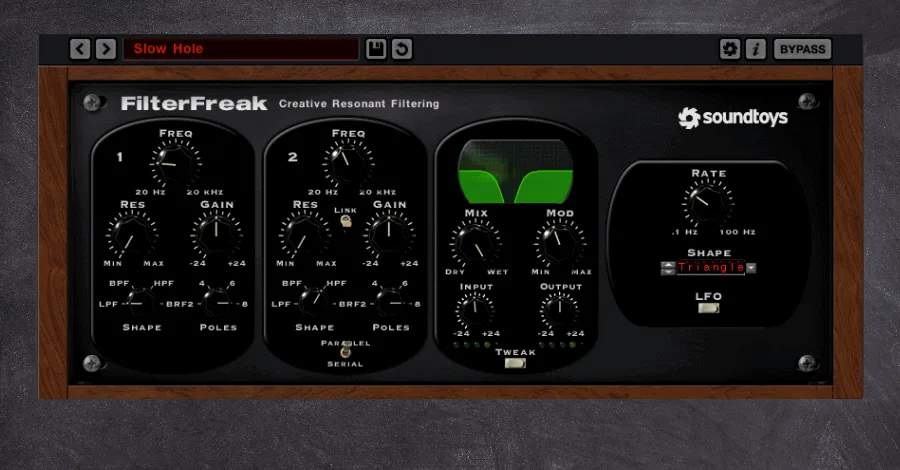
Soundtoys FilterFreak is anything but a conventional filter. Every bundle needs a classic filter. But this one delivers everything from squelchy resonant sweeps to warm driven low-pass filtering, all built on analog modeling. It’s excellent for standard filtering but opens up extraordinary creative potential through its unconventional features.
What Makes FilterFreak Unique
The modulation sequencer and double-filtering options (series and parallel) are game-changers. Eight emulation models give you more refined control than most filter plugins.
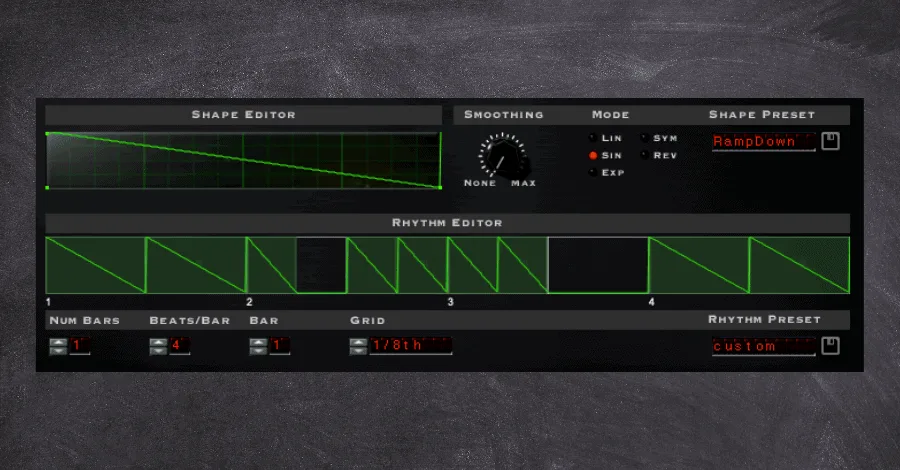
The Rhythm and Groove section of the FilterFreak is what really makes this plugin something special. It allows for filter and resonant modulation to add a pulsing groove to your otherwise stagnant signals.
The second feature isn’t uncommon, per se, in filter plugins. But FilterFreak’s dual-filter option is still one of my favorite parts of this plugin. It allows for truly unique sweeping effects and squelchy modulation that is unrivaled by any other filter I have found. And when coupled with the groove sequencer mentioned above, it can really bring life and movement to any channel.
On this note, the Soundtoys bundle actually comes with two versions of the FilterFreak. 1 indicating there is only one filter in the chain. And 2 allowing for the dual-filtering option.
How I Use FilterFreak
- Pads have the tendency to take up a lot of space in the arrangement without offering much other than ambient backdrops and softer harmonies. But with the Rhythm and Groove feature, we can introduce some movement into the pad and have it work WITH the rest of the music instead of simply underpinning it.
It achieves a similar effect as gating the signal. Still, gated pads have become synonymous with specific genres. Having another, smoother way of injecting similar rhythms into your track’s elements can set your track apart from the competition.
- By taking full advantage of FilterFreak’s threshold knob, we can introduce different distortion types and saturation to targeted transients in the signal.
My favorite filter modes to add desirable grit and texture to drum transients are through the aptly-named Dirt model and also the op-amp model. Dialing in the settings just right will introduce phenomenal artifacts into the dense transients of percussions, synth plucks, and guitars.
The threshold-dependent functionality of FilterFreak means that it can often be a better option than more constant-state saturation offered by the likes of Decapitator or Radiator.
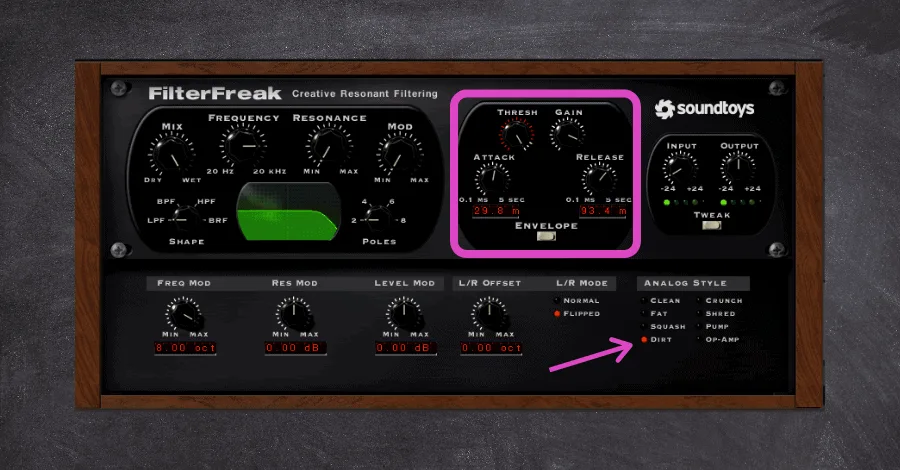
- This plugin’s modulation potential is unheard of and can help bring life and character to digital instruments by giving them the impression that they were made with expensive analog gear.
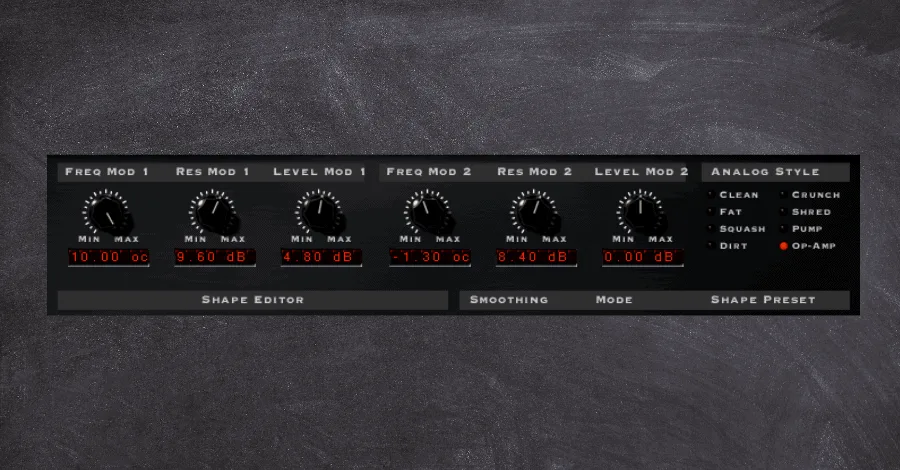
By setting the modulation trigger based on the input, each squelching bass note will trigger a different modulation amount (defined in the Tweak menu). This results in varying input drives, cut-off amounts. And other parameters slightly changing upon each hit, which gives a warm and random quality that is often only seen in hardware units.
Soundtoys Little Plate
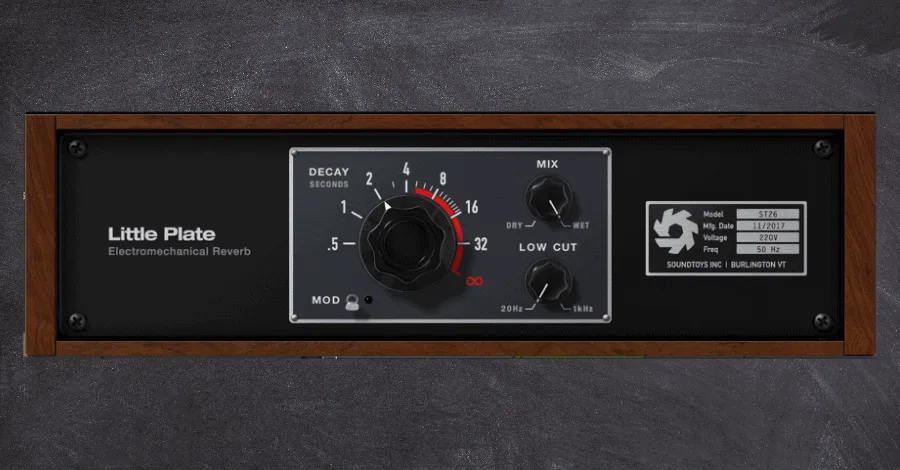
Soundtoys Little Plate takes its inspiration from the original EMT 140 plate reverb, a unit with a signature warmth and musicality that made it a studio staple for decades. Reverb is vital to making your track feel authentic, intimate, and humanized, and this plugin delivers.
What Makes Little Plate Unique
Reverb plugins are a dime a dozen, it seems, and every one of them has its pros and cons. What this plugin does well is it provides a unique and warm tone that simply sounds great. The downside is that the minimum decay parameter is still quite long. And it can be hard to dial in shorter reverb tails without a bit of further tweaking (but hey, that’s what gates are for).
How I Use Little Plate
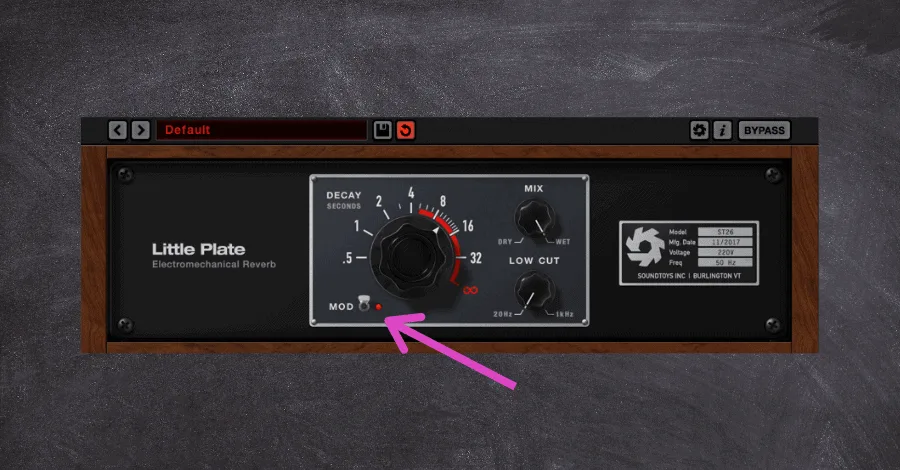
- The Mod switch adds a bit of modulation to the tail and can be great to smooth out longer decays, especially on instruments that ring out in dynamic ways like guitars or vocals.
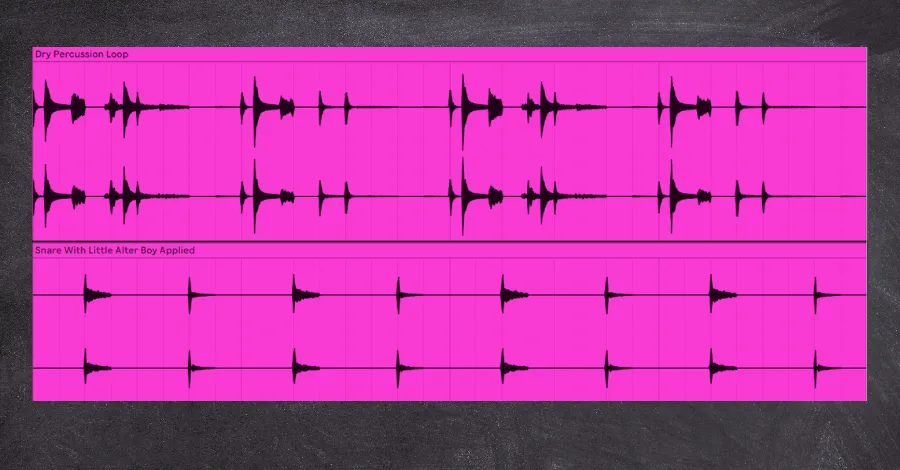
- I know that it can be a faux pas at times. But I LOVE placing this reverb as an insert effect on individual percussion. Often, the texture and tone of the reverb contrast against my auxiliary reverb busses, which makes the single percussive layer stick out even more.
Below, you can see that I separated the backbeat hit from the rest of the groove to process it separately. Once separated, I applied a fair amount of the Little Plate to the snare to give it its own unique space resulting in a more pronounced hit.
Soundtoys Decapitator
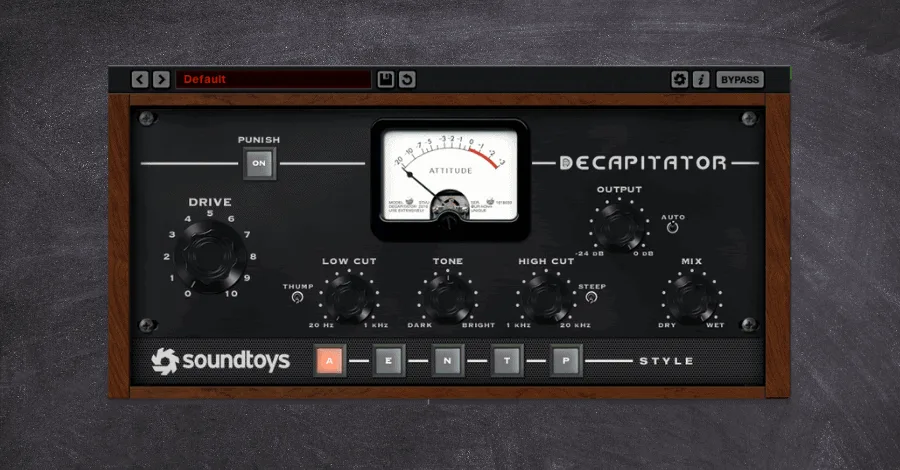
Soundtoys Decapitator is essential for any serious mixdown. Saturation takes a sterile, digital source signal and injects warmth and bite associated with expensive hardware units. Some form of saturation is on almost EVERY channel of EVERY project that I do, but that is not to say that every saturation plugin is the same.
What Makes Decapitator Unique
Saturation introduces harmonic frequencies to the signal it affects, which rounds and shapes a sound in ways precise and algorithmic VSTs cannot do. This is a purposely broad definition, as it puts the onus on the plugin to dictate how it introduces its additional frequencies. As such, every saturation plugin is wildly different from its competitors.
Decapitator stands out from the crowd simply because it sounds damn great. It can be used in small amounts to add a slight amount of bite to a high hat or egregiously distort a lead guitar to achieve that iconic garage-punk tone.
Between the five different saturation models, contour shaping of the saturation, over-the-top distortion modes. And more, this saturation plugin easily deserves its spot on my shortlist of desert-island plugins.
How I Use Decapitator
- Because saturation introduces new harmonics to a signal, it can be great for fuzzing the boundaries between different layers. While this can work on chord stacks or guitar busses, the most notable application is on the drum bus itself.
Because we program our drums using samples from various sources and styles, they can often feel out of place or incohesive unless we process the group as a whole. I usually dish on presets. But when it comes to Decapitator, they have some fantastic options that only take a few clicks to dial in properly.
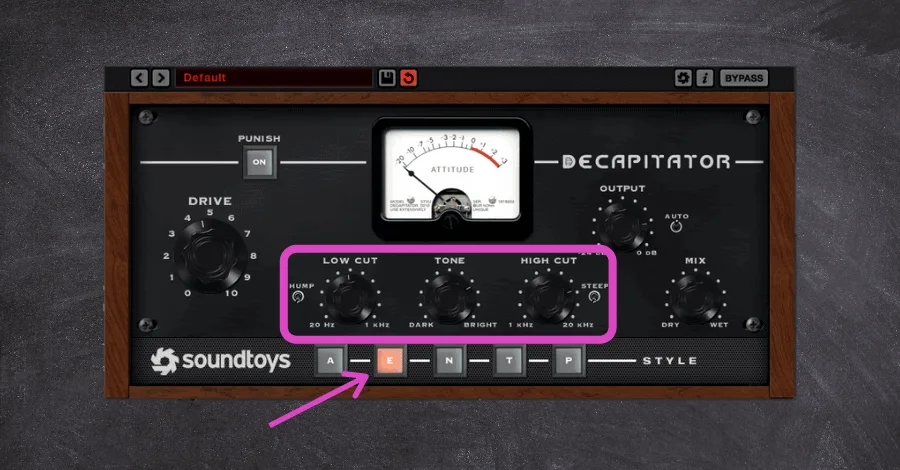
The favorite style here is the “T” model, an emulation of the Thermionic Culture Vulture unit. It adds even harmonics to the signal, which introduces pleasing, warm. And punchy tones, and is perfect for adding just that little extra attitude to your drum bus.
Pictured below is a great starting point to add glue and cohesion to the drum bus. But if you’re feeling overwhelmed, the Drum Thickener 2 preset is an absolute gem and can be a perfect starting point to achieve a similar effect. the only thing left for YOU to dial in is the perfect amount of Drive.
- I won’t lie. I listen to a ton of less-than-professional music from producers emailing in. The biggest reason their lead melodies sound like it does is that it lacks the brightness, sizzle. And punch that really makes professional tracks pop out of the speakers.
Model “E” is the move when you want to add some analog warmth and presence to elements you want to grab your listener’s attention. This style is based on an older model used commonly in the iconic Abbey Road’s studio and adds both a beefier low end and a light top-end sheen to the signal.
These two frequency bands are essential to giving an element a more perceived presence in a mix, but a little can go a long way, so don’t add this effect when the channel is in solo.
- Softer and more subdued basslines can often lose their punch once more elements are added into the mix. low pads and vocals soon cloud the upper frequencies needed for the bass to cut through the mix and be audible on smaller speakers.
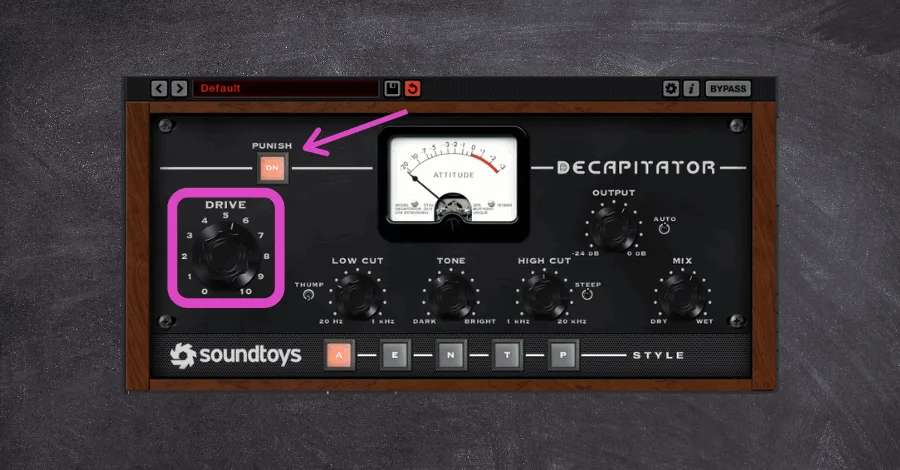
But Decapitator can add just enough sonic beef to help those tones cut through no matter what. Here is when I reach for the “A” model, which replicates the dustier mixing consoles popularized in the Motown era. This model packs some serious gain while retaining a high-fidelity in its saturation, just the thing you want for warm and juicy bass lines!
This is another instance where you should avoid the solo button. Driving these plugins hard can make the sound appear gross and displeasing in isolation but allows for good clarity when the sound sits in the entire mix context. This is especially true when you decide to use the Punish feature, which has the ability to crush a signal in a very pleasing way.
Soundtoys Echoboy
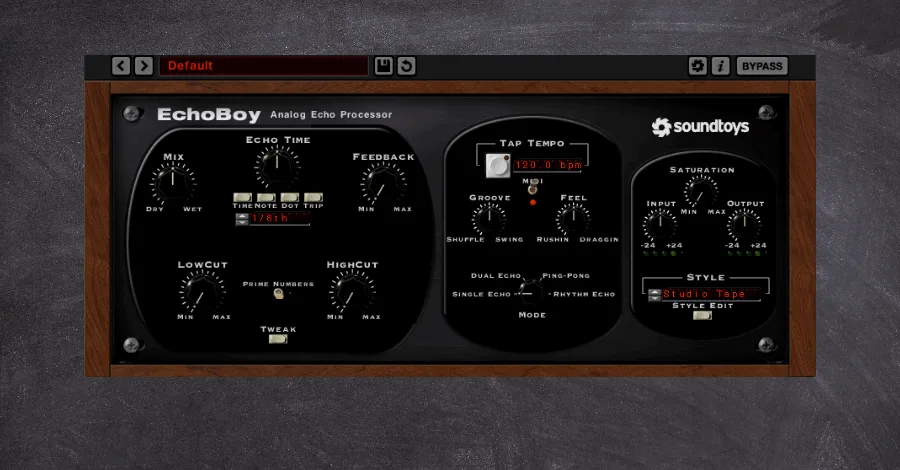
Soundtoys Echoboy is, simply put, the best delay plugin on the market. It bundles decades of echo and delays technology into a tiny little device with loads of possibilities.
Modeled after some of the most prized hardware delay units over the past half-century, Echoboy is the Swiss Army knife of delays. With precise customization options, 30 different delay styles. And even groove adjustments through their groove and accent knobs, there truly is nothing you can’t do with this plugin.
What Makes Echoboy Different
The defining aspect of the Echoboy is that it is made with the producer and musician in mind, not a technical audio engineer. This means the functions are easy to access and affect the sound in a much more musical way.
This is never more evident than in the step-pattern delay mode, allowing precise control over exactly when the delayed signal is played. This creates a rhythmic and accented movement unobtainable in almost any other plugin.
The Style menu also allows for fantastic customization options, including options to adjust the diffusion for reverb-like echoes, wobble amount for tape-like modulation. And even saturation amount for amp-style distortion of the delayed signal.
How I Use Echoboy
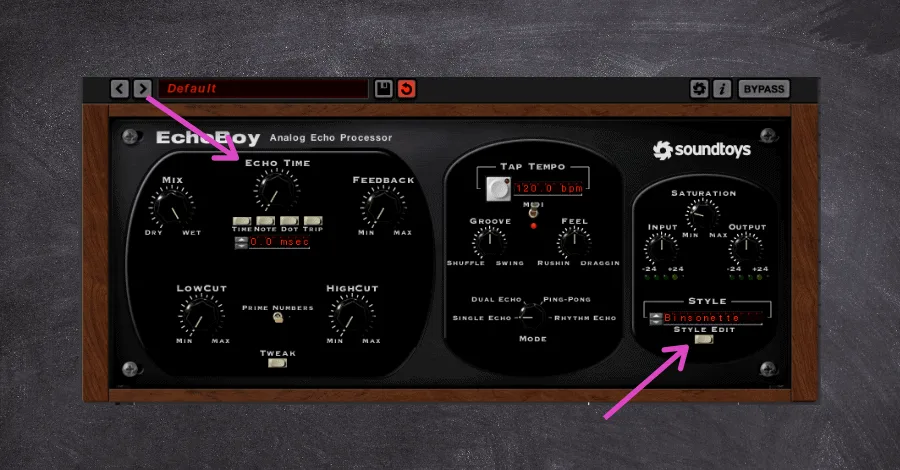
- The 30 different modes offered in the Echoboy don’t only need to be used for DELAYING the signal. We can be left with unique ways of coloring the sound by removing the delayed aspect of the signal and adding further analog warmth and character to our signal.
Simply bring Echoboy’s delay time to 0ms, and cycle through the many different modes on the Echoboy. Each will color the sound in its own unique way, some quite subtle and others more drastically. Then pull back the Dry/Wet amount until you have something you like. Driving the input signal or the saturation amount can introduce added distortion to the effected signal at this stage as well.
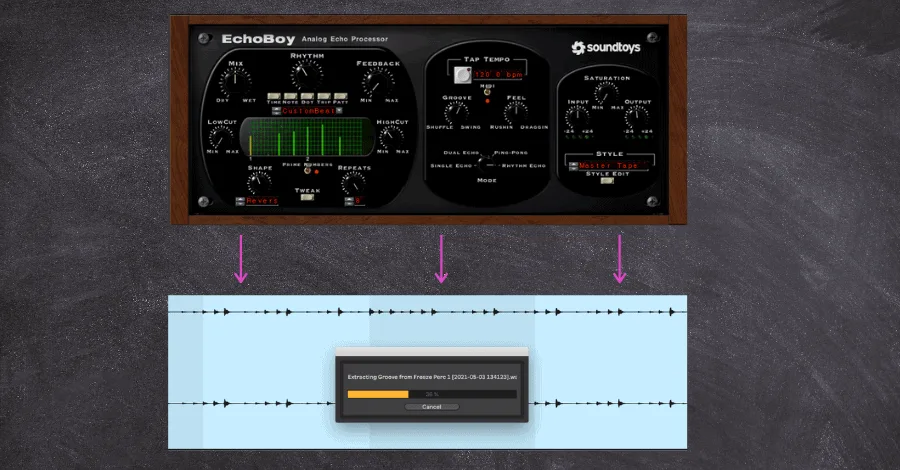
- The rhythm mode on Echoboy is excellent for creating soaring leads with precise and intricate delay timings. But this same feature can also be a great way to add even more groove to your percussion.
Add an instance of Echoboy to a very minimal drum track (with only a two or three-note sequence). Dial in your rhythmic delay so that the delayed signal is working with the rest of your drum channels in exciting ways. Add a slight groove to the delayed signal by further adjusting the Accent, Groove, and Feel parameters. This should turn your simple percussive pattern into something more rolling and rhythmic (duh). Now for the clever part…
Convert the delayed signal to audio by either resampling or just flattening the track. Then extract the groove (if you’re in Ableton, that is) from the newly printed audio. This new groove template can be applied to the rest of your drums or even your leads to create a truly unique swing throughout your entire project.
Pro Tip: Set Echoboy’s delay time to 0ms and cycle through all 30 style modes with the Dry/Wet around 20-30%. Each mode colors the signal in a unique way without any audible delay, turning it into a subtle analog character box rather than an echo unit.
Soundtoys Tremolator
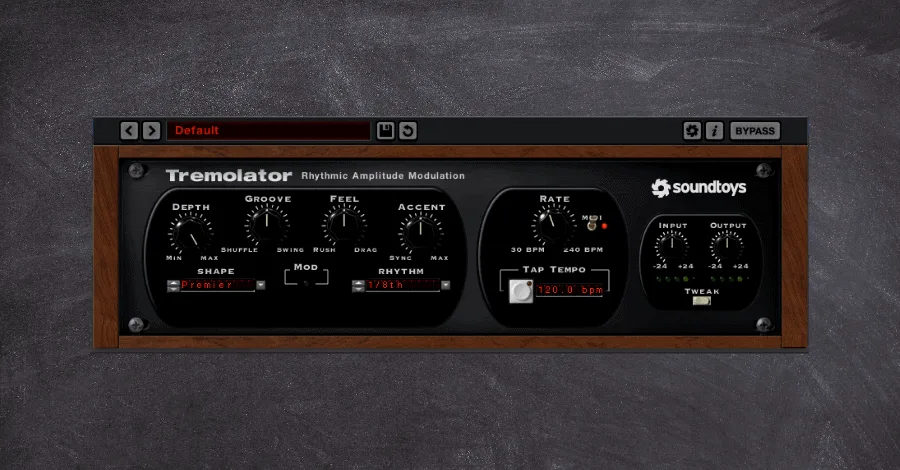
Soundtoys Tremolator brings tremolo to the digital world in a way that goes far beyond what the name implies. Tremolo has been a classic device on guitar-pedal boards for decades. But it seems as if it’s only been recently that it’s reared its head in the electronic dance music world. The warbly and almost gated effect that it brings to the table can be used for so much more than just rhythmic leads. And it’s time more producers start taking full advantage of this powerful tool.
What Makes Tremolator Different
The Soundtoys team has an absolute obsession with modeling their plugins after the hardware unit’s emulation. This obsession is evident in their LFO waveshape editor found in the Tweak panel, which they used to perfectly match the waveshapes created by some of the most popular hardware units.
But this plugin is so much more than just a tremolo. It actually is a highly customizable auto-gate unit that allows for stuttered and rhythmic gating. This feature becomes even more powerful by adding the Groove and Accent feature standard across many other Soundtoys plugins but applies here to the rhythm of the volume automation.
How I Use Tremolator
- The most apparent use can frequently be the most effective, which is why I reach for this plugin for all those classic trance-like gated pads. Instead of adding ghost triggers and tediously mapping out the gate patterns, Tremolator allows quick and easy gated pads with more control over rhythmic, swing. And overall groove.
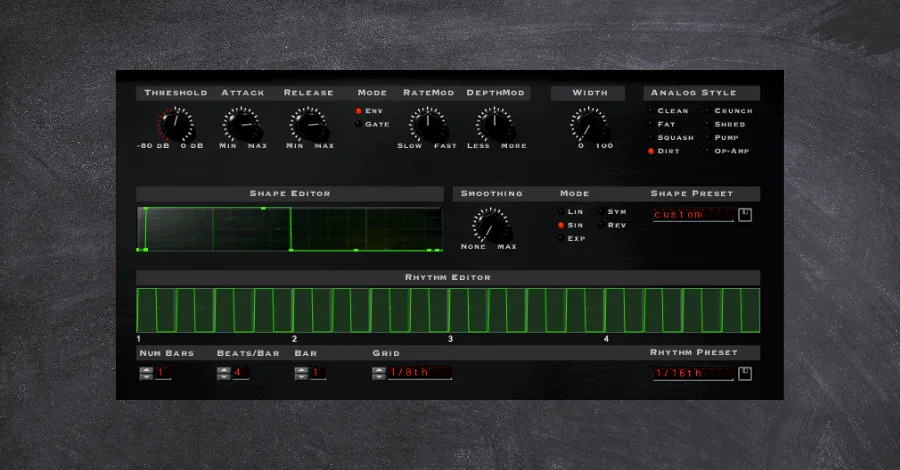
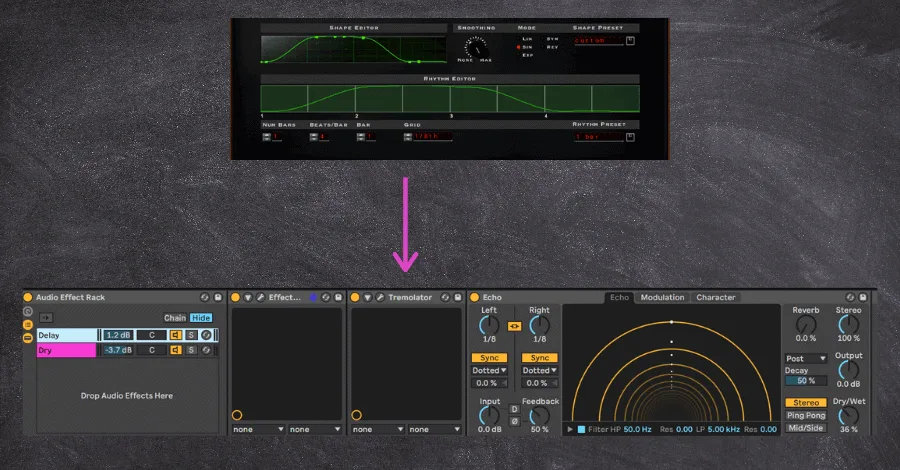
- Because Tremolator allows for really long envelope times, it can be used to create exciting and unique movement in your spatial effects such as delay and reverb.
Long and cascading delays can quickly get out of hand, even when placed on auxiliary buses. But adding a semi-gated pattern can keep the delayed signal on the beat in a rhythmically pleasing way.
Adding a light touch of delay after this effect helps smooth out the volume automation and creates a silky-smooth texture.
Soundtoys Devil-Loc Delux
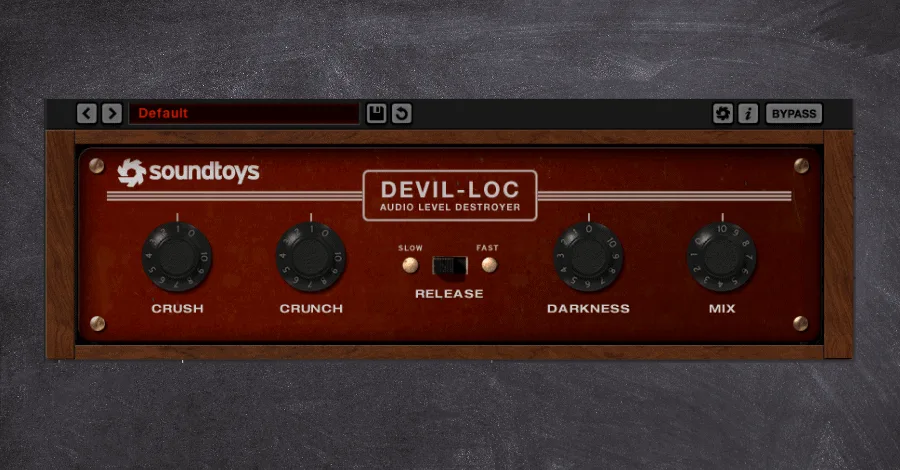
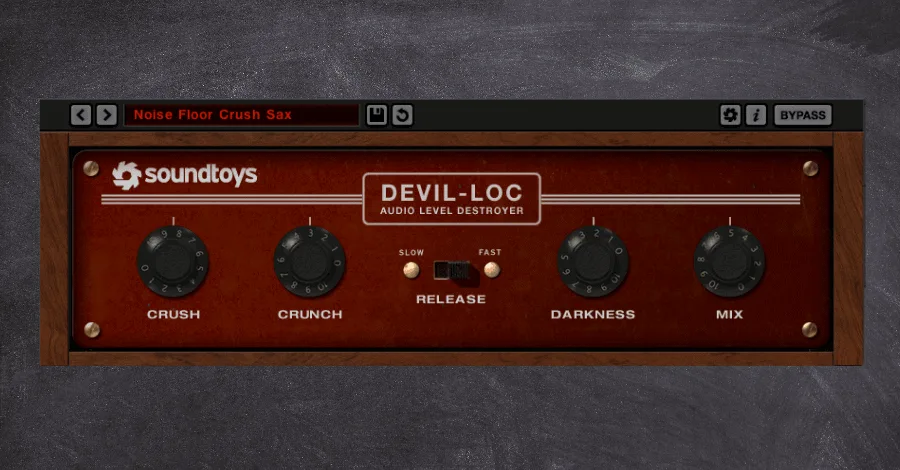
Soundtoys Devil-Loc Delux is modeled after an iconic hardware piece: the Shure Level-Loc, popularized in the 1960s. The hardware unit was a brick wall limiter that offered extreme compression and introduced a gritty sound quickly identified as the secret sauce for mix engineers and producers throughout that era.
This aggressive compressor is terrific at creating massive drum sounds and room mics by bringing up the noise floors to create truly larger-than-life tones. The limited amount of control features gives little room for error when dialing in the amounts of each knob.
What Makes The Devil-Loc Different
The simple user interface on this plugin belies just how much is going on under the hood. The most defining unsung feature is the dynamic attack and release of this compressor, which responds to the input volume rather than to static settings that most compressors have.
This can introduce massive fluctuations in how much of the already aggressive compression is being applied, which often leads to this unit’s iconic pumping/sucking movement that it brings.
This compressor stands as arguably more of a creative tool for sound design and tonal shaping than for actual dynamics control, as the gritty timbre and overall attitude that this unit brings can completely change the vibe of any channel it’s placed upon.
How I Use Devil-Loc
- This compressor is seen on every drum bus in every track I make (that’s what it is made for, after all). The aggressive texture and tonality that it brings, even in small amounts, can make drums positively pop out of the speakers.
I always advise students to never apply this compressor to a channel in solo mode. On its own, this effect may sound overly dirty and displeasing to the ear. But when listened to in the entire song’s context, it indeed can be a defining link in your drum-processing chain.
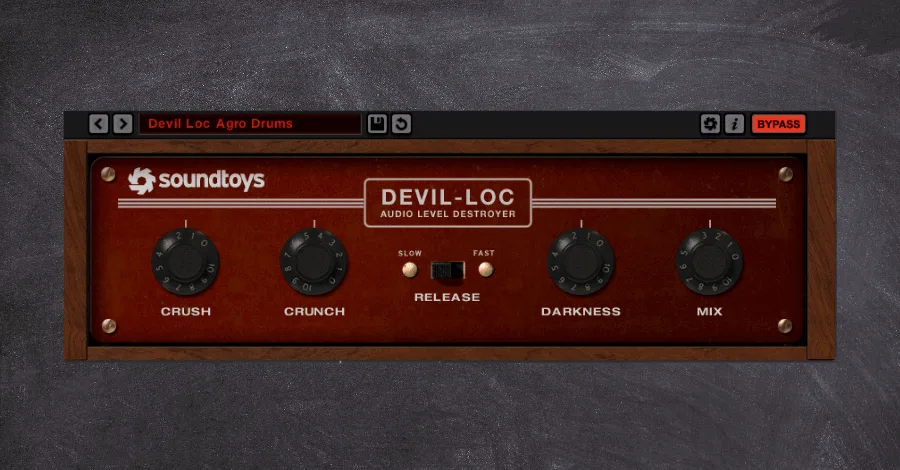
- While this compressor is designed for drums, that doesn’t mean it can’t be applied to other instruments. By leaning into its dynamic attack and release settings, applying this compressor to any fast-moving instrument that benefits from a bit of room noise can use light amounts of the Devil-Loc.
Immediate candidates in my mind are fast-moving woodwind instruments such as staccato strings and saxophones. The fluttering nature of these instruments can be further brought to life. Just watch your gain staging here, as the Devil-Loc can quickly add a ton of gain to the plugin’s output.
Soundtoys Radiator
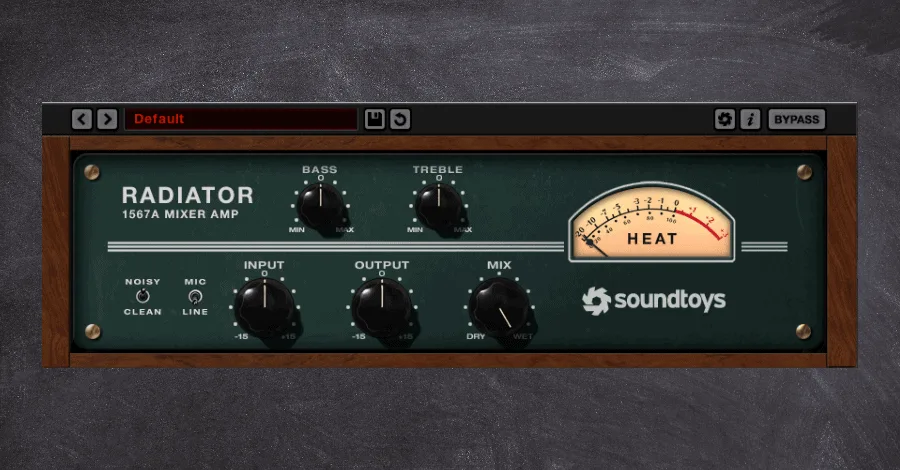
Soundtoys Radiator is a classic dual-drive tube amp emulated after the traditional Altec 1567A tube mixer popularized in the ’60s and throughout the Motown era.
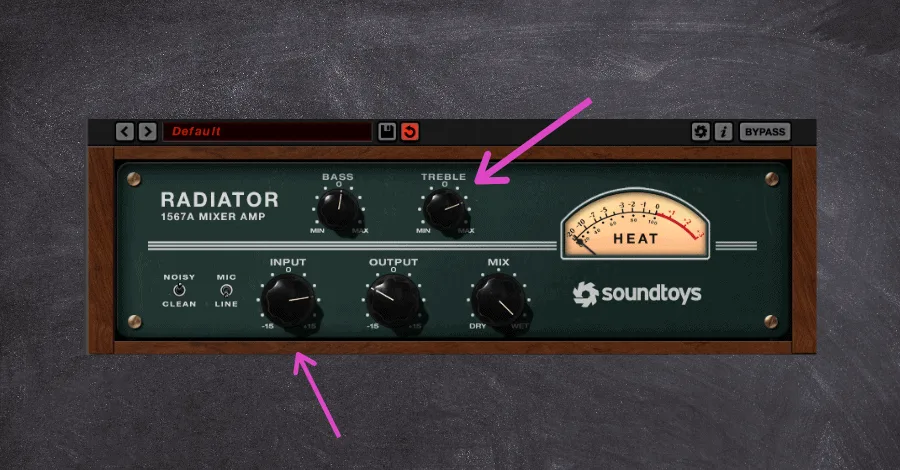
The warm coloration introduced back then is considered almost gritty by today’s standards but can be regarded as desirable when dialed in properly (this step is made easy through the two-knob EQ).
What Makes Radiator Different
The Radiator stands apart from the hundreds of other tube amp distortion units through its near-identical emulation to its hardware, which allows the different circuits to interact in dynamic ways, introducing phenomenal functionality within only a few parameters. On top of that, the mix knob allows for better parallel processing than many other tube amps that lack this essential feature.
A lite version of the plugin, named Little Radiator, is also available and allows for this amp simulator’s core functions.
How I Use Soundtoys Radiator
- Because so many tube amp plugins don’t have an option for Dry/Wet, many producers get in the habit of setting and forgetting their settings. But Radiator’s parallel option allows for more dynamic warmth as your track evolves.
Automating the Dry/Wet knob to introduce more grit and warmth during the more energetic track sections can add impact and fullness to your productions’ emotional climaxes. Set a low amount during your verses, a medium amount for your chorus/drop sections. And remove the effect entirely for your breakdowns. This creates contrast in textures between sections that can make elements come alive.
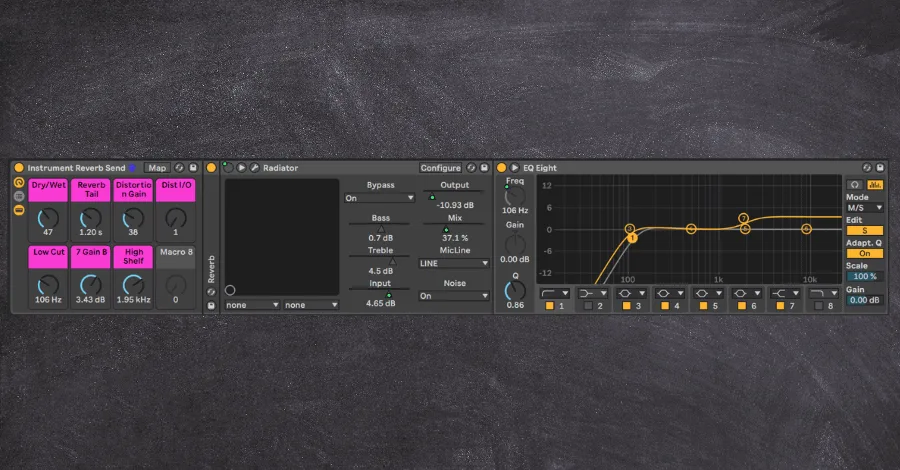
- The authentic tube distortion Radiator brings is a go-to tool for making anything seem less digital and can really shine when applied after spatial effects in a chain. Try adding just a light touch to your auxiliary delays and reverbs to achieve a warmed, dated space. Using the above technique in tandem with this can yield genuinely excellent results.
Soundtoys Microshift
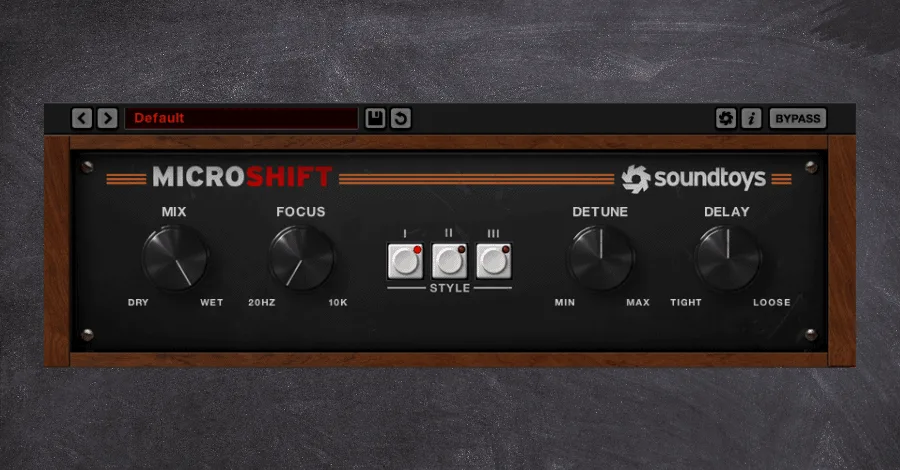
Soundtoys Microshift is a powerful pitch-shifting tool that introduces width and slight delays to its signal. Taking inspiration from hardware units such as the Eventide H3000 and the AMS DMX 15-80, layering in the Microshift is an effortless way to make things larger and, thus, more tangible.
We perceive width through the difference between the signals affecting the left and right channels. And Microshift offers this all in a deceptively simple UI. Saturation, pitch shifting, delay, and de-glitching are all on the table to achieve a thick and full sound.
What Makes Microshift Unique
Producing music at the highest level all comes down to the minute mix decisions that most people will never notice. And the Microshift is an essential tool for getting the most from even the smallest layer.
It won’t single-handedly carry a track but nestled under lead synths and harmony layers it can bring a mix to life and draw your listeners in.
How I Use Microshift
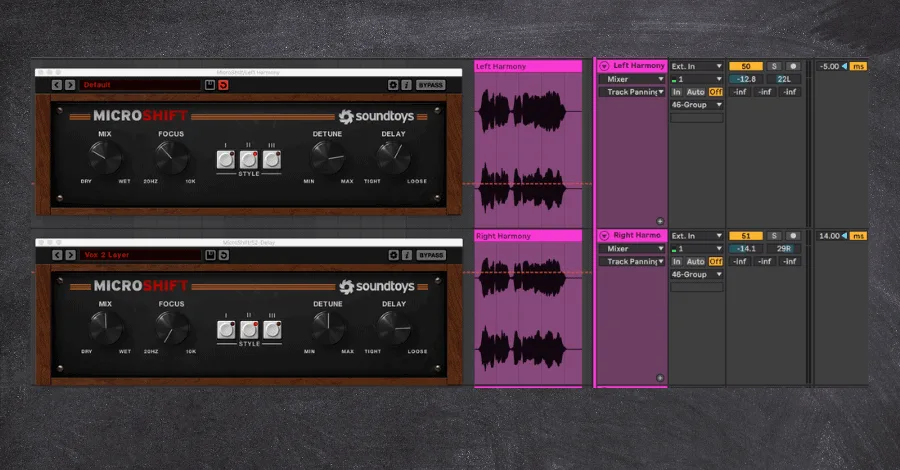
- There is no better instance to use the Microshift than mixing down a stack of vocals, complete with leads and harmonies and ad-libs. Dial in different settings on the supporting elements of the vocal stack. Thus, your lead, which will be directly in the center of the stereo field, will feel even more enormous by comparison.
This effect can be heightened by applying different instances of Microshift, all with different settings, to separate channels in your vocal stack. The subtle modulation introduced by the plugin will create more width than just applying it to a single track.
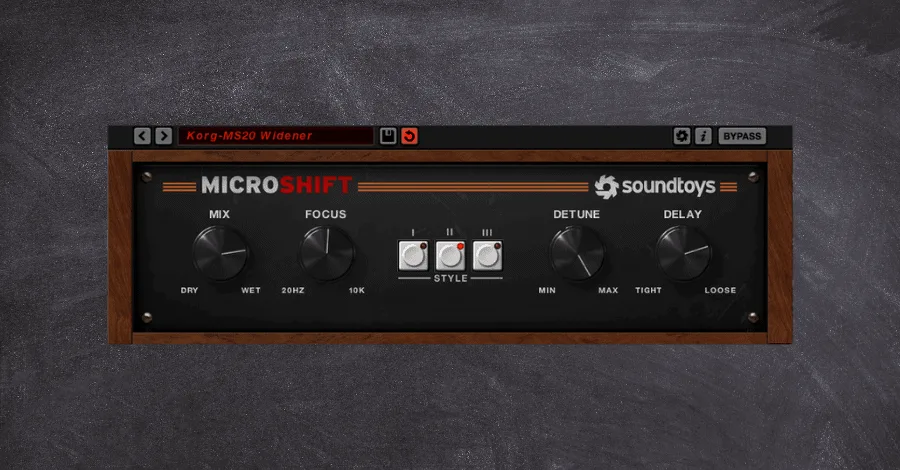
- I am a massive fan of my hardware synths, but many only produce a monophonic signal. I often drop a Microshift directly onto my input channel to instantly widen up the raw signal from my hardware even before any other processing is added.
Soundtoys PrimalTap
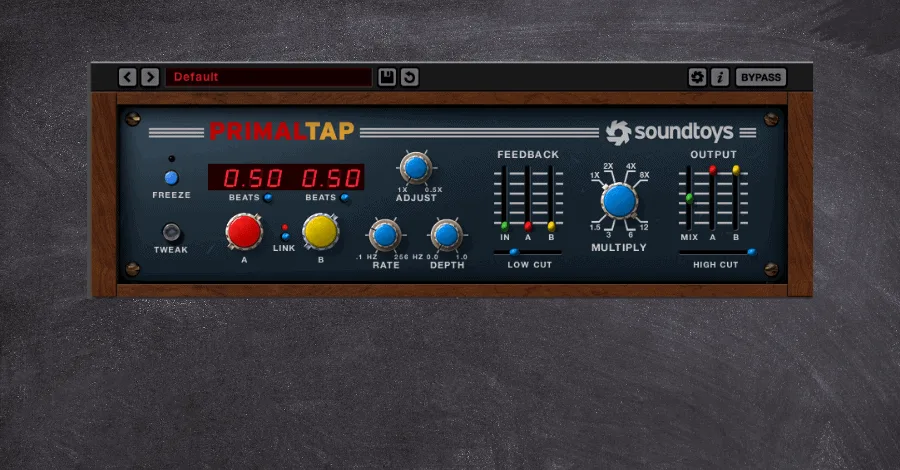
Soundtoys PrimalTap is both a powerful performance looper and a top-tier delay unit. Modeled after the iconic Prime Time delay popularized in the 80s, it shines with its semi-digital and semi-analog sound.
The old-school vibe of the graphic user interface offers functionality rarely seen in other delay units and is where the majority of the true power of this plugin lies…
What Makes Primaltap Unique
Primal Tap’s modulation features are unrivaled, deeming it both a delay unit and a performance tool. Its modulate feature affects the motion and variation of the modulated delay, creating anything from fluttery and pitched delays to washed out and flanged results. This feature is then coupled with the Multiply feature, which can turn clean and perfect echoes into warbly and unconventional delays.
But all of these standout features are more to tee up the real magic of this plugin, found in its Freeze parameter. Freezing delays isn’t completely unheard of; Ableton’s delay has a similar feature. But Primal Tap’s minimalistic GUI belies how much is going on under the hood. In truth, the Freeze captures large swaths of audio which can be mangled, cut, and adjusted further when you begin changing the Time, Modulate. And VCO Settings in real-time.
How I Use Primaltap
- Try capturing the final hit or phrase of an instrument or vocal just before the breakdown comes in using the Freeze function. Then spontaneously adjust the Time and Modulate features on the tiny sliver of audio, resampling the wild and crazy results produced.
Do this a couple of times until you get some randomly good audio bits and further affect this delayed signal (with more delay, reverb, or bitcrusher sweeps). This will create an entirely unique transitional effect and help transition between sections fluidly and cohesively without relying on third-party FX samples.
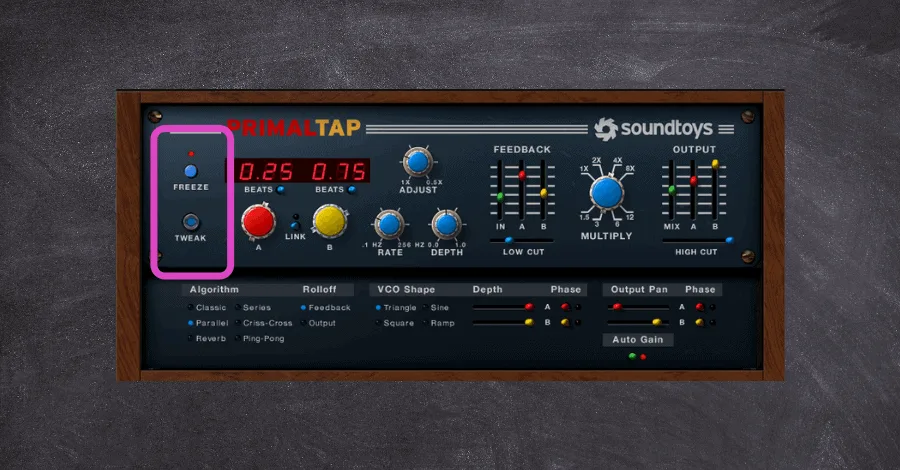
- The less you can rely on stock sweeps and riser samples from packs, the better. And professional producers are constantly looking for ways to create similar FX using inherent elements to their project.
Create unique buildups in your own projects by Freezing elements and then affecting the Time parameter. This will create a rising pitch effect that will sound more natural than a random sample found on Splice.
Once you’ve got a riser you like, you can push it even further.
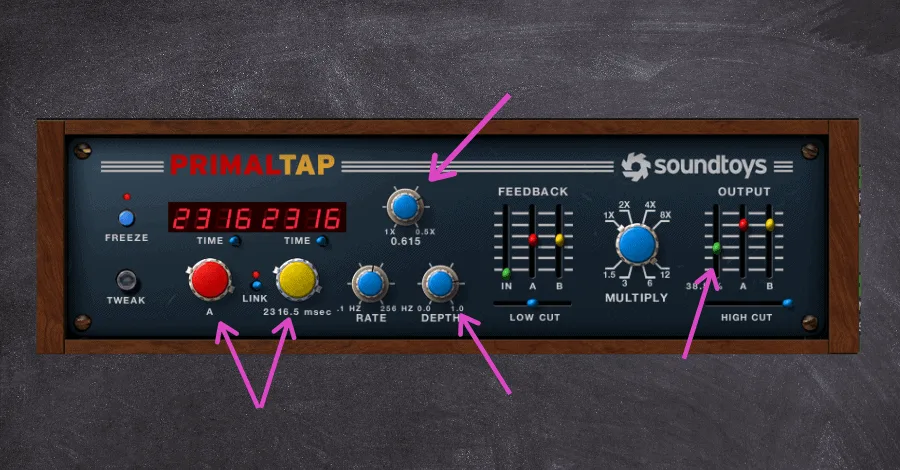
Pro Tip: Take this trick one step further by adding a reverb after the delay signal and focus on the reverb’s Size parameter. Adjusting this parameter in minimal amounts as the delay fades out will further add a pitching effect to the already rising/falling signal.
Soundtoys Phasemistress
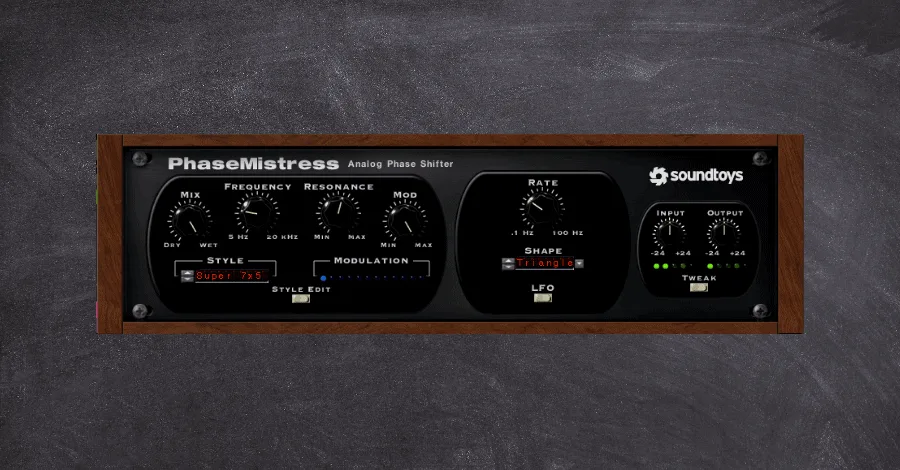
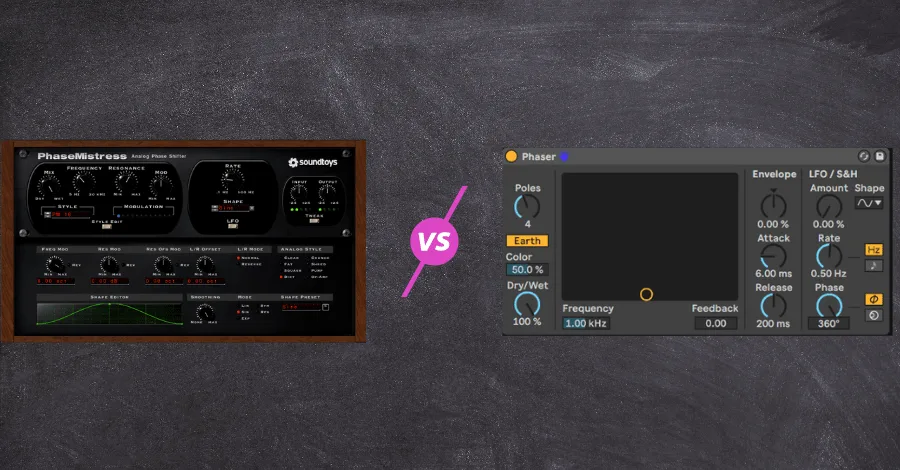
Soundtoys Phasemistress is the phaser that actually sounds right. Phasers and flangers can be excellent tools to add life and movement to a sound, but adding even a microscopic amount more than you need will quickly lead to a result that sounds too “phasey” or too “chorusy.” This is because so many phasers sound cheap, sterile, robotic. And just plain wrong. But not the Phasemistress…
The Phasemistress recreates the silky, funky, and warm phasers associated with iconic groups like Queen and Pink Floyd. Its exacting emulation of the most famous hardware units makes this phaser an effective creative and mixing tool.
What Makes Phasemistress Unique
While this plugin doesn’t necessarily have any defining feature that makes it completely different from its competitors, what it does, it does exceptionally well.
The washed-out and modulated signal simply sounds natural. This means it sounds great on almost any instrument or channel. And as is the case with most of Soundtoys’ plugins, the Tweak menu adds a nearly infinite number of customization options to allow precise (or pleasantly random) modulation.
How I Use Phasemistress
- Slow-moving, crisp modulation can be an excellent way to bring life and energy to high-end percussions like shakers and hats. Light amounts of phasing on these channels can keep even a generic hat loop interesting while also adding a bit of width and warmth to the signal.
Where stock phasers may be able to achieve a similar effect, the brittleness and sterility that more standard phasers offer just don’t cut it. This is why the Phasemistress is my go-to phaser when I don’t want the end result to sound blatant and obvious.
- Too few producers give enough attention to their auxiliary send channels. But professional producers treat them almost as if they were an instrument all their own.
Having long reverb tails slowly modulate can bring a phenomenal vibe to a send channel. A little bit goes a long way here. But you can add a crisp and warm liveliness that might just make your mixes stand out.
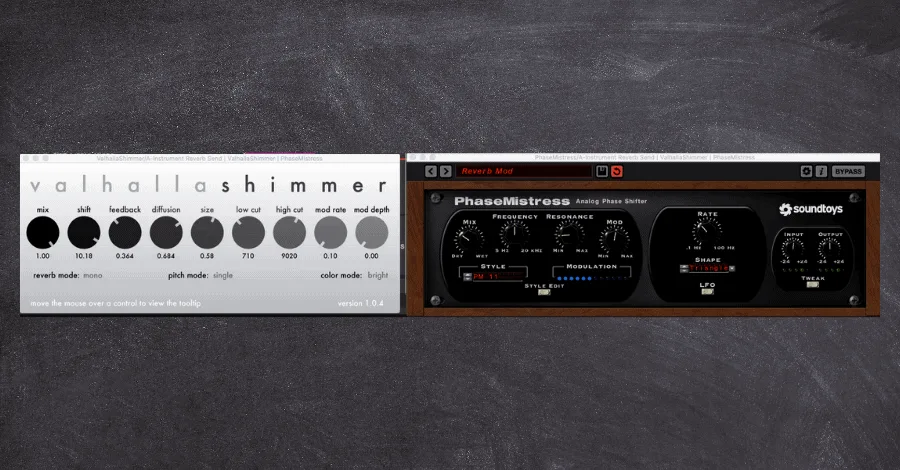
- Using modulation to avoid phase cancellation when layering synths together is one of the most underrated tricks in production. The Phasemistress is a necessary plugin to achieve this end.
For more on layering technique and avoiding phase issues, check out our complete guide to layering sounds.
Soundtoys PanMan
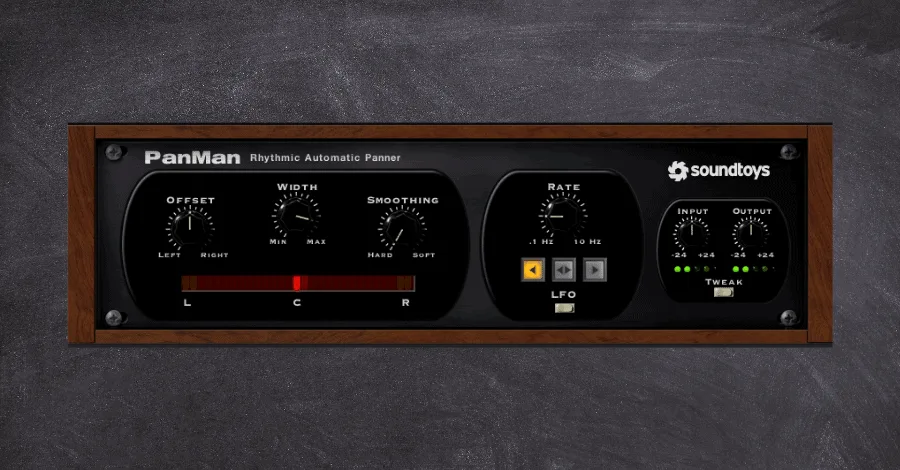
Soundtoys PanMan is based on the classic auto panning units such as Spanner and the PanScan. Auto panning is easily one of the most neglected production tools in a producer’s arsenal. It brings life, movement, energy. And so much more to any signal it is applied to, and it always boggles me how few producers are using the full power of this simple effect.
Soundtoys broke down many popular auto panning units to see what makes them tick, then built something better.
What Makes PanMan Unique
This plugin shines with its exacting modulation options that are unrivaled in any other auto-pan plugin. Being able to dial in the movement of the sound based on tempo, input triggers, unsynced LFOs. And others really allow the sound to almost take on a life of its own as it moves across the stereo field.
How I Use PanMan
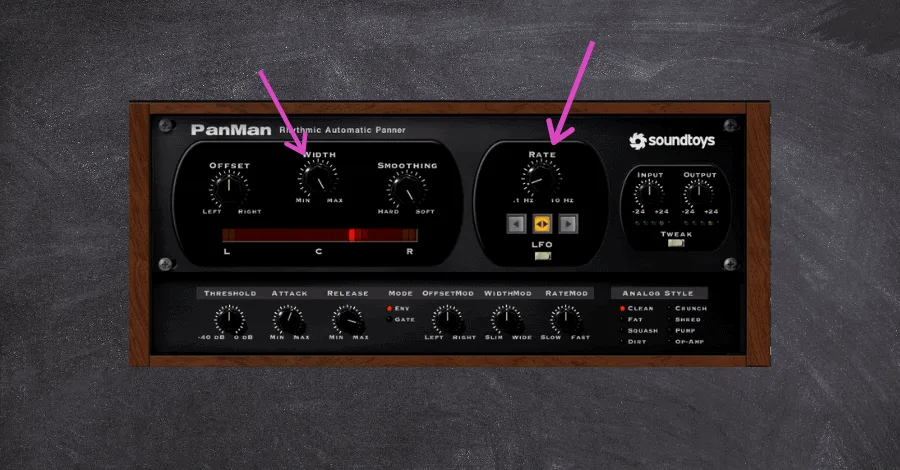
- It is easier for listeners to perceive a mix as wide when they have benchmarks to compare it against. This is to say, it’s easier for elements to appear front and center when there are softer elements placed on the furthest reaches of the left and right channels.
Panman is a brilliant tool to help establish these forms of boundaries. You can set the maximal amount of width to make a sound move across the entire stereo field, making mono elements like a lead synth or bass line appear that much more focused by comparison.
Try this trick on lighter percussions, delicate arpeggiators, brittle guitars, and more. Just make sure to have this effect move slowly, as rapid movement detracts attention from your lead elements.
Soundtoys Crystallizer
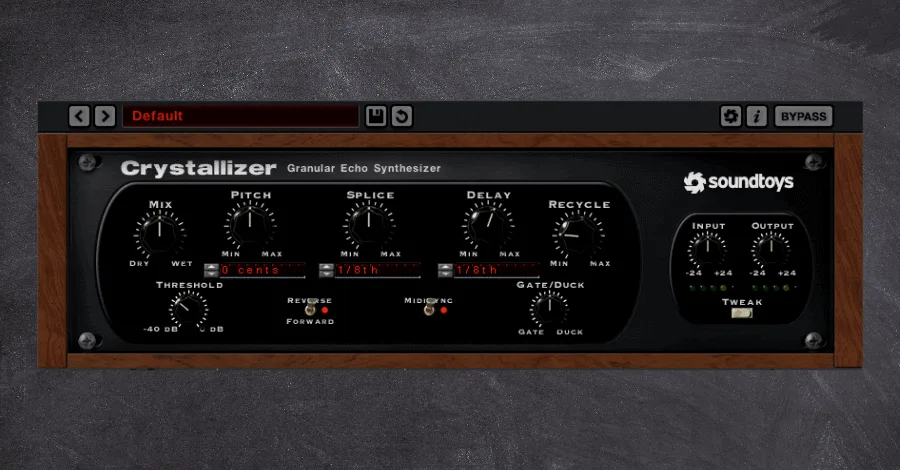
Soundtoys Crystallizer took the idea that delay plugins can be more than just an echoing effect, and ran with it hard. Billed as a “pitch-shifting granular reverse echo” (what a mouthful that was), it is as much an instrument in and of itself as it is a delay unit.
I could spend a thousand words sharing how it’s similar to other delays. But it would be easier to talk about how it is different.
What Makes Crystallizer Unique
Crystallizer combines all of the wildest, noise-altering effects and puts them into one fairly intensive interface.
It can produce glitchy-stutter effects, reversed echos, affect shimmering soundscapes, and brings a ton of creative looping potential to the table.
Simply put, this plugin is an inspiration machine and can turn any sound you like into something completely different that you absolutely love. Sure, it’s damn hard to wrap your head around its complexities, but the 200+ presets should be more than enough to get you started.
How I Use Crystallizer
- The idea of “less is more” is hard to nail down in music, yet it remains the gold standard. But the zany effects of the Crystallizer legitimately allow you to turn a single sequence or motif into something alive with intricacies and nuances. By simply scrolling through presets while playing your melody, you can begin to see how the ambiance and space take on a whole new life of their own.
WTF Do These Parameters Mean?
Because this plugin is so wildly different from anything else on the market, I was apprehensive about digging deep into all of its interface’s foreign bells and whistles.
But only when I did, did I realize the creative power I had been missing out on. So here’s a breakdown of some of the significant parameters within the plugin that you initially might scratch your head at:
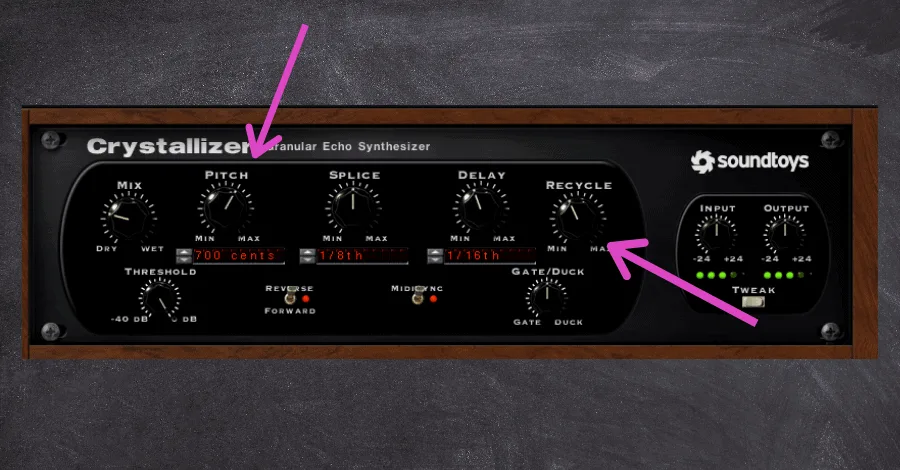
Pitch. Adjusts the pitch of the effected signal, with every 100 cents equalling one semitone. Slight adjustments might make for analog-esque irregularities, while drastic settings (like +750) will cause entire chords to echo out from a monophonic signal.
Splice. This parameter determines the length of the grains being played/captured at the onset of the playback and is where the granular synthesis aspect comes in. Shorter delay times (< 30ms) will result in more classic slap-back delays, while longer (>300ms) may result in large swaths of audio being captured, looped, and further glitched.
Recycle. This feeds the captured audio back through the effect, enabling you to send the audio back through the impact at different amounts. Weird? Yeah. The result? Often produces strange and otherworldly spiraling effects.
Smoothing (hidden in the tweak menu). This parameter creates a crossfade between the delayed signals and does exactly as it says. it smooths out the signal. Reducing the rigid jumps in pitch and transitions between splices can greatly massage more wild effects into the mix.
Soundtoys Little Alterboy
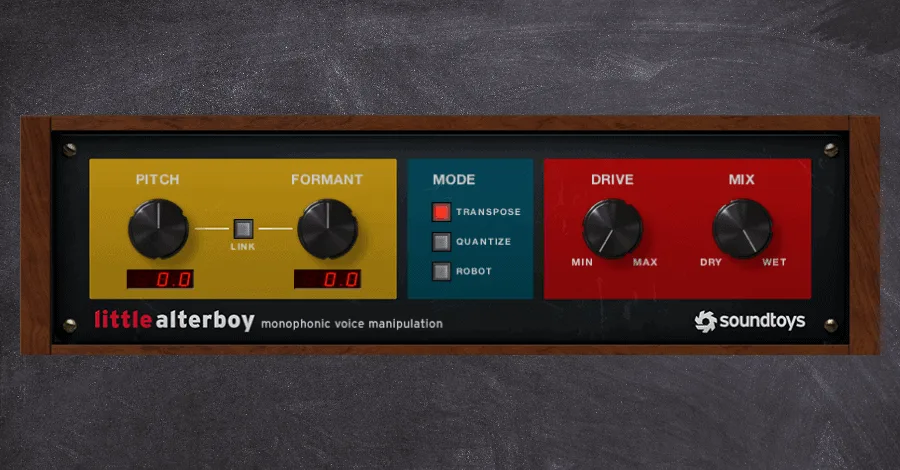
Soundtoys Little Alterboy is the answer to the need for mangled, warped, and formant-heavy vocals. Affected vocals have become a staple in many genres of modern dance music, and this plugin handles all of it.
Its straightforward UI allows little room for error. And the ability to sync the plugin up with your MIDI keyboard is a big deal.
Oh…AND it has Decapitator’s lovely drive function to add a bit more texture and warmth to your already perfect vocal recording.
What Makes Little Alter Boy Unique
This plugin stands out through its myriad uses right out of the box and with only a few adjustments on the plugin.
As mentioned above, the ability to sync up to your MIDI keyboard is what makes this plugin a no-brainer. Sure, Celemony’s Melodyne offers more precise pitch adjustments, but it also takes years to learn such complex tools as those. Little Alter Boy is basically a punch-and-play plugin, which is why it’s my favorite.
How I Use Little Alter Boy
- I work a lot with vocal samples pulled from Splice. This means I often don’t have access to multiple takes, ad-libs, and, most importantly, harmonies.
But layering in Little Alter Boy underneath the dry vocal sample creates instant harmonies from the dry signal. This helps add more interest to a singular element, allowing me to get “less for more” in the arrangement.
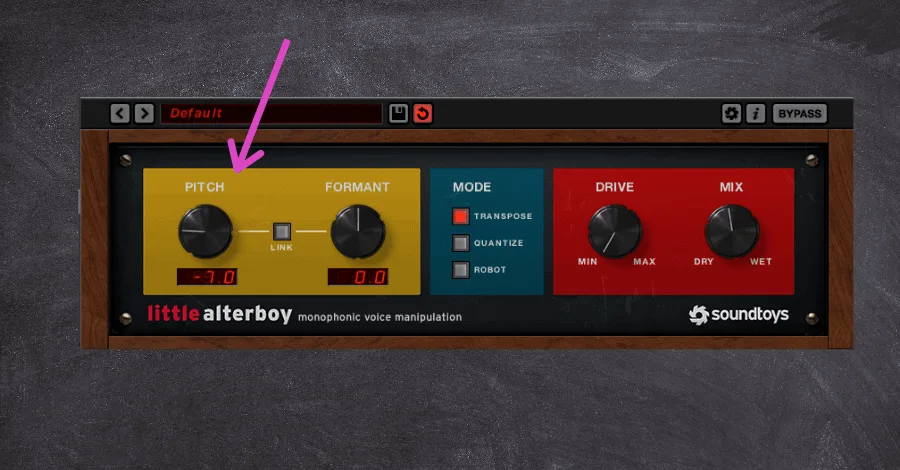
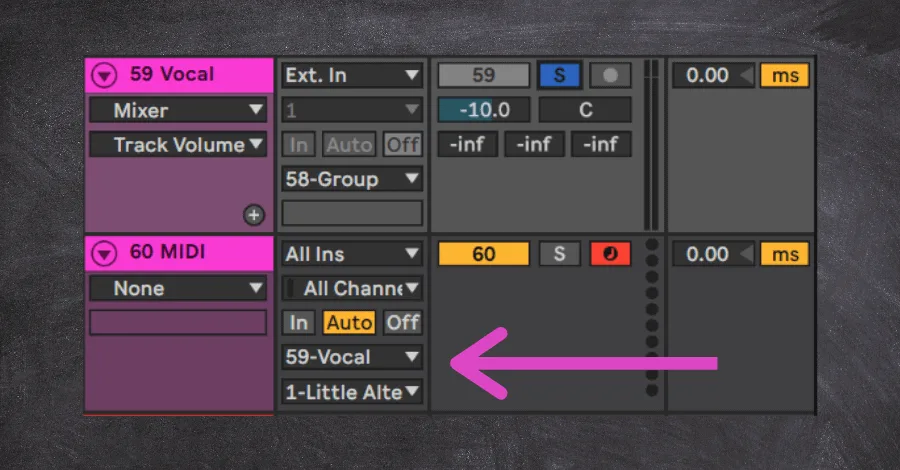
How To Sync Little Alterboy With Your MIDI Keyboard
- Add Little Alter Boy to the audio channel you wish to effect.
- Create a blank MIDI channel. I usually like to place this MIDI channel directly under the audio channel it’s affecting, just to stay organized.
- Route the MIDI’s output to the audio channel containing Little Alter Boy.
- Have the secondary routing directing the MIDI to the Little Alterboy Plugin.
- Arm the blank MIDI channel, hit play, and see how the pitch shifts as you play your keyboard!
When Do Soundtoys Plugins Go On Sale?
Soundtoys plugins are notorious for very rarely going on sale, and for a good reason. They’re already the most popular plugin bundles in the game!
Occasionally, they run great black Friday sales or offer discounted versions of singular plugins (like $29 for the Little Plate plugin). This is a great way to pick up a few of their better options. But rest assured, it’s been YEARS since I’ve seen Decapitator or Echoboy host a discount.
The best way to get these plugins is through enrolling in some form of education to use the educational discount (a whopping 50% off in most cases). All students of the Hyperbits Masterclass can take advantage of this fantastic discount when they enroll in the course.
An Essential Piece of Any Producer’s Arsenal
Soundtoys plugins are an essential piece of any producer’s arsenal for myriad reasons. They are incredibly powerful, relatively inexpensive, and can almost single-handedly tackle mix issues no matter your skill level. There are a few competitors at this price point, but Soundtoys plugins are an absolute necessity.
Making professional music is damn hard. And processing sounds and audio is one of the trickiest parts of the entire process (even when you have tools that are as powerful as these). If you are wanting to start producing music that is as good, if not better, than the artists you look up to, the Hyperbits Masterclass is the perfect solution.
Heads up: some of the links below are affiliate links. If you buy through one, we earn a small cut (costs you nothing extra). But we'd point you at this exact gear whether we made a dime or not.