
Jump to a section31
- Quick Picks
- How Much Does a Home Studio Cost?
- About $500: Headphones First
- About $1,500: Monitors and a Treated Corner
- About $3,000: Close to the Hyperbits Studio
- Pick Your Setup Based on What You Make
- The Essentials
- 1Computer
- 2DAW
- 3Audio Interface
- 4Microphone
- 5MIDI Keyboard
- 6Headphones
- 7Studio Monitors
- The Room
- 8Acoustic Treatment
- 9Desk
- 10Chair
- 11Stands
- 12Computer Screen
- 13Cables
- 14USB Hub
- 15Storage and Backup
- 16iLok
- Nice to Have
- 17Plugins
- 18Vibe Items
- 19Reference Speakers
- 20Outboard Gear
- Frequently Asked Questions
- Buy the Essentials, Then Let Your Music Decide
A home studio setup really only comes down to six things: a computer, a DAW, an audio interface, headphones, studio monitors and a microphone.
If you write by playing keys, add a MIDI keyboard.
Already have a computer? The most basic setup is a DAW and a pair of headphones (if you’re on a Mac, GarageBand is already there). An interface and monitors are the next step. So a home studio can cost a few hundred dollars, or really… well, as much as you want to spend.
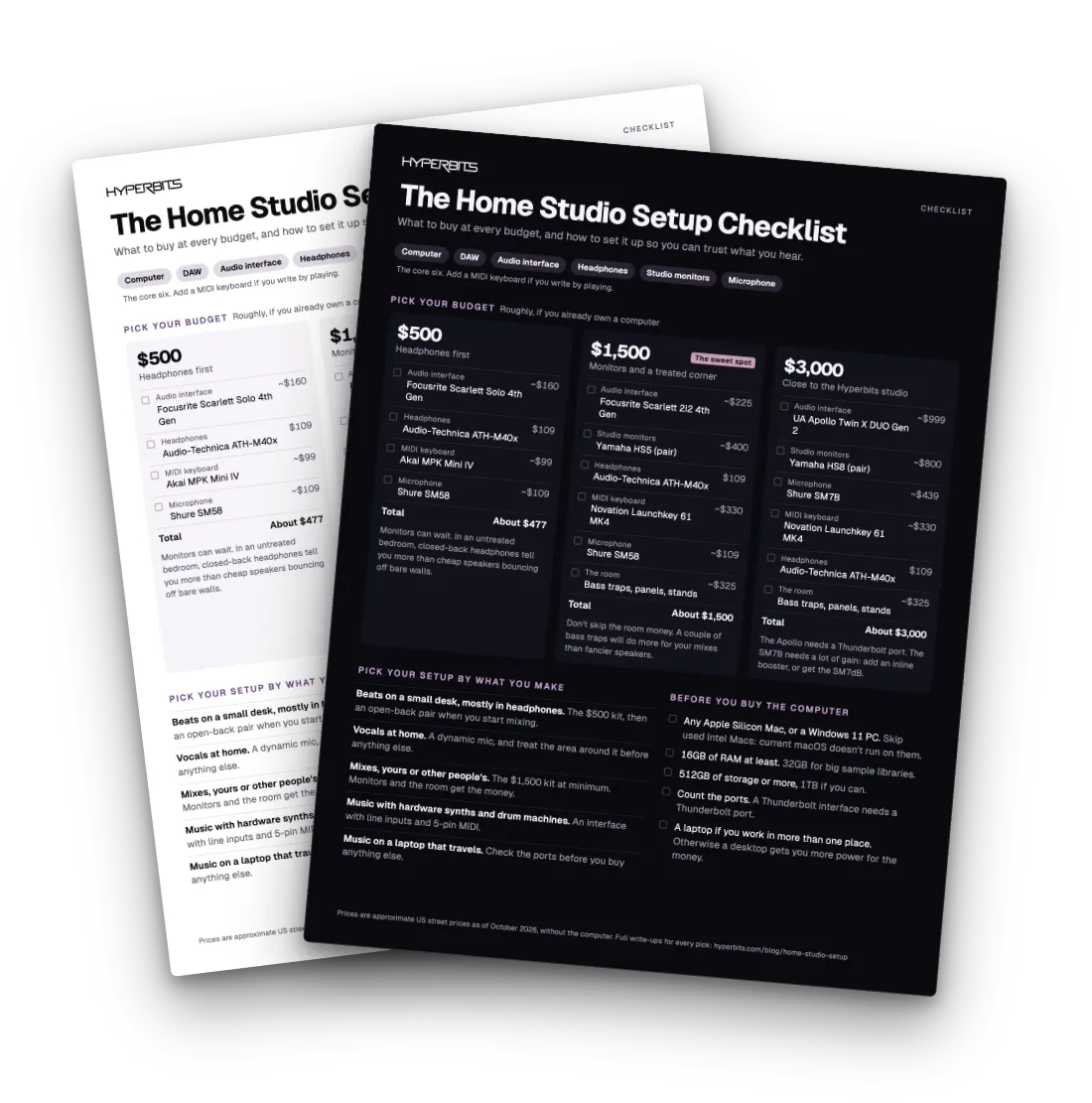
This guide covers what you actually need, what you don’t, and how to save some money along the way, including three starter kits at about $500, $1,500 and $3,000.
Billie Eilish and Finneas won five Grammys for an album made in a bedroom, on less than $3,000 of gear. The gear list is shorter than the internet makes it look.
For the room itself, and a look at other producers’ studios, check out our home studio design guide.
Quick Picks
The essentials. Click any one to jump to it.
| Pick | Best for | Why |
|---|---|---|
| Any Apple Silicon Mac, or a Windows 11 PC | Computer | 16GB of RAM is the floor in 2026 |
| The DAW you already have | DAW | GarageBand is free on every Mac |
| Focusrite Scarlett 2i2 4th Gen | Audio interface | The default first interface, around $225 |
| Shure SM58 | First mic | Forgives a noisy room, about $109 |
| Novation Launchkey 61 MK4 | MIDI keyboard | Pads, faders and full-size keys, around $330 |
| Audio-Technica ATH-M40x | Headphones | Closed-back, for recording and late nights, $109 |
| Yamaha HS5 | Studio monitors | Honest mids, about $400 a pair |
How Much Does a Home Studio Cost?
Somewhere between about $500 and $3,000 for the core gear, if you already own a computer. Most producers land in the middle.
If you need the computer too, add it on top. A Mac mini starts at $899, and the computer section covers what to look for on a Mac or a Windows PC.
Every pick here has a full write-up in one of our gear guides.
About $500: Headphones First
| Gear | Pick | Price |
|---|---|---|
| Audio interface | Focusrite Scarlett Solo 4th Gen | around $160 |
| Headphones | Audio-Technica ATH-M40x | $109 |
| MIDI keyboard | Akai MPK Mini IV | around $99 |
| Microphone | Shure SM58 | about $109 |
| Total | about $477 |
Monitors can wait. In an untreated bedroom, a good closed-back pair of headphones tells you more than cheap speakers bouncing off bare walls.
The Solo has one mic input, which is enough for a vocal. If you want two inputs, say a mic and a guitar at once, the Scarlett 2i2 is about $65 more. And if you’d rather have full-size keys than pads, the M-Audio Keystation 49 MK3 is around $129.
About $1,500: Monitors and a Treated Corner
| Gear | Pick | Price |
|---|---|---|
| Audio interface | Focusrite Scarlett 2i2 4th Gen | around $225 |
| Studio monitors | Yamaha HS5 (pair) | about $400 |
| Headphones | Audio-Technica ATH-M40x | $109 |
| MIDI keyboard | Novation Launchkey 61 MK4 | around $330 |
| Microphone | Shure SM58 | about $109 |
| Room budget | Bass traps, absorption panels, stands | about $325 |
| Total | about $1,500 |
This is where most of you should be shopping. And don’t skip the room money. Most people don’t realize a couple of bass traps will do more for your mixes than spending that $325 on fancier speakers. If you make electronic music, the KRK Rokit 5 G5 (about $398 a pair) is a good swap for the HS5s.
About $3,000: Close to the Hyperbits Studio
| Gear | Pick | Price |
|---|---|---|
| Audio interface | Universal Audio Apollo Twin X DUO Gen 2 | around $999 |
| Studio monitors | Yamaha HS8 (pair) | about $800 |
| Microphone | Shure SM7B | about $439 |
| MIDI keyboard | Novation Launchkey 61 MK4 | around $330 |
| Headphones | Audio-Technica ATH-M40x | $109 |
| Room budget | Bass traps, absorption panels, stands | about $325 |
| Total | about $3,000 |
The interface and monitors here are the ones I use: I record through an Apollo Twin X and mix on Yamaha HS8s.
Two things to check first. The Apollo needs a Thunderbolt port on your computer. And the SM7B needs a lot of gain. If your interface hisses when you turn it up, an inline booster fixes it, or get the Shure SM7dB (about $549), which has one built in.
Pick Your Setup Based on What You Make
Find the line that sounds like you and start there.
- Beats on a small desk, mostly in headphones. The $500 kit, and our studio headphones guide when you’re ready for an open-back pair to mix on.
- Vocals at home. Start with the microphone section, then read our vocal microphones guide. In an untreated room, a dynamic mic and a Kaotica Eyeball get you most of the way.
- Mixing your own tracks, or other people’s. The $1,500 kit at minimum. Monitors and the room are where the money goes.
- Hardware synths and drum machines. You’ll want line inputs and 5-pin MIDI. Our audio interfaces guide sorts its picks by exactly that.
- A laptop that travels. Check the ports before you buy anything else. The computer section explains why the MacBook Neo is the one to watch.
The Essentials
Buy these first. Everything further down either makes them work better or makes the room a nicer place to sit.
1. Computer
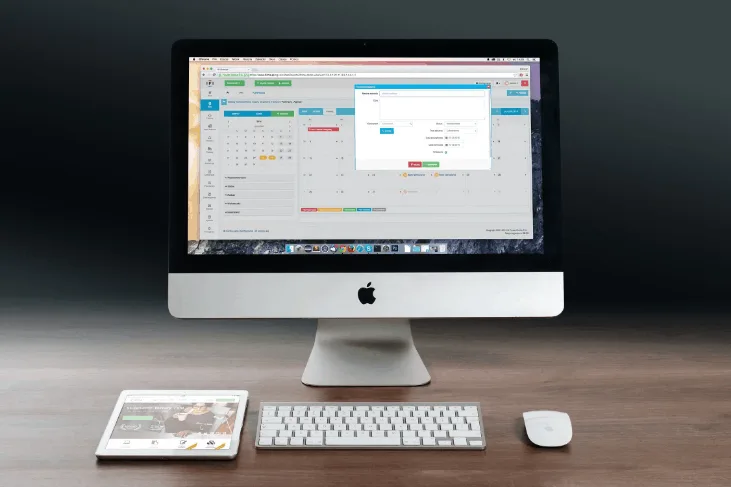
Your computer is the center of your whole studio. Stuff that used to need racks of gear now runs as software on this one machine, so buy one that will last.
Mac or PC. Either works, and every major DAW except Logic runs on both. On a Mac, get any Apple Silicon model. The latest macOS doesn’t run on Intel Macs, so skip that cheap used Intel one. On a PC, get Windows 11, since Windows 10 isn’t supported anymore.
RAM. 16GB is the minimum, and almost every current Mac comes with at least that. Go to 32GB if you use big sample libraries, like orchestral instruments or multi-mic drum kits. Watch out for the MacBook Neo: it has 8GB you can’t upgrade. It’ll run a DAW, but you’ll hit the limit fast.
Storage. At least 512GB, or 1TB if you can. The base Mac mini has 256GB, and sample libraries fill that up fast. An external SSD fixes it (see storage).
Ports. Count them. The MacBook Neo has only two USB-C ports and no Thunderbolt, so a Thunderbolt interface like an Apollo won’t work on it. Most other current Macs have Thunderbolt.
Desktop or laptop. Get a laptop if you make music in more than one place. Otherwise, a desktop gets you more power for the money. The Mac mini (from $899) is the cheapest serious Mac for a desk. The MacBook Air (from $1,299) does everything if you only want one computer.
2. DAW
Your DAW, or Digital Audio Workstation, is the software you make music in. You probably have one already. What matters is that it feels quick to you and stays stable in big sessions.
The truth is, great records have been made in every DAW on the market. Which one you pick matters a lot less than the forum arguments make it sound.
Products to consider: GarageBand (free on every Mac), Logic Pro ($199.99 once, or included in Apple Creator Studio for $12.99 a month), Ableton Live (from $99 for Intro), FL Studio, Cubase Pro 15
Still choosing? Our best DAW for beginners guide and our Ableton vs FL Studio vs Logic comparison break it down.
3. Audio Interface
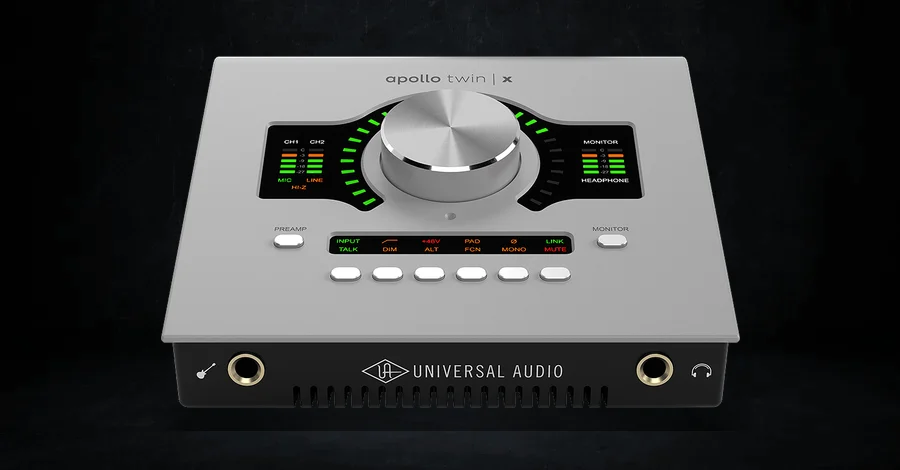
The interface is the box that gets your mic into your computer and gets sound out to your speakers and headphones. What you’re really paying for is the mic preamp and the headphone output, plus drivers that don’t crash in the middle of a take. Even a $160 interface sounds clean enough for a finished record.
My first interface was an M-Audio Fast Track. I record through a UA Apollo Twin X now, with an Apollo x8 alongside it.
Pro Tip: USB-C is plenty for a small interface. What trips people up is buying a Thunderbolt interface for a computer that has no Thunderbolt port.
Products to consider: M-Audio M-Track Duo (around $69, the cheapest way in), Focusrite Scarlett 2i2 4th Gen (around $225, most producers), Antelope Zenith 2 (around $299, for gain-hungry mics like the SM7B), Apollo Twin X DUO Gen 2 (around $999, UAD plugins and room correction)
All 20 we recommend, sorted by what you record, are in our audio interfaces guide.
4. Microphone
To track vocals at home, one good mic that suits your room is enough.
Start with a dynamic mic. It mostly hears what’s right in front of it, so it handles an untreated bedroom way better than a condenser. Condensers sound bigger and more detailed. They also pick up the fridge in the next room. Save one for after you’ve treated your space.
My first mic was actually a condenser, a Sterling Audio (the ST66, I think). Today I record vocals on a Shure SM7B and I love it. As an all-purpose mic, a dynamic is just easier to work with, and the SM7B is flexible enough to do almost anything.
Modeling mics are an upgrade for later. They come with software that makes one mic sound like a bunch of classic ones. They cost a lot more, so get good with one mic first.
Products to consider: Shure SM58 (about $109, noisy rooms), Shure SM7B (about $439, my vocal mic), Audio-Technica AT2020 (about $119, cheapest condenser), Rode NT-USB+ (about $179, no interface needed). For modeling mics: UA Sphere DLX and Slate VMS ML-1A.
Heads up: the SM7B needs a lot of gain. Our vocal microphones guide covers which mics work with which interfaces and rooms.
5. MIDI Keyboard
A MIDI keyboard lets you play parts in instead of drawing every note with a mouse. Pitch bend, mod wheels, pads and faders are nice to have. None of them is required.
I use a very basic Alesis myself (my first was an M-Audio Keystation 61). Plenty of producers buy far more keyboard than they’ll ever use, so start simple and upgrade when you can name the feature you’re missing.
Products to consider: M-Audio Keystation 49 MK3 (around $129, full-size keys and nothing to configure), Akai MPK Mini IV (around $99, beat-makers on a small desk), Novation Launchkey 61 MK4 (around $330, most producers), Native Instruments Kontrol S61 MK3 (around $849, Kontakt libraries)
The full list of 20, with the best match for each DAW, is in our MIDI keyboards guide.
6. Headphones
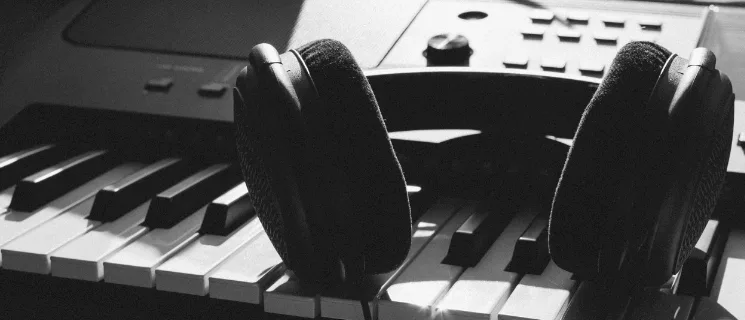
You need at least one pair, even if you own monitors. Closed-back headphones keep the sound in, so the click track stays out of the mic while you record. They’re also the right first pair if you share walls with anyone.
Open-back headphones let air through the back of each ear cup, so the bass sounds more natural and is easier to judge when you mix. But they leak both ways, so they’re no good for recording or a noisy room. In an untreated room, a good open-back pair can be more trustworthy for mixing than monitors.
I’d rather mix on my monitors, but I check mixes on Steven Slate VSX headphones, because I like flipping between the different rooms and systems they model. I also keep an old pair of V-Moda headphones around for a quick check every once in a while.
Products to consider: Audio-Technica ATH-M40x ($109, closed-back, first pair), Sennheiser HD 280 PRO (about $100, closed-back), Sennheiser HD 600 (about $500, open-back for mixing), Audeze LCD-X ($1,199, open-back, big budget)
For every price point, open and closed, check out our complete guide to studio headphones.
7. Studio Monitors
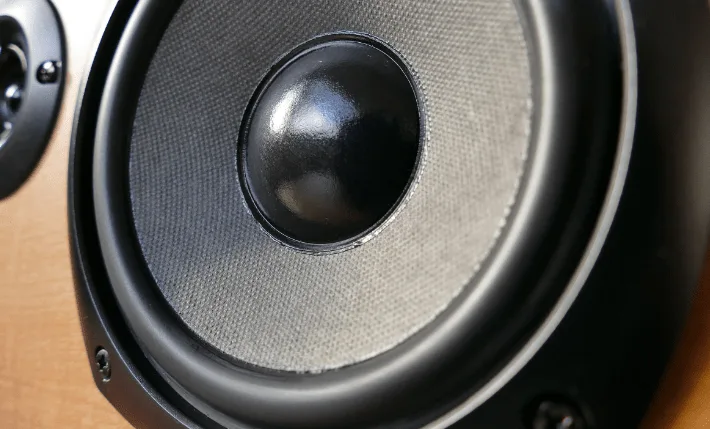
You make every mixing call on your monitors. If they hide a problem in the low end, the mix goes out with it, and you only find out later in the car.
I mix on Yamaha HS8s, with a Yamaha sub I keep turned low, but I started on a pair of KRK Rokit 5s.
About bass ports. Most monitors have a port (a hole) for bass, and that’s normal. The catch is placement. If the port’s on the back and the speaker is pushed against a wall, the bass gets boomy, and you’ll end up mixing it too quiet. Give them a few inches of space, or use the speaker’s wall switch. If your desk has to be against a wall, the Focal Shape 65 has no rear port.
Placement is free. Your head and the two speakers should make a triangle with equal sides. Angle them in and get the tweeters to ear height. Room correction software like Sonarworks can help with the rest. I don’t use any myself. I check my mixes on everyday speakers instead (more on that in reference speakers).
Products to consider: JBL 305P MkII (about $400 a pair, often around $200 on sale, tightest budget), Yamaha HS5 (about $400 a pair, first real pair), KRK Rokit 5 G5 (about $398 a pair, electronic producers), Yamaha HS8 (about $800 a pair, real low end), Focal Shape 65 (about $1,798 a pair, close to a wall)
Our studio monitors guide has 20 pairs sorted by room, plus where to put them and whether you need a sub.
The Room
Everything around the core gear, from bass traps to the drive your backups live on. Treatment goes first.
8. Acoustic Treatment
Monitors and a little room treatment go hand in hand. A great pair of speakers in a bare room will still mislead you about the low end, so plan for both at the same time.
Start with heavy bass traps in the corners. Then put panels on the side walls and ceiling where sound bounces from your speakers to your ears. Skip the thin foam squares. They do almost nothing for bass, and bass is the problem in small rooms. A thick rug on a hard floor helps too.
There’s a whole lesson on room acoustics in the Hyperbits Masterclass, and our home studio design guide shows how other producers treated their rooms. For now, two easy options:
- Primacoustic London 10: a ready-made kit of panels and bass traps for rooms up to about 120 square feet.
- Kaotica Eyeball: a foam ball that fits over your mic, so your vocals pick up less of the room even before you’ve treated it.
9. Desk
A desk isn’t exciting, but it decides where your monitors and screen end up, and your shoulders will let you know three hours in if you got it wrong.
I started on an IKEA desk (I think), then moved to one my grandfather built in the 1960s, which I refinished and painted. Now I’m at an UPLIFT standing desk. I sit when I mix and try to stand for everything else, a switch I made for my lower back (regular weightlifting helped too). The full story is in our studio desks guide.
Sitting for long hours takes a toll, too. Our guide to avoiding lower back pain for music producers covers posture and setup.
Products to consider: IKEA LAGKAPTEN / ALEX (about $277, a wide DIY desk), On-Stage WS7500 (about $350, a real monitor shelf on a budget), FlexiSpot E7 Plus (about $500, standing), De-Fi Platform (about $1,099, our best overall)
All 17 desks, sorted by what sits on yours, are in our studio desks guide.
10. Chair
A chair is a bad place to save money. You’ll spend hours at a time in it, so get something with solid lumbar support and adjustable armrests that clear your desk.
Products to consider: Sihoo M57 Ergonomic Chair (budget), Herman Miller Aeron (from about $2,000, depending on size and options)
11. Stands
Once the gear shows up, it needs somewhere to go. Monitor stands or foam pads get your speakers to ear height. A boom arm holds the mic in front of you, and an X-stand gives a bigger keyboard its own spot.
A small phone stand is worth adding too. It’s the easiest way to film content in the studio hands-free, and I’ve ended up with several of them, plus tripods and selfie sticks.
Products to consider: Rode PSA1+ boom arm, UBeesize phone tripod, Lamicall gooseneck phone mount
12. Computer Screen
A bigger screen helps a lot, even if you work on a laptop. A 27” screen at 1440p shows way more of your track than a 1080p one, so you scroll and zoom less. Get the biggest one your space and budget allow.
I had a 27-inch iMac three different times (yes, three). My current setup is an M4 Max machine with an Apple Studio Display.
Products to consider: Dell 27 Plus QHD (S2725DSM) (about $220, 1440p), Dell 27 Monitor (SE2726H) (about $120, 1080p)
13. Cables
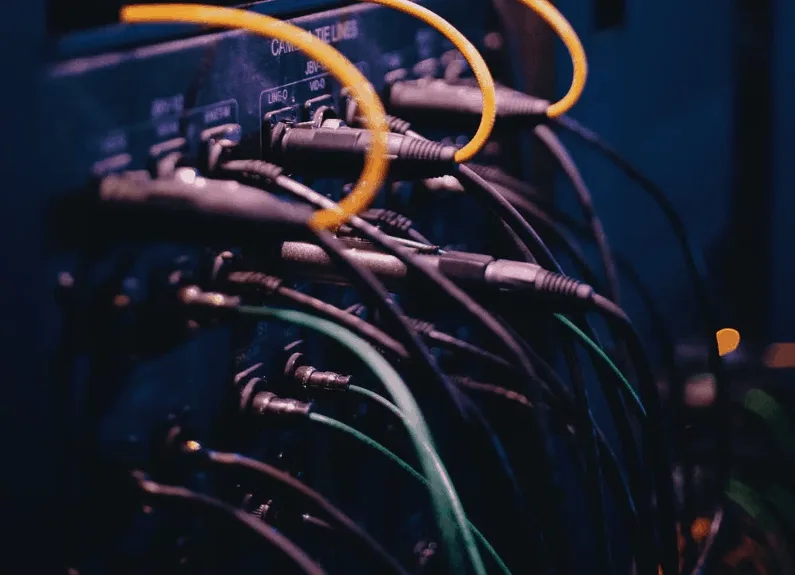
You’ll need more cables than you think: TRS or XLR cables from your interface to your monitors, an XLR for your mic, and USB-C or Thunderbolt to connect it all to your computer. Sweetwater has a useful tool to help you find the right cables.
14. USB Hub
Most computers don’t have enough ports for an interface, a keyboard, a drive and an iLok at once, and some laptops, like the MacBook Neo, have only two. A USB-C hub fixes that.
Get a powered one (it plugs into the wall). Cheap unpowered hubs pull power from your computer, and your keyboard or interface can cut out when there isn’t enough.
On my desk, that job goes to an IVANKY dock that sits between my computer and my Apple Studio Display. It’s amazingly simple, and the extra USB ports are the whole point.
Products to consider: a powered USB-C hub from Juiced Systems, or a dock from IVANKY if you also run an external display
15. Storage and Backup
Music projects take up a lot of space. Like, a lot. Use different drives for different jobs.
An SSD for sample libraries and active projects. A USB-C SSD is fast enough for big sample libraries and keeps your computer’s drive from filling up. The Samsung T7 Shield is a durable, pocket-sized option.
A hard drive for backups. They’re slower, which doesn’t matter for backups, and they’re cheaper. The WD My Passport is compact and reliable.
The cloud, for when the drives fail. They will, eventually. A cloud backup service like Backblaze or Dropbox keeps a copy of your projects somewhere other than your desk.
16. iLok
iLok is how a lot of plugin companies check that you actually paid for their software. Plenty still use it, though more and more companies have their own apps for it now.
You don’t need the USB key on day one. iLok Cloud authorizes plugins with no hardware at all, as long as you’re online. I don’t plug in a dongle anymore: I moved everything to iLok Cloud and like it much more. The iLok 3 (USB-C) still makes sense if you want to work offline or carry licenses between machines on a key.
Nice to Have
None of this is required. It just makes the work easier, or more fun, once the core is sorted.
17. Plugins
Your DAW comes with a full set of tools, called stock plugins, and they’re enough to make a finished record. Third-party plugins get you there faster, or give you a sound the stock ones can’t.
Start with the free ones. Our free plugins roundup has plenty worth installing today. When you’re ready to spend, Slate Complete Access gets you a big library of plugins for $19.99 a month.
Products to consider: Soundtoys 5.5, FabFilter, Waves, Universal Audio
For a deeper look at plugins by category, check out our Ultimate Plugin Guide.
18. Vibe Items
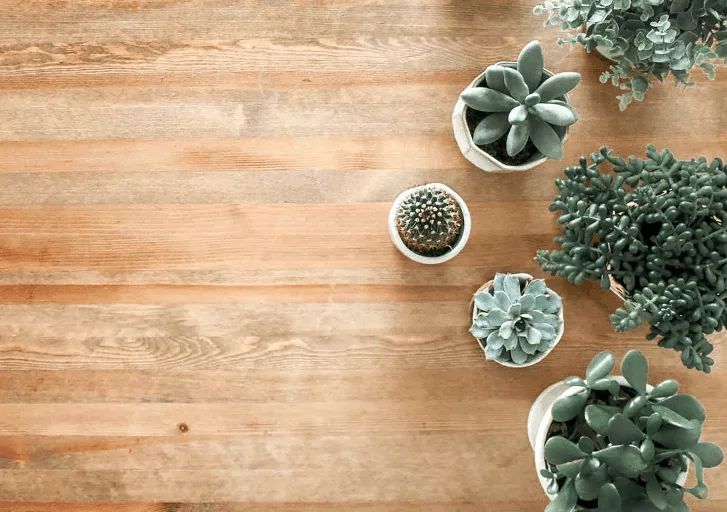
Plants, LED strips, colored bulbs, a good rug, merch from your favorite audio companies. You’ll spend a lot of hours in this room, so it should be somewhere you want to be.
Smart lights are pretty dope. Change the color of the whole room to suit a track or a session, and the space feels different every time you walk in. Mine are Govee lights, hooked up to Google Home.
Products to consider: Govee RGBIC LED strip lights (they work with Google Assistant and Alexa), LEDGlow bias lighting kit, IKEA plants
For a hundred-plus rooms to borrow ideas from, see our home studio design guide.
19. Reference Speakers
Your listeners will hear your music in a car, on a phone, through earbuds or on a TV, and almost never in a treated studio. So check your mixes there before you call them done.
I check mine in the car and on my phone, then once more on the TV. A cheap smart speaker on the desk is handy too. It shows you what your mix sounds like with almost no bass.
Products to consider: your phone, your car, your TV, and an Amazon Echo Dot
20. Outboard Gear
You don’t need this at all. But if you’re a hardware person, a classic preamp or compressor can add some character while you record.
Outboard sits at the very end of this list for a personal reason. I’ve owned a Prophet and a Minimoog, and they sounded beautiful. But I’m too obsessed with speed and workflow to build hardware into how I work. If it works for you, great. Every one of the classics below is also available as a plugin, from UAD and others, if you’d rather stay in the box.
Products to consider: Neve 1073 (preamp), UA 1176 (compressor), Empirical Labs Distressor (compressor)
If you need somewhere to put rack gear, I use a 2U desktop rack from Nice-Racks and highly, highly recommend them. The owner built mine himself and emailed me updates along the way.
Pro Tip: Clones of these classics, like Warm Audio’s WA73 and WA76, cost a fraction of the originals.
Frequently Asked Questions
How much does a home studio setup cost?
If you already own a computer, about $500 gets you an interface, closed-back headphones, a small MIDI keyboard and a mic. About $1,500 adds a proper pair of monitors and some room treatment, which is where most producers should aim. About $3,000 gets you close to a professional home setup, with a Thunderbolt interface and 8” monitors. Add the computer on top if you need one.
What do I need for a home studio setup?
A computer, a DAW, an audio interface, headphones, studio monitors and a microphone. Add a MIDI keyboard if you write by playing parts in. After that, prioritize a little acoustic treatment for the room, then a desk and chair you can sit at for hours.
Can I make music with just a laptop and headphones?
Yes. A laptop, a DAW and a good pair of headphones are enough to write and finish full tracks. Add an audio interface when you want to record or need a better headphone amp, and add monitors and treatment when you start mixing seriously.
Do I need studio monitors, or are headphones enough?
You can start on headphones alone, and in an untreated room a good open-back pair is often more trustworthy than cheap speakers. Monitors become worth it once you’re mixing regularly, because they show you how a mix behaves in a real space. Most producers end up using both and checking one against the other.
Is a Mac or PC better for music production?
Neither is better for the music. Logic only runs on a Mac, and most other DAWs run on both. If you buy a Mac, get any Apple Silicon model, since current macOS doesn’t run on Intel Macs. If you buy a PC, get one running Windows 11 with at least 16GB of RAM and an SSD.
How much RAM do I need for music production?
16GB is the minimum for comfortable music production. Go to 32GB if you use large sample libraries, like orchestral instruments or multi-mic drum kits, or run big sessions with lots of virtual instruments. 8GB will open a DAW, but you’ll hit the limit quickly.
What is the best setup for recording vocals at home?
A dynamic mic like the Shure SM58 or SM7B, an interface with enough clean gain for it, and closed-back headphones so the backing track doesn’t bleed into the mic. Treat the area around the mic first, with a reflection filter, a Kaotica Eyeball or even heavy blankets. A dynamic mic in a treated corner beats an expensive condenser in a bare room.
Do I need acoustic treatment in a home studio?
If you use monitors, yes. A bare room exaggerates some bass notes and cancels others, so you can’t trust what you hear. Start with bass traps in the corners and absorption at the first reflection points. If you mix mostly on headphones, treatment matters less for mixing, though it still helps your recordings.
Buy the Essentials, Then Let Your Music Decide
You don’t need all of this at once. The essentials get you making music, and the rest can wait until you actually need it.
My test for any purchase: will it make me money, or save me time? Saved time usually turns into more finished music, and finished music is what eventually makes the money.
And when your music does start making money, put some of it back into the studio.
The gear is the easy part. The gap between your tracks and the music you love comes down to hundreds of tiny decisions, and closing that gap is what the Masterclass is built for.
Heads up: some of the links below are affiliate links. If you buy through one, we earn a small cut (costs you nothing extra). But we'd point you at this exact gear whether we made a dime or not. As an Amazon Associate, we earn from qualifying purchases.